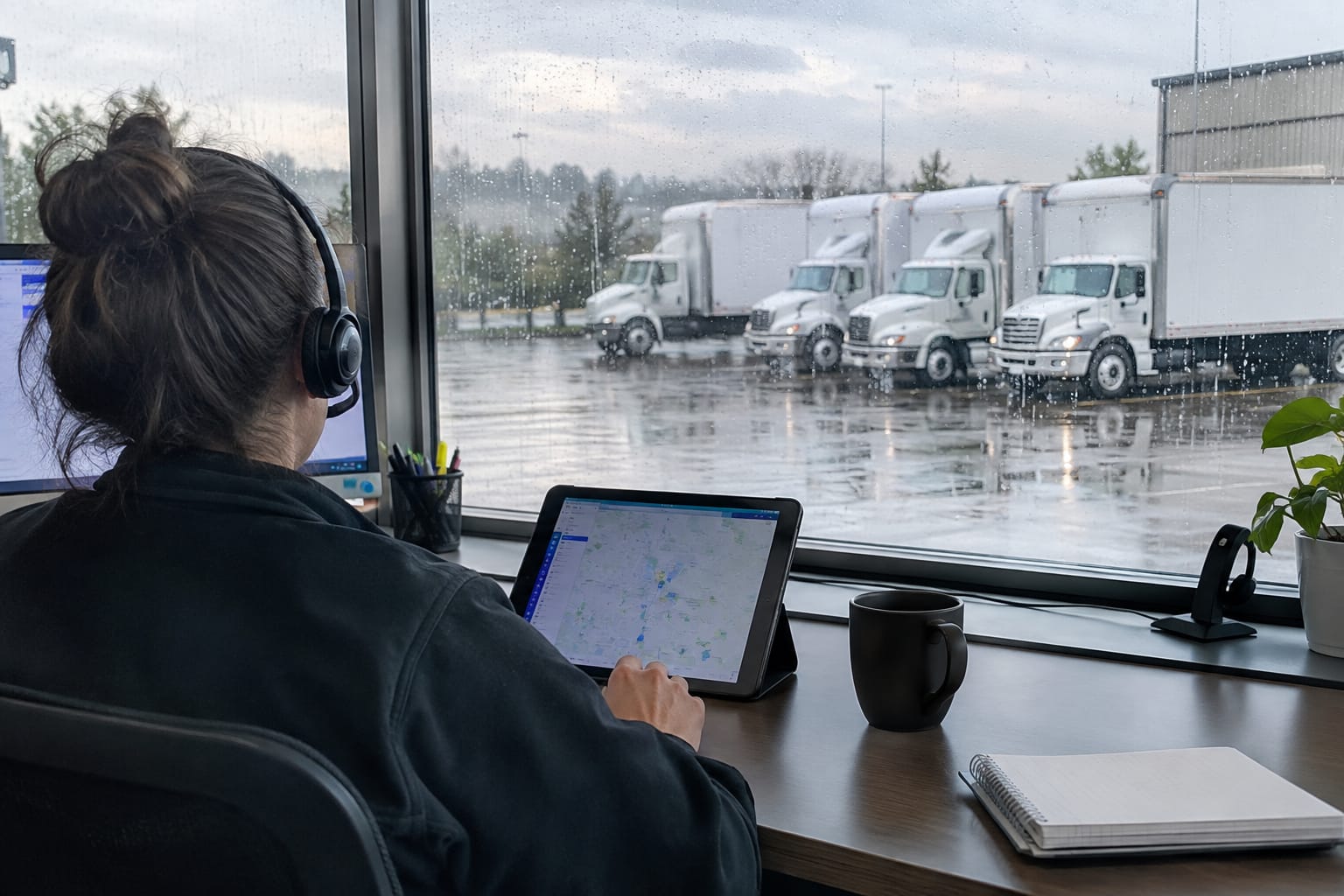

Moving technology is the connected set of software a moving company uses to win and run jobs. It covers lead capture, surveys and estimates, dispatch, crew apps, electronic paperwork, payments, payroll and profit reporting. This guide is for owners, general managers, sales managers and dispatchers of US moving companies who are outgrowing spreadsheets, paper Bills of Lading and phone-tag scheduling, or a legacy moving system that no longer fits.
The individual tools are rarely the hard part. The hard part is that most companies buy them one at a time. The same inventory then gets typed three times, and nobody trusts the numbers at month-end. This guide breaks moving industry technology into its core categories, explains what each one fixes, and shows how they connect from the first survey link to the final P&L.

Key Takeaways
- One record per job. Moving technology pays off when the lead, inventory, estimate, Bill of Lading, invoice and payroll share one job record instead of being retyped between tools.
- Self-recorded video removes scheduling. AI video estimating uses computer vision on a customer-recorded video, avoiding the drive time of in-home surveys and the no-shows of live video calls.
- Interstate accuracy has regulatory stakes.
- Paperwork can go fully digital.
- Connected payroll reveals true profit. Linking crew payroll to completed jobs enables estimated-vs-actual, lead-source ROI and per-branch P&L reporting.
- Build incrementally. Pick a system of record, fix the biggest bottleneck first, and run old and new processes in parallel before retiring anything.
What Moving Technology Means for a Modern Moving Company
For a moving company, good technology means one record per job. That record travels from lead to estimate to dispatch to signed paperwork to invoice to payroll, and nobody re-enters it along the way. Each category below owns one stage of that chain.
The categories are distinct, but each one only pays off when it passes data to the next. Take a survey that produces a clean inventory. It saves little time if a coordinator still retypes that inventory into the estimate and again into the Bill of Lading.
| Category | Owner pain it addresses | What it should hand off next |
|---|---|---|
| Moving CRM | Leads lost in inboxes, slow follow-up | Lead details and move date to the survey |
| Virtual survey / AI video estimation | Drive time, no-show video calls, guessed volumes | Itemized inventory and cubic feet to the estimate |
| Estimating software | Inconsistent pricing between salespeople | Priced estimate to the contract and Bill of Lading |
| Dispatch and crew apps | Double-booked trucks, paper job sheets | Job status, hours and photos back to the office |
| Digital Bill of Lading and e-sign | Lost or illegible paperwork, disputed signatures | Signed, timestamped record to billing and claims |
| Customer portal and payments | Chasing deposits, status calls | Payments and messages tied to the job |
| Payroll and reporting | Payroll leaks, no true per-job profit | Crew pay, estimated-vs-actual and P&L |
A moving software platform bundles several of these categories into one system. A point solution handles a single stage and relies on integrations or exports for the rest. Either approach can work. Every gap between tools, however, becomes a manual step that someone on the team has to own.
AI Video Estimating vs. In-Home and Phone Surveys
AI video estimating replaces the in-home walkthrough with a video the customer records on their own phone. Computer vision is software that identifies objects in images and video. It detects furniture and boxes, builds a computer vision inventory, and calculates cubic feet for the estimator to review and price.
That is different from a virtual pre-move survey run as a live video call. A live call still needs the estimator and the customer on screen at the same time, which brings back scheduling and no-shows. A self-recorded survey runs on the customer's schedule, and the estimator reviews it when the video arrives.
| Survey method | Estimator time | Scheduling dependency | Inventory detail | Typical weak point |
|---|---|---|---|---|
| In-home survey | Highest: travel plus walkthrough | Both parties on site | High, if the estimator is thorough | Drive time limits how many quotes go out per day |
| Live video call | Moderate | Both parties online at once | Varies with camera handling | No-shows and rescheduling |
| Phone or web form | Lowest | None | Low; the customer self-reports | Missed items and volume disputes on move day |
| Self-recorded AI video | Low: review and adjust | None | High when the video covers every room | Depends on video quality and coverage |

For a deeper look at the trade-offs, see this breakdown of in-home estimates versus AI video surveys. A companion piece explains how AI video scanning replaces the in-home survey in day-to-day sales work.
It is also worth understanding the mechanics of AI video estimation before comparing vendors. The process runs from customer link to recorded video to priced inventory. Teams that want the technical background on AI moving estimates can read this explainer on how AI estimation technology works for moving companies.
Cube Sheet Automation
A cube sheet is the itemized list of household goods, with a cubic-foot value for each item. Movers use it to size trucks and price by volume. Cube sheet automation fills that list from the survey video instead of from an estimator's clipboard.
Manual tools still have a role. A cubic feet calculator for household inventories is useful for spot-checking an automated result on unusual jobs.
Why Estimate Accuracy Matters for Interstate Moves
For interstate movers, estimate accuracy is more than a sales issue. It directly limits what the company can collect on delivery day.
Q: What is the 110 percent rule for interstate moving estimates?
A: Confirm the current payment requirements for non-binding estimates at delivery with FMCSA before relying on them.
Interstate operators should confirm that their virtual survey process meets those requirements before retiring in-home visits.
Pro Tip: Run AI video surveys alongside your current method for a few weeks. Compare the video inventory against what the crew actually loaded. That estimated-vs-actual gap from your own jobs is a more useful accuracy benchmark than any vendor claim.
Moving CRM and Lead Management Systems
A moving CRM (customer relationship management system) tracks every lead from first inquiry to booked job. Its fields are built for moves: move date, origin and destination, move size, inventory, crew and truck assignments. A generic sales CRM tracks contacts and deals but has no concept of a cubic foot or a Bill of Lading.
This primer on what a moving company CRM does covers the core modules in detail. The short version: the CRM is usually the system of record. Every other tool in the stack should read from it and write back to it.
Speed matters most at the lead stage. Moving customers often request quotes from several companies at once. This look at how lead response time affects booked moving jobs explains why the first credible reply tends to win the job.
Moving company automation closes that gap. Automated SMS and email follow-ups send the survey link and the reminders without a salesperson having to remember.
When evaluating a CRM, look for:
- Lead source tracking, so marketing spend can later be tied to booked revenue
- Pipeline stages that match a moving sales process: new, surveyed, quoted, booked, completed
- Built-in survey and estimate tools, or a native connection to them
- Templates with merge fields for quotes, confirmations and follow-ups
- Role-based access for sales, dispatch and foremen
This checklist of what your CRM needs for binding video moving estimates goes further on evaluation criteria.
Dispatch, Scheduling, and Crew Apps
Dispatch software puts every truck, crew member and job on one board. The dispatcher sees conflicts before they become a missing truck on a Saturday morning. Crew scheduling software extends the same view to people: who is available, who can drive the larger truck, who can lead a crew.
For a company running a handful of trucks up to a mid-sized fleet, these features matter most:
- Conflict protection that flags double-booked trucks or crew
- Calendar sync with Google, Apple or Outlook calendars, so office staff see jobs where they already work
- Crew sizing suggested from the inventory volume rather than a dispatcher's guess
- A foreman app that shows today's jobs, captures before-and-after photos and completes paperwork on site
Offline mode deserves special attention. Basements, high-rise loading docks and rural routes often lose signal, and a crew app that freezes there pushes the foreman back to paper. Look for a dispatch board and crew app that work offline, storing data locally and syncing when the connection returns.
Dispatch is where seasonal volume hits hardest, so stress-test any tool against your busiest weeks. This peak season preparation guide for moving companies covers the operational side. For a broader look at field tools, see this overview of apps for moving companies.
Customer Portals, E-Sign, and Digital Payments
Paper usually survives longest at this stage, and it causes the most disputes here. Digitizing it lets the customer review, sign and pay from their phone. Every document then lands in the job record automatically.
The Digital Bill of Lading
A digital bill of lading replaces the carbon-copy form with an electronic document that pulls inventory and charges straight from the estimate.
Q: Is an electronically signed Bill of Lading legally valid?
A: The federal E-SIGN Act (15 U.S.C. 7001) has requirements to confirm with the relevant authority before relying on electronic signatures.
A digital Bill of Lading with e-signature should also record who signed, when and where. That record matters when a damage claim arrives months later. Paired with timestamped before-and-after photos, it turns a dispute into a documented file, which is the core idea behind claims management for moving companies.

Customer Portals
A customer portal gives the shipper one link to follow the move timeline, review the inventory, sign documents, pay deposits and message the office. Every question answered in the portal is one less status call to the front desk.
Portals that carry the moving company's own branding and skip passwords and app downloads tend to see the least friction. The customer experience side is covered in this guide to customer experience in moving services.
Deposits and Payments
Payment tools collect deposits at booking and balances at delivery. The key structural question is whose merchant account the money lands in. Taking payments on your own merchant accounts keeps the processor relationship, rates and funds under the company's control. It also makes switching software easier later.
Before signing with any vendor, ask three things:
- Does the software store card numbers, or does it leave card data to the certified payment processor?
- Does the vendor ever hold customer funds?
- Which processors does it support, and can you switch between them without changing software?
Analytics, Payroll, and Profit-and-Loss Reporting
Reporting answers the question every owner asks at the end of the week: which jobs actually made money. Payroll and reporting belong together. Crew labor is a major variable cost on every move, and it stays invisible when payroll lives in a separate spreadsheet.

Manual payroll leaks in predictable ways. Hours get rounded generously, commissions get calculated from the quoted price instead of the collected price, and helpers get paid at the wrong rate. Calculating crew payroll and commissions from completed job records closes those gaps. Pay then comes from the same hours and revenue that appear on the invoice.
Once payroll is connected, three reports become possible:
- Estimated vs. actual per job. Quoted hours and volume sit beside recorded hours and volume, which exposes estimators who consistently under-quote.
- Lead-source ROI. Booked revenue by lead source shows which marketing channels deserve more budget.
- A true P&L. Revenue minus labor, fuel, materials and overhead, viewed company-wide or per branch.
P&L and estimated-vs-actual reporting is also the most honest way to judge any estimating technology, including AI video. When the gap between estimated and actual narrows over a season, the tool is doing its job.
For multi-location moving brands, technology choices should include per-branch reporting with a consolidated view. Otherwise one strong branch can hide a struggling one.
Integrations: Payment Processors, Calendars, and Accounting Handoffs
Moving company software integrations decide how much manual work remains after the purchase. For a typical moving company, four integration groups matter most.
- Payment processors. Stripe, Authorize.Net and Clover are common examples. Confirm which processors are supported natively.
- Calendars. Two-way sync with Google, Apple or Outlook calendars keeps sales, office staff and owners on the same schedule.
- Accounting. Many moving companies keep their books in a dedicated package such as QuickBooks. Ask whether invoices and payments sync automatically, export as a file, or need manual entry.
- Mapping. Distance and drive-time data from a mapping service feeds travel time into local estimates and dispatch planning.
Ask every vendor to separate native integrations from workarounds. The vendor builds and maintains a native integration. A third-party connector or a CSV export also works, but it adds another point of failure and another person who has to check it.
Data ownership belongs on the same checklist. Confirm that customer, job and financial data can be exported in a usable format if the company ever changes systems.
Companies running a storage division should check whether storage billing lives in the same system. Storage billing tied to the move record avoids a second customer database for storage-in-transit and recurring unit rentals.
How to Build a Moving Technology Stack Without Rip-and-Replace
Most moving companies already own some technology. The goal is not to replace everything in one weekend. It is to connect the pieces and retire the ones that force re-entry.
- Map the job lifecycle. List every step from first call to final payroll, and mark each place where someone retypes information.
- Choose the system of record. This is usually the CRM. Every other tool should read from it and write back to it.
- Start with the biggest bottleneck. For many owners that is estimating, because drive time and no-show video calls cap how many quotes go out. For others it is payroll or paperwork.
- Run old and new in parallel. Keep the existing process on a subset of jobs until the new one proves itself on estimated-vs-actual data.
- Migrate clean data. Import active leads, booked jobs and customer history, and leave dead records behind.
- Train the field, not just the office. Foreman adoption decides whether the digital Bill of Lading actually replaces paper.
- Review after a full busy month. Check quote turnaround, booking rate and estimated-vs-actual, then decide what to connect next.
To see what a connected moving system looks like, review how the platform fits together when lead, estimate, dispatch, paperwork and payroll modules share one job record. This comparison of estimating software for movers and this outline of a structured moving company sales process help decide where estimating fits in the rollout sequence.
Related Articles
- Automated Moving Survey: Collect Client Information — How automated surveys gather move details and inventory before a salesperson picks up the phone.
- Faster Quote Turnaround: How Moving Companies Book More Jobs — Why quote speed shapes booking rates and where the delays usually hide.
- CRM for Moving Companies: Streamline Operations — How a moving-specific CRM organizes leads, jobs and the office workflow.
- Lead Generation for Moving Companies — Channels and tactics for filling the pipeline that your technology stack then has to convert.
Useful Links
- Moving Company Software & Solutions — CRM, AI Estimates, Dispatch
- AI Estimating Software for Movers
- AI-Powered Moving Estimates: Complete Guide
- Moving Industry Glossary
- Cubic Feet Calculator for Moving Inventories
Need help with this? Moving Company Payment & Invoicing Software · Get started · Call (888) 611-7483
Ready to see it in action?
Book a free 20-minute demo and explore how Virtual Estimate can help your business.