
Crew Payroll & Commissions
Crew pay and commissions that calculate themselves — pay lines from completed jobs, commissions by service type, tied to what actually happened on the truck.
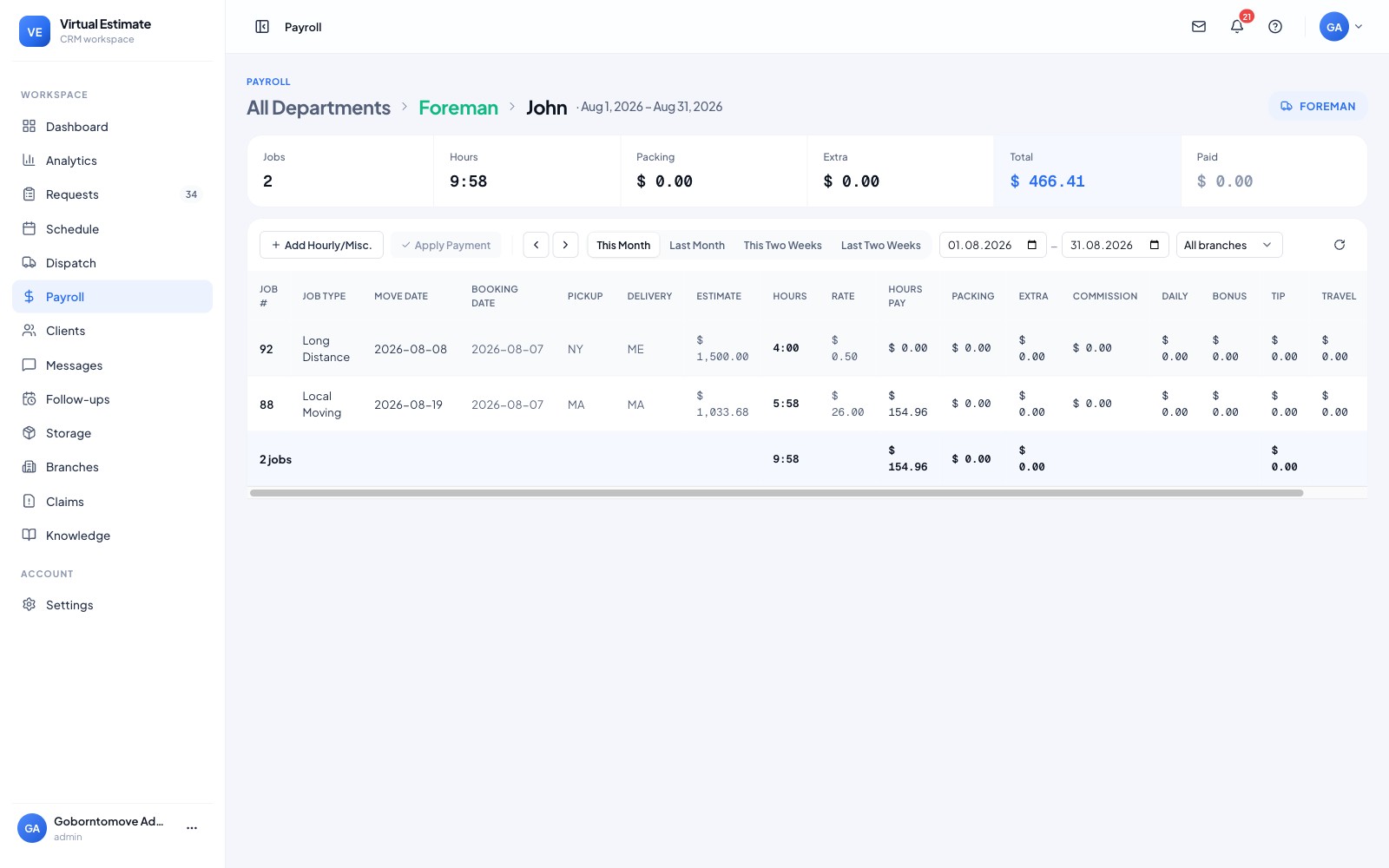
Payroll that calculates itself.
Crew pay and commissions come straight from completed jobs — no spreadsheet, no double entry, no guesswork.
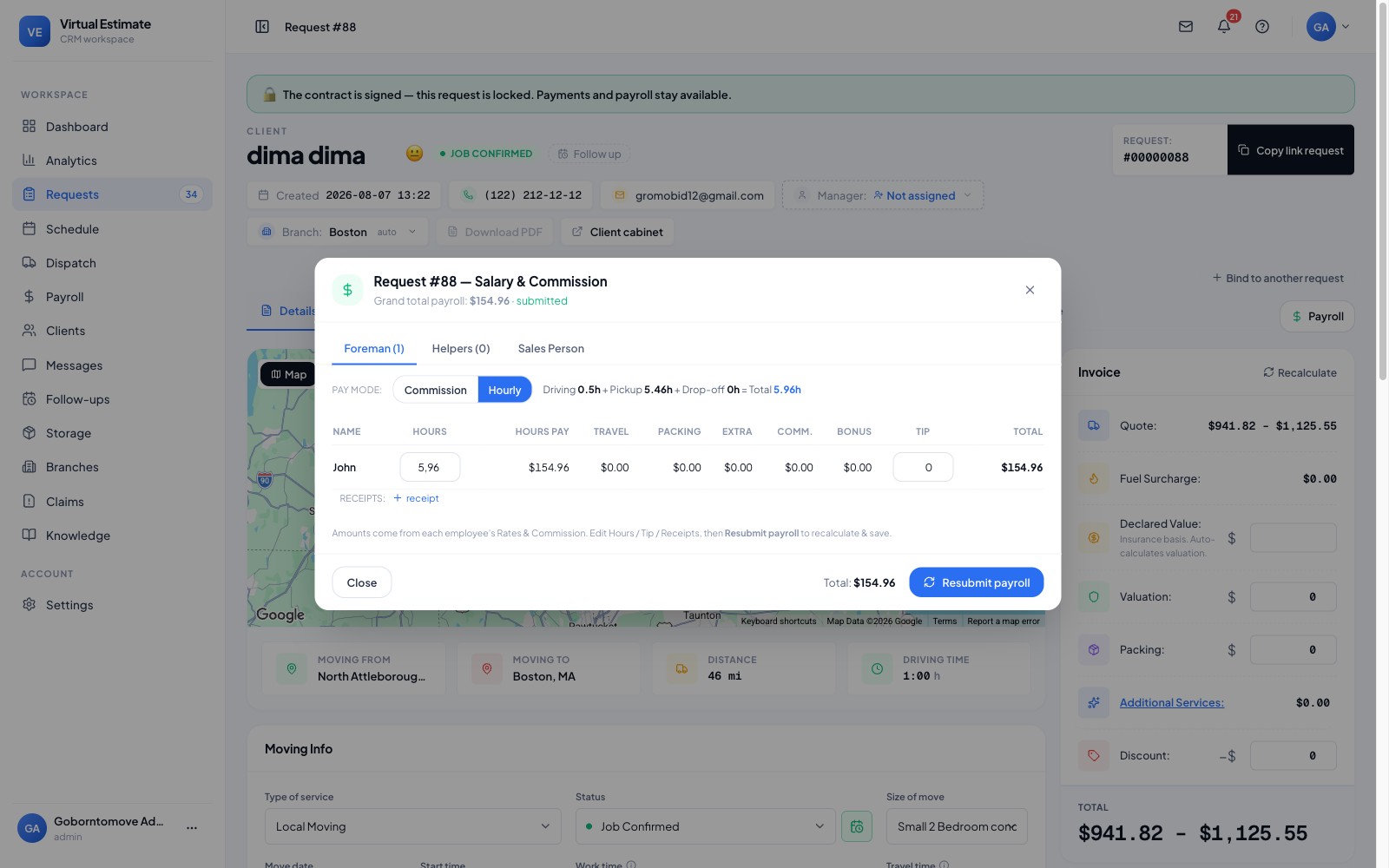
Pay lines from the jobs you ran.
Every completed job generates its own pay lines — hourly, per-job or commission — so payroll is a review, not a rebuild.
- ✓Pay lines from completed jobs
- ✓Hourly, per-job & commission models
- ✓Commissions by service type
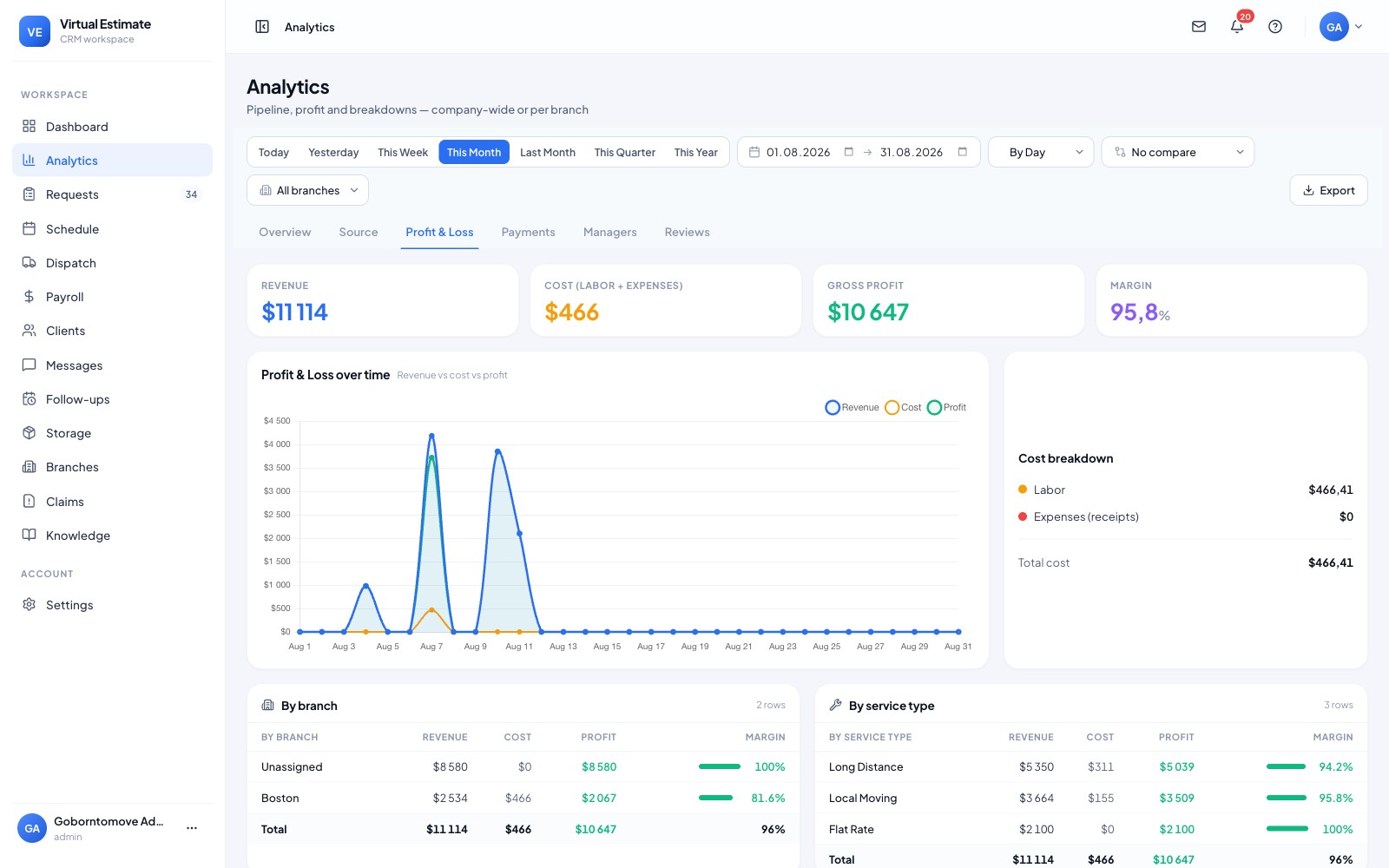
Labor cost you can actually see.
Payroll ties into the P&L so you know real labor cost per job — and protect margin instead of finding out at month-end.
- ✓Labor cost per job
- ✓Feeds the profit-and-loss view
- ✓No double entry
From first touch to done — without re-keying a thing.
What Crew Payroll & Commissions does for your business.
See it per job, not just at month-end.
Payroll comes from the work itself.
Fewer disputes, fewer corrections.
Hours back every pay period.
Payroll in a spreadsheet is hours of work every week and a steady source of errors. Here it calculates itself from what actually happened on the job.
What you get
- Pay lines generated from completed jobs — no re-keying hours.
- Commissions by service type, applied automatically.
- Tied to the job and dispatch record, so there's no double-entry.
- Feeds estimated-vs-actual and the P&L, so labor cost is visible per job.
- Per-branch, for multi-location operations.
Why it's different
Pay comes straight off the completed job — the same record that drives dispatch and the P&L — so a mover's pay, the commission and the job cost all agree, without anyone retyping a timesheet into a spreadsheet.
Pay lines are generated automatically from completed jobs, so hours and pay come from the job record instead of a hand-keyed timesheet.
Yes — commissions are applied by service type automatically as jobs complete.
No — payroll is tied to the same job and dispatch record, so there is no double-entry.
Yes — payroll runs per branch for multi-location companies.
Yes — payroll feeds estimated-vs-actual and the P&L, so you can see the labor cost on every job.
One platform — every part of the move.
AI Video Estimate
Turn a customer's phone video into a measured, itemized inventory and a priced estimate — the same session, wi...
Virtual Survey
Replace the in-home walkthrough. Your customer films their own rooms from a link and answers the logistics an...
Estimate Software
Your rates, your rules — one calculator for local, long-distance and everything in between. The estimate auto-...
Ready to put Crew Payroll & Commissions to work?
Crew pay and commissions that calculate themselves — pay lines from completed jobs, commissions by service type, tied to what actually happened on the truck.