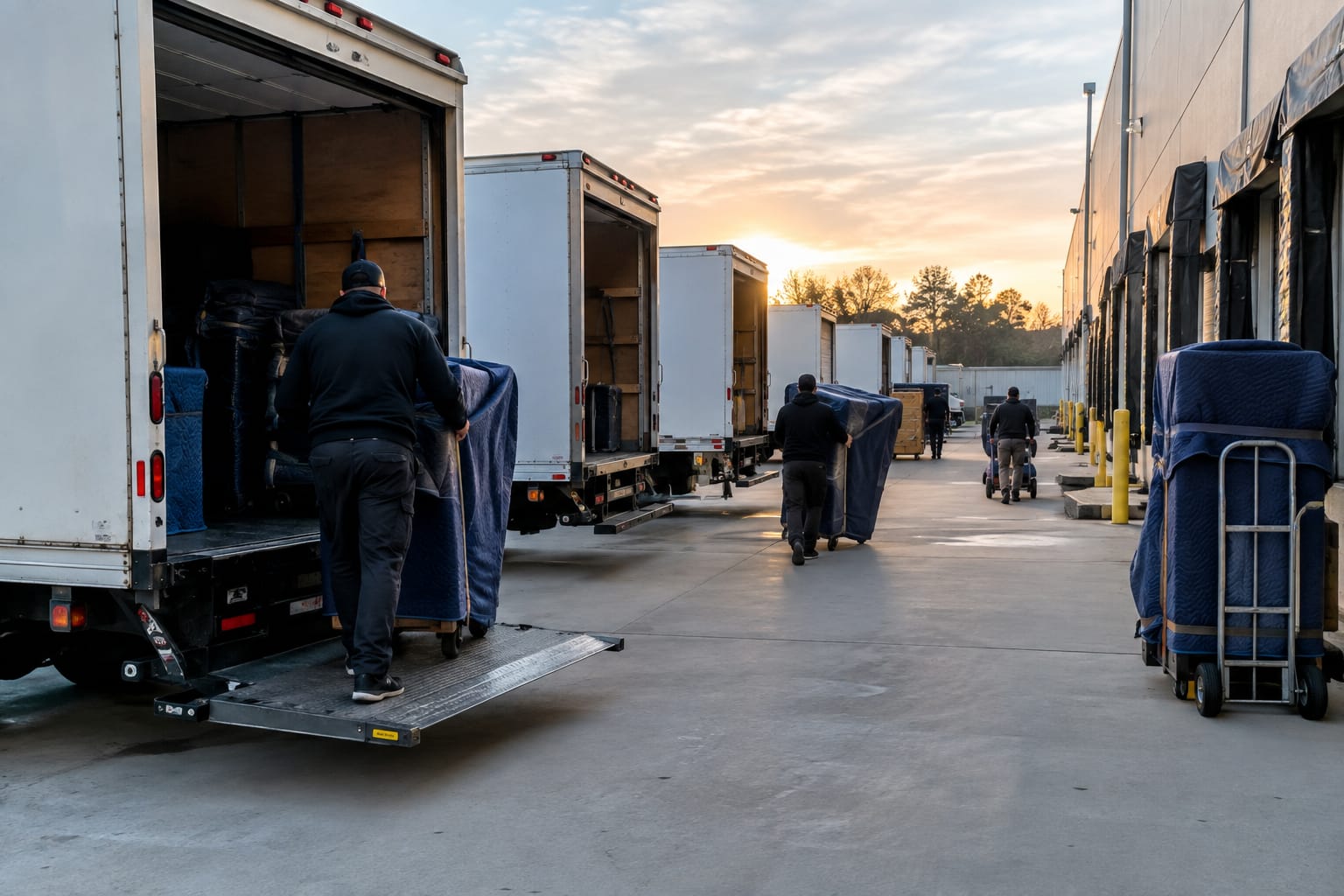
Moving companies run on a short list of app categories: estimating and survey apps, a CRM, dispatch and scheduling software, a crew app for inventory and the bill of lading, payment and invoicing tools, and customer-facing portals. Each one covers a single stage of the move — quote it, schedule it, run it, get paid. The best setups connect these apps so data is entered once instead of re-keyed at every handoff.
Most search results for "apps for moving companies" confuse two very different readers. Half are packing-checklist apps built for homeowners. The other half are single-product pages. This guide is for the operator — the owner, dispatcher, or crew lead who needs to know which tool does which job on a real workday.
The Four Jobs a Moving Company App Has to Do
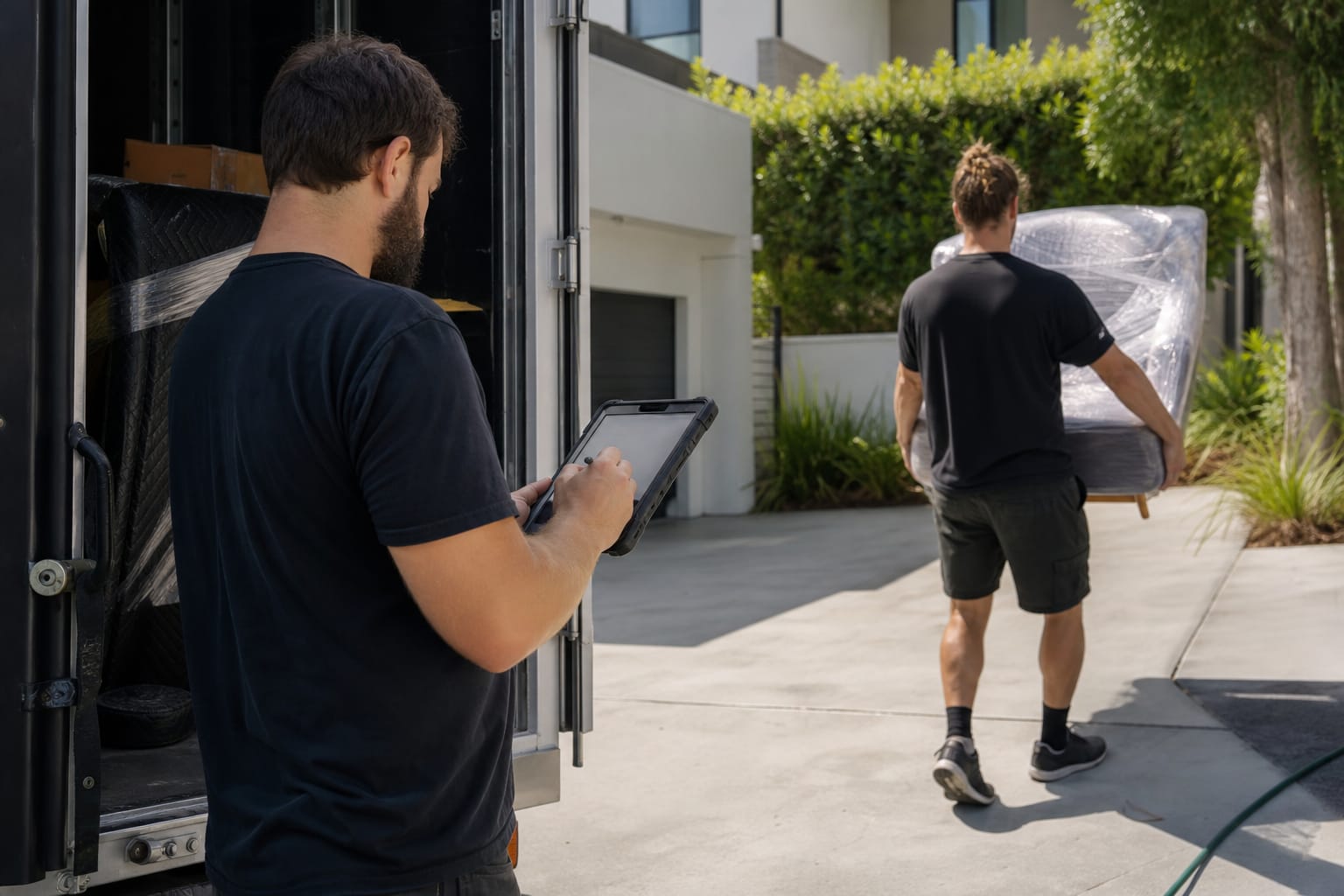
Every app a mover uses maps to one of four jobs across a move. Quote it. Schedule it. Run it. Get paid for it. Organize your software this way and the gaps in your operation become obvious.
Here's the thing: no single category covers all four well. An estimating app that's great at quoting is usually weak at dispatch. A crew app built for the job site rarely handles sales pipelines. Understanding the boundaries is how you avoid paying for overlap.
The table below maps each app category to the stage of the move it supports. Use it as a checklist against your current stack.
| App category | Stage of the move | Who uses it most |
|---|---|---|
| Estimating & survey app | Quote it | Sales, estimators |
| CRM & sales app | Quote it / follow up | Sales, office |
| Dispatch & scheduling app | Schedule it | Dispatcher, ops manager |
| Crew app (inventory, bill of lading, photos, time) | Run it | Crew lead, movers |
| Payments & invoicing app | Get paid | Office, crew lead |
| Customer portal | All stages | Customer, office |
Q: What apps do moving companies use?
A: Most companies run six categories — an estimating or survey app, a CRM, dispatch and scheduling software, a crew app for inventory and the bill of lading, a payments and invoicing tool, and a customer portal. Larger firms often consolidate these into one platform.
The rest of this guide takes each category in turn, using the same pattern: what it does, who uses it, and what to look for.
Estimating and Survey Apps: Pricing the Job Before the Truck Rolls
What it does: An estimating app captures the size of a move and turns it into a price. Older versions relied on an in-home walkthrough. Newer ones use an AI video survey where the customer films their rooms on a phone and the app builds an inventory from the footage.
Who uses it: Estimators and sales reps, usually before the customer ever commits.
What to look for: Accuracy of the volume estimate, because that number drives the entire quote. A good app converts item lists into cubic feet automatically — the same math behind any cubic feet calculator — and lets you adjust for stairs, long carries, and packing.
Estimate precision is the single biggest lever in the sales conversation. Underquote and you eat the difference. Overquote and you lose the booking. For a deeper look at the tradeoffs, see this breakdown of types of moving estimates and how companies choose between binding and non-binding quotes.
Pro Tip: Whatever app you pick, standardize the survey. A virtual pre-move survey that every estimator runs the same way produces quotes you can actually compare and improve over time.
CRM and Sales Apps: Keeping Every Lead in One Place
What it does: A Moving CRM stores every lead, quote, call, and follow-up in one record. It's the memory of your sales operation.
Who uses it: Sales reps and office staff who juggle dozens of open estimates at once.
What to look for: Speed of follow-up. Leads go cold fast, and how quickly you respond largely decides whether you book the job — the reasoning is laid out in this piece on lead response time for moving jobs.
A CRM that also stores the estimate means sales and operations see the same job details. That matters more than it sounds. When the quote lives in one app and the schedule lives in another, the two drift apart — and the crew shows up with the wrong truck size. For the full case, read why a CRM for moving companies is the backbone most operators underinvest in.
Dispatch and Scheduling Apps: Assigning Crews and Trucks
What it does: A dispatch app assigns crews, trucks, and time slots to booked jobs, then pushes the day's schedule to the people who need it.
Who uses it: The dispatcher or operations manager, usually starting before dawn.
What to look for: A day view that shows crew availability, truck assignments, and job locations at a glance, plus a clean way to send each crew lead their run. Purpose-built dispatch and scheduling tools replace the whiteboard and the group text most companies still rely on.

The hidden cost of a separate dispatch app is the re-keying. When a job is booked in the CRM and then typed again into a scheduling tool, addresses get mistyped and crew notes disappear. Every app boundary is a place where information leaks.
Q: Do moving companies need a separate app for the crew and the office?
A: Not necessarily. Many operators run one platform where the office schedules a job and the crew sees it on a tablet — no separate crew app to sync. The split only makes sense when the two tools genuinely connect.
Crew Apps: Inventory, Bill of Lading, Photos, and Time Tracking
What it does: The crew app is the tool movers hold on the truck. It carries the inventory list, captures condition photos, records start and stop times, and produces the bill of lading the customer signs.
Who uses it: The crew lead and the movers, on a phone or tablet at the job site.
What to look for: Four things. A fast inventory entry flow, damage-photo capture, time tracking that ties to payroll, and a digital bill of lading and e-signature the customer signs on the device.

The bill of lading is not optional paperwork. For interstate moves, the mover must prepare a bill of lading and give the customer a copy, per FMCSA rules — it is the contract for the move. A crew app that generates it correctly on-site removes a major compliance risk.
Electronic signatures carry the same legal weight as ink under the federal E-SIGN Act, which is why signing on a tablet is now standard practice rather than a novelty.
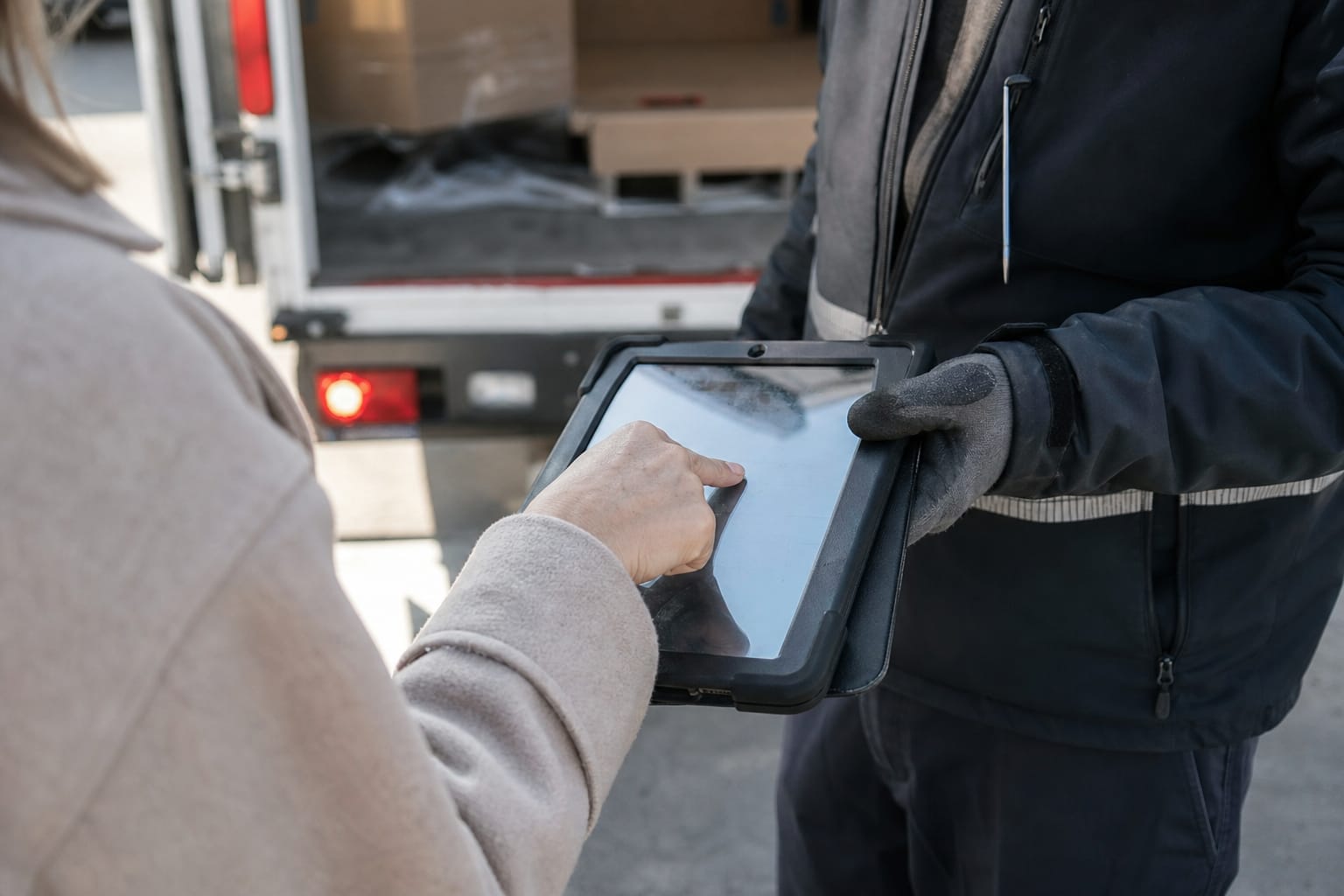
Q: Can movers do a bill of lading and signature on a phone or tablet?
A: Yes. A crew app can generate the bill of lading on-site and capture the customer's e-signature on the screen, which is legally valid under the E-SIGN Act. FMCSA requires the customer receive a copy for interstate moves.
Time tracking inside the crew app also closes a payroll gap. When hours are logged on the job instead of guessed later, you pay crews accurately — a recurring headache covered in this guide on how to pay a moving crew.
Payments and Invoicing Apps: Deposits, Cards, and Signed Documents
What it does: Payment apps collect deposits at booking and the balance at delivery, then produce the invoice. On a moving job, the two often happen days apart and in different places.
Who uses it: Office staff for deposits, the crew lead for the final balance.
What to look for: Card acceptance in the field and a link between the payment and the signed bill of lading, so invoicing and payments flow from the same job record instead of a separate terminal.
The integration point matters here. When payment lives in a standalone app, the office has to reconcile a card charge against a job by hand. Tie the payment to the job and the reconciliation is automatic. How you structure deposits and balances also connects to how moving companies price jobs in the first place.
Customer-Facing Apps and Portals: Updates Without the Phone Call
What it does: A customer portal gives the mover's client a place to see their quote, confirm their date, track move-day status, and access documents — without calling the office.
Who uses it: The customer, with the office as backstop.
What to look for: Real-time status and self-service access to the estimate and paperwork. A customer portal for move-day updates cuts the volume of "where's my crew?" calls that tie up your phone lines on a busy Saturday.

The portal is quietly one of the highest-leverage tools in the stack. Proactive updates are a core part of customer experience in moving services, and they reduce inbound calls at exactly the moment your team is stretched thinnest.
General-Purpose Apps Movers Still Rely On
Not every tool on a mover's phone is moving-specific, and pretending otherwise is dishonest. Plenty of companies still lean on general-purpose apps, and they work — up to a point.
Google Maps or Waze handles routing. A group text or WhatsApp thread coordinates the crew. A spreadsheet tracks the schedule. A generic e-signature or PDF app captures a signature. A basic card reader takes payment. These tools are cheap, familiar, and good enough to start.
Q: Are there free apps for moving companies?
A: Yes — general tools like Google Maps, WhatsApp, spreadsheets, and free PDF signers cost nothing and cover routing, crew chat, and basic documents. Their limit is that none of them share data, so information gets re-entered at every step.
The honest limit is integration. A spreadsheet doesn't know what the CRM knows. A group text doesn't update the schedule. Each free tool solves one task and connects to nothing, so the office spends its day copying information between apps. That labor is the real cost, and it grows with every job you add.
All-in-One Platform vs Stitching Together Separate Apps
This is the central decision, so here's the direct answer: stitching separate apps together is cheaper to start and more expensive to run. An all-in-one platform costs more upfront and less in daily friction.
The reason is the app boundary. Every seam between two tools is a place where inventory gets re-keyed, a signature goes missing, or dispatch and sales disagree about the truck size. Count the seams in your stack and you're counting your error points.
| Approach | Strength | Weakness |
|---|---|---|
| Separate best-of-breed apps | Each tool is specialized; lower entry cost | Data re-keyed at every handoff; integrations break |
| All-in-one platform | One record, no re-keying; sales and ops aligned | Higher upfront cost; fewer niche features per module |
A fuller treatment of this tradeoff lives in this moving company technology stack guide and this walkthrough of how to choose management software for your business. The right answer depends on your volume: a two-truck operation tolerates seams a twenty-truck operation cannot.
How Crews Use Apps When There's No Cell Signal
Job sites are not always connected. Rural pickups, basements, freight elevators, and dead zones on the highway all kill a signal — and a crew app that stops working offline is worse than paper.
What to look for is offline capture with later sync: the app stores the inventory, photos, times, and signature on the device, then uploads when the connection returns. Confirm this behavior on the vendor's own documentation before you rely on it, because not every crew app handles it the same way.
Do not take offline support for granted from a demo run on office Wi-Fi. Ask the vendor directly, test it in a basement, and check whether a captured signature survives a lost connection. This is the question crew leads care about most and the one most product pages skip.
How to Roll Out a New App Without Losing the Crew
The best app fails if the crew won't use it. Adoption, not features, decides whether the investment pays off.
Start with one crew and one job type. Prove the flow works on real moves before you push it company-wide. A pilot surfaces the friction — a slow inventory screen, a confusing signature step — while it's still cheap to fix.
Train on the tasks that touch money and compliance first: the bill of lading, the signature, and time tracking. Get those right and the rest follows. Change management is also a retention issue — the same dynamics covered in employee retention strategies for moving companies apply when you ask a veteran crew to trade paper for a tablet.
Pro Tip: Keep a paper fallback for the first month. Crews trust a tool faster when they know they won't be stranded if it fails, and the fallback almost never gets used once they see the app hold up.
Related Articles
- CRM for Moving Companies: Streamline Operations — how a moving CRM ties leads, quotes, and jobs into one record.
- Moving Company Technology Stack Guide — how to assemble the right combination of tools for your volume.
- How Moving Companies Price Jobs: Pricing Models — the pricing math that estimating apps automate.
- Types of Moving Estimates: Choosing the Best Option — binding vs non-binding quotes and when each fits.
- How to Pay a Moving Crew — why time tracking inside a crew app fixes payroll gaps.
Useful Links
- Moving Company Software & Solutions — overview of the tools that cover each stage of a move.
- Dispatch & Scheduling — assign crews and trucks and push the day's runs.
- Bill of Lading & E-Sign — generate the bill of lading and capture signatures on-site.
- Invoicing & Payments — collect deposits and balances tied to the job record.
- Moving CRM — keep every lead, quote, and follow-up in one place.
Ready to see it in action?
Book a free 20-minute demo and explore how Virtual Estimate can help your business.