
To optimize your Google Business Profile as a mover, do seven things. Choose the right moving category, set a compliant service area, publish accurate services and registration details, upload real job photos, request reviews after every move, route every profile lead into one pipeline, and track which leads become booked jobs. This guide is for owners, general managers, and sales managers of US moving companies who want the profile to produce paying jobs rather than a good Maps ranking.
Most Google Business Profile guides are written for restaurants and dental offices. Movers face different problems. They are usually service area businesses run from a yard or a home office, they compete in a category with heavy spam scrutiny, and their leads expire quickly. Treat the profile as the top of your local funnel, and pair it with broader SEO for moving companies.

Key Takeaways
- Categories define eligibility. Google's guidelines call for the fewest categories that describe your core business; for most carriers that means a general moving category as primary.
- Service-area settings prevent suspensions. Hide a home address, avoid mailboxes, and list up to 20 service areas within roughly two hours' drive, per Google's service-area guidance.
- USDOT number as a trust signal. There is no USDOT field on the profile, so place the number in the description and on your linked website; FMCSA tells consumers to check interstate mover registration.
- Ask every customer for a review. Google's fake engagement policy bans selective solicitation and incentives; the FTC's 2024 rule bans fake reviews and certain review suppression.
- Measure booked jobs, not calls. Tag profile traffic and record Google Business Profile as a lead source so revenue can be compared against paid channels.
Step 1: Pick the Right Primary and Secondary Moving Categories
Instruction: Set your primary category to the one that best describes your core business, then add only the secondary categories you actually perform.
Why it matters for movers: Categories tell Google which searches your profile is eligible for. Google's guidelines for representing your business tell owners to choose the fewest categories that describe the overall core business. They also say to choose the fewest number of categories it takes to describe your overall core business.
For most household goods carriers, the primary category is the general moving category. Secondary categories should reflect real lines of business, such as storage or specialty moves.
| Category role | When to use it | Typical choice for a mover |
|---|---|---|
| Primary | Your main revenue line and what customers call you | Moving company or Mover |
| Secondary | A real, regular service with its own crews or facilities | Moving and storage service, if you operate storage |
| Secondary | Specialty work you advertise and staff for | Piano moving service, if you do it routinely |
| Avoid | Services you refer out or rarely perform | Categories for trades you do not run |
Google edits its category list from time to time. Type each name into the profile editor and confirm it exists before you plan around it.
Pro Tip: Change your primary category only when your business has genuinely changed.
Step 2: Set Your Service Area and Address Without Risking Suspension
Instruction: If customers do not visit your location, hide your address and list the regions you actually serve.
A residential garage, a shared office, or a mailbox shown as a storefront conflicts with Google's rules.
The Google Business Profile guidelines state that P.O. boxes and mailboxes at remote locations are not acceptable addresses. A profile must represent the company that actually performs the move. It cannot be a referral front for someone else's trucks.
Q: Can a moving company run its Google Business Profile from a home address?
A: Yes. Google's service area business settings let you hide the address and list up to 20 service areas. Google advises keeping the boundary within about two hours of driving time from your base.
Pick cities, counties, or ZIP codes where you send crews regularly. Do not list every metro in the state. For interstate work, describe your long-distance lanes in the description and services. Do not stretch the service area across the country.
Step 3: Add Services, Accurate Business Information, and Your USDOT Number Where Customers See It
Instruction: Fill in the services list, hours, phone, website, and a factual description, and include your USDOT number in the description and on your linked website.
Why it matters for movers: Google Business Profile has no dedicated USDOT field. Many customers still look for proof that a mover is legitimate before they call.
Registration rules are specific. FMCSA's Protect Your Move program tells consumers to check that an interstate mover is registered with FMCSA before hiring. FMCSA's USDOT number requirements explain which carriers need a number.
If you hold a USDOT number, add a plain factual line to the description, such as "Interstate household goods carrier, USDOT [your number]." Show the same number on your website footer and your quote pages. Do not imply federal registration you do not hold.
Keep your business name exactly as it appears on your trucks and paperwork. The guidelines linked above say the business name should reflect its real-world name, as used consistently on its storefront, website, and stationery. In the services list, use the language customers search for: local moves, long-distance moves, packing, storage, and commercial moves. List only the services your crews actually perform.
Step 4: Upload Real Photos of Your Trucks, Crews, and Jobs
Instruction: Add original photos of your branded trucks, uniformed crews, warehouse, and in-progress jobs, and refresh them through the season.
Why it matters for movers: Photos are the quickest way for a customer to tell a real carrier from a broker listing. A lettered truck with a visible company name and USDOT marking does more than any stock image.
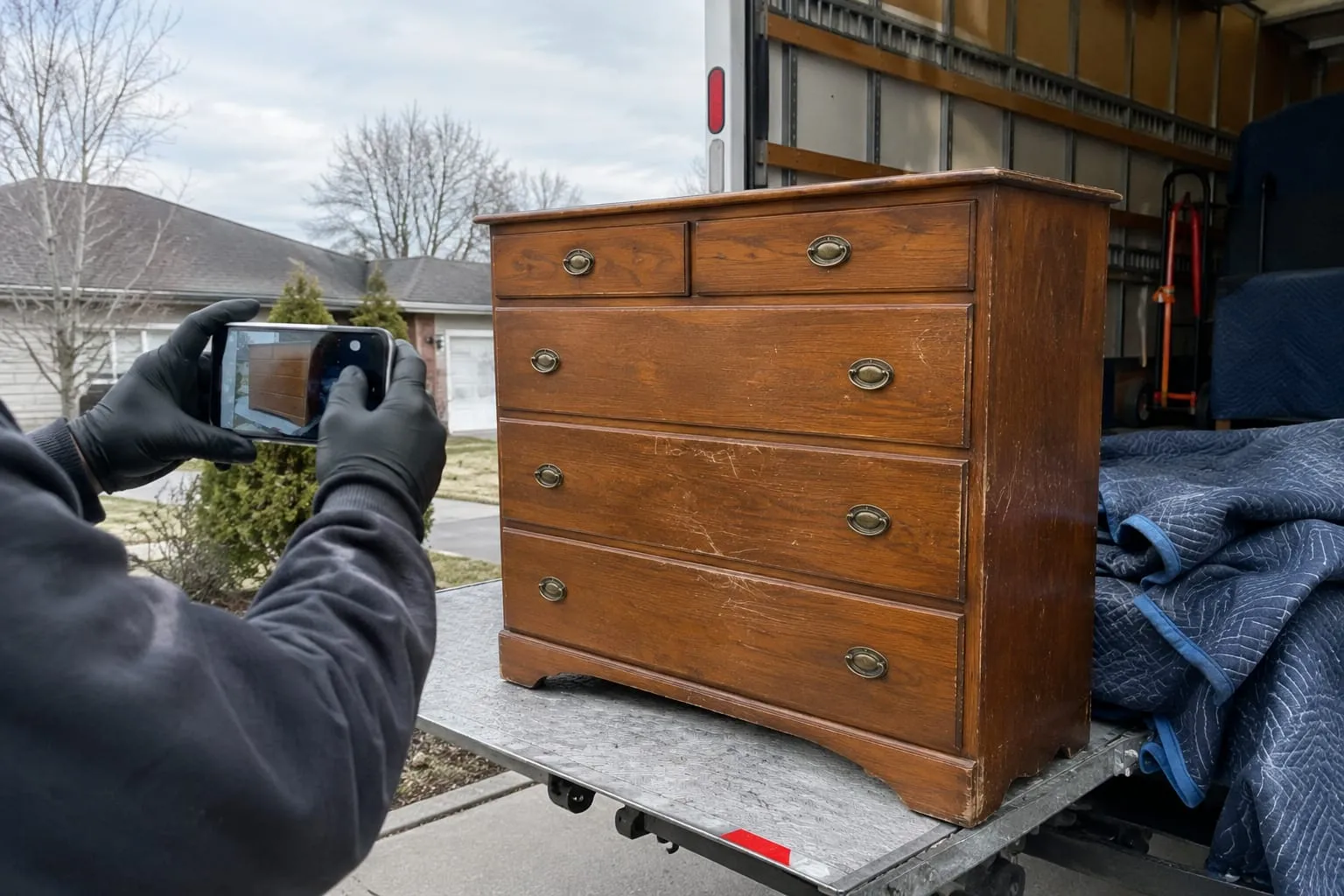
Take photos of trucks loaded properly, furniture padded and wrapped, and crews in branded shirts. Get the homeowner's permission before you post a photo of their home or belongings. Avoid stock photography and photos of equipment you do not own. Both undermine the trust the profile is meant to build.
Step 5: Build a Steady Review Process After Every Completed Move
Instruction: Ask every customer for a review within a day of a completed move, using your profile's review link, and respond to every review.
Why it matters for movers: Reviews shape both Maps visibility and the customer's choice between movers. A steady flow of recent reviews tells a customer that your company is busy and reliable.

Ask every customer, not only the happy ones. Google's fake engagement policy prohibits offering incentives for reviews and soliciting content that does not reflect a genuine experience. It also prohibits offering incentives in exchange for reviews. Confirm its current status with the FTC.
A workable process looks like this:
- The foreman confirms the job is complete and the customer has signed off.
- A review request goes out by text the same evening, with a direct link.
- One reminder follows a few days later if no review arrives.
- A manager replies to every review, including complaints, with specifics and a fix.
Manual requests stop when the season gets busy. Automated follow-ups can send an email when the job is done.
Step 6: Route Profile Calls and Website Quote Requests Into One Pipeline
Instruction: Make sure every call and website quote request from the profile reaches a person who can quote, and that every lead lands in one system.
Why it matters for movers: A ranking only pays off when someone picks up the phone. This is why lead response time decides who wins the job.

Route profile calls to a line that is staffed during your listed hours. Send after-hours calls to voicemail with a promise of a callback. Point the website button to a page with a short quote form, not your homepage. Each lead should then land in the same pipeline as your other sources, with a status and an owner.
If your website and CRM are separate systems, profile leads get lost between the two. A moving company website wired into your CRM sends form submissions straight into the lead pipeline, so they do not sit in an inbox. Customer messaging features on Google profiles have changed over time. Check Google's current help center before you rely on any in-profile chat.
Step 7: Track Which Profile Actions Turn Into Booked Jobs
Instruction: Tag profile traffic, record "Google Business Profile" as a lead source, and compare booked revenue against other channels every month.
Why it matters for movers: Google's own performance view counts calls, direction requests, and website clicks. It cannot tell you which of those became a signed Bill of Lading. You need to close that loop yourself.

Add UTM parameters (tags that tell analytics tools where a visitor came from) to the website link on your profile. If you use a call tracking number, follow the phone-number guidance in Google's guidelines so the profile still shows a number tied to your business. Then track leads from inquiry to booked job with the source attached to every record.
Q: How do movers know if their Google Business Profile is producing booked jobs?
A: Compare booked jobs and revenue tagged "Google Business Profile" in your CRM against the calls and clicks shown in the profile's Performance view.
Lead-source ROI reporting puts profile leads next to paid sources, so you can see where your marketing budget should go. To compare against purchased leads, see how Equate Media moving leads compare to other sources. For the rest of the local channel, apply these local SEO tactics for movers.
Common Google Business Profile Mistakes Movers Make
These mistakes come up again and again in the moving category. Most of them break Google's guidelines or lose leads.
Keyword-stuffed names. "Best Movers [City] Long Distance" breaks Google's naming rule and invites edits or suspension.
Showing a home or mailbox address. Hide the address if customers do not visit you.
Duplicate profiles for every city. A profile needs a real, staffed location. A list of cities you serve is not a set of locations.
Oversized service areas. Listing every metro in a state goes beyond Google's guidance on driving distance.
Unanswered phones. A well-ranked profile that sends calls to voicemail during business hours trains Google and customers to go elsewhere.
No source tracking. Without it, the profile's value stays a guess.
Pre-Publish Checklist for Your Moving Company Profile
Run through this list before you publish changes or start a new season.
- Business name matches trucks, contracts, and registration exactly
- Primary category describes your core business, with only real secondary categories added
- Address hidden if customers do not visit, and service areas limited to regions you actually serve
- No P.O. box, virtual office, or mailbox address
- Description states your USDOT number or state authority, with no claims you cannot document
- Services list covers what your crews actually perform
- Hours match the hours your phones are answered
- Website link goes to a quote page and carries UTM tags
- At least a dozen original photos of trucks, crews, and jobs
- Review request goes to every customer after every completed move
- Every profile lead lands in one pipeline with "Google Business Profile" as the source
- Monthly review of booked jobs and revenue by lead source
Related Articles
- Equate Media Moving Leads: How They Compare to Other Lead Sources — how purchased leads stack up against organic channels like your Google profile.
- How to Scale a Moving Company Without Losing Service Quality — how to keep review-worthy service as job volume grows.
- Cargo Insurance for Moving Companies: A Buyer's Guide — the coverage questions behind the trust signals customers look for.
- Moving Engine: What It Means in Moving Company Software — what the term means when you evaluate software to manage incoming leads.
Useful Links
- Moving Company Websites Wired Into Your CRM
- Moving Company Automation & Follow-up Software
- SEO for Movers: Local Tactics to Get More Leads
- Free Leads for Moving: Generate Without Buying
- Moving Company Lead Management: Track, Nurture, Convert
Need help with this? Virtual Moving Estimate & Survey Software · Get started · Call (888) 611-7483
Ready to see it in action?
Book a free 60-minute demo and explore how Virtual Estimate can help your business.