Moving industry software is the set of cloud tools a moving company uses to quote, book, dispatch, document, and collect payment on jobs. It is usually built around a moving CRM with estimating, dispatch, crew, and payment modules. This checklist is for owners, general managers, sales managers, and dispatchers at US moving companies who are about to book vendor demos.
Here's the thing: most demos follow the vendor's script, not your workflow. The question bank below follows the order your jobs move through the business: estimate, sell, dispatch, paperwork, payment, contract, and data. Each question comes with what a strong answer sounds like and what to make the vendor show on one of your own jobs.

Key Takeaways
- Demo on your own jobs. Send a local job, a long-distance job, and one problem job to every vendor ahead of the call so the demo runs on your rates and real inventory.
- Test estimating hardest. Ask how customer videos become priced inventories, how bad footage is handled, and whether the inventory flows into the Bill of Lading without retyping.
- Map paperwork to federal rules.
- Get total cost in writing. Clarify per-seat versus per-company pricing, every usage cap, add-on fees, contract term, and trial terms before signing.
- Score trials side by side. Run the same jobs through each shortlisted vendor's trial and score estimating, pipeline, dispatch, crew app, payments, reporting, and data export.
Before the Demo: Who Should Evaluate and What to Bring
Bring the people who will live in the software, and bring real jobs. A demo of moving company software run on the vendor's sample data proves the vendor can demo. A demo run on your data proves the software fits.
For a 2–15 truck operation, the evaluation team usually looks like this:
- Owner or GM: budget, contract terms, reporting.
- Sales manager or estimator: lead handling, estimates, follow-up.
- Dispatcher: scheduling, crew assignments, day-of changes.
- Office or payroll lead: invoicing, deposits, crew pay.
- One trusted foreman: the crew app, on-site paperwork, photos.
Before the call, pull together three recent jobs: a local move, a long-distance move, and one that went wrong. That last one can be a blown estimate, a damage claim, or a scheduling conflict.
Add your current rate sheet, a list of every tool you pay for today, and a short must-have list. If the team hasn't agreed on must-haves yet, this guide to what to look for in a moving CRM is a useful starting point. For unfamiliar terms, keep the moving glossary open during calls.
1. Can you run the demo with our rates and one of our real jobs?
- Strong answer: Yes. Send the job details ahead and the vendor loads them before the call.
- Show me: Your local job, quoted and scheduled end to end.
2. Who handles setup, and what does it cost?
- Strong answer: A named onboarding process covering data import, rates, branding, and users, with any fee stated in writing.
- Show me: The onboarding checklist and a realistic go-live timeline for a company your size.
3. Which parts of our current workflow will have to change?
- Strong answer: A specific list. A vendor who says nothing changes either hasn't listened or is selling a tool that won't improve anything.
Pro Tip: Email the three jobs to every vendor at least two days ahead. How each one handles that request is an early read on how their support team will treat you after you sign.
Estimating Questions: Video Surveys, Inventory, and Your Own Tariffs
Estimating decides how fast quotes leave the office and how often the crew finds more than the quote listed. Test this module harder than any other.
Video-based estimating replaces the drive to an in-home walkthrough with a video the customer records on their phone. AI video estimating for movers turns that footage into an itemized, measured inventory.
4. How does a customer-recorded video become a priced inventory?
- Strong answer: Items are identified, measured in cubic feet, and priced automatically. An estimator can edit anything before the quote goes out.
- Show me: Record a walkthrough of one real room and watch the inventory build.
5. What happens when the customer's video is dark, rushed, or skips a room?
- Strong answer: Guided capture that coaches the customer while recording, plus a simple way to request missing footage.
- Show me: The customer-facing link exactly as your customer would receive it.
6. Can it price local hourly, long-distance, and flat-rate moves with our own rates and surcharges?
- Strong answer: One calculator that holds your tariffs, minimums, access charges, and packing rates, not a generic rate card. Use estimate software that prices local, long-distance, and flat-rate moves from your own rates as the bar.
- Show me: Your long-distance job, priced and compared against what you actually charged.
7. Does the estimate output fit the current requirements for interstate moves, as confirmed with the relevant authority?
- Strong answer: Support for binding and non-binding estimates. Confirm the details with your own compliance advisor, not the sales rep.
8. Does the inventory carry into the Bill of Lading, or does someone retype it?
- Strong answer: It flows straight through. Every retype is a chance for the paperwork and the truck to disagree.
9. How many video estimates are included each month, and what happens past the limit?
- Strong answer: A specific monthly number per plan and a clear upgrade path. Also ask whether you can start without video estimating and add it later without migrating.

For a deeper look at the workflow, see how AI video scanning replaces the in-home moving survey. To sanity-check a vendor's volume math, run a few of your own rooms through a cubic feet calculator.
Sales Pipeline Questions: Lead Capture, Follow-Up, and Response Time
The pipeline module decides how many inquiries turn into booked jobs. Customers shopping for movers often contact several companies at once, so the first credible quote has an edge. That is why lead response time shapes booked jobs more than most owners expect.
10. Where do leads land, and what goes out automatically in the first minutes?
- Strong answer: Web forms, calls, and lead sources all feed one pipeline, and an automatic text or email confirms receipt right away.
- Show me: Submit a test inquiry from your phone during the demo.
11. What follow-up runs when a customer goes quiet after the quote?
- Strong answer: Automated SMS and email follow-ups on a schedule you set, using templates with merge fields.
12. How does a salesperson know which lead to call first?
- Strong answer: Lead scoring based on move date, size, and engagement, not a flat list sorted by time.
13. Can we see booked revenue by lead source?
- Strong answer: Lead-source ROI reporting that ties spend to booked and completed jobs. Marketing decisions should rest on revenue, not inquiry counts.
If your sales process lives mostly in someone's head today, map it first using this breakdown of the moving company sales process. Then judge each vendor's pipeline against it.
Dispatch, Crew App, and Payroll Questions
Dispatch software replaces the whiteboard and the phone tree. The test: a dispatcher makes a day-of change in one place, and trucks, crews, customers, and payroll all update.

14. How does the board stop us from double-booking a truck or crew?
- Strong answer: A dispatch board with conflict protection that flags clashes before you save, plus crew sizing suggested from the job's inventory.
- Show me: Drag one of your jobs onto a truck that is already booked.
15. Does the schedule sync with the calendars the team already uses?
- Strong answer: Sync with Google, Apple, or Outlook calendars, so no one keeps a second schedule.
16. Does the crew app work without cell signal?
- Strong answer: Full offline mode for today's jobs, the Bill of Lading, and photos, syncing when signal returns. Basements, freight elevators, and rural routes are normal working conditions.
- Show me: Put the demo phone in airplane mode and complete a job. Compare the result against a crew and foreman app built for offline use.
17. How is crew pay calculated, and where do the numbers come from?
- Strong answer: Pay and commissions by service type calculated from completed jobs, not re-entered from timesheets. See how crew payroll and commissions can tie directly to the job record.
18. Can we compare estimated versus actual on every job?
- Strong answer: Estimated vs actual on each job, tied to payroll, with reporting by crew and branch. This is how you find the estimator who keeps under-quoting.
Paperwork and Payment Questions: Bill of Lading, eSign, Deposits, and the Customer Portal
Paperwork is where disputes are won or lost, and payments are where cash flow lives. Ask these questions with your office lead in the room.
Q: What must a bill of lading include for an interstate household goods move?
A: Confirm the current required contents with the relevant federal authority before relying on any list.
Ask each vendor to map its Bill of Lading fields to the current requirements, and confirm those requirements with the relevant authority. Then have your compliance advisor review the result before you rely on it.
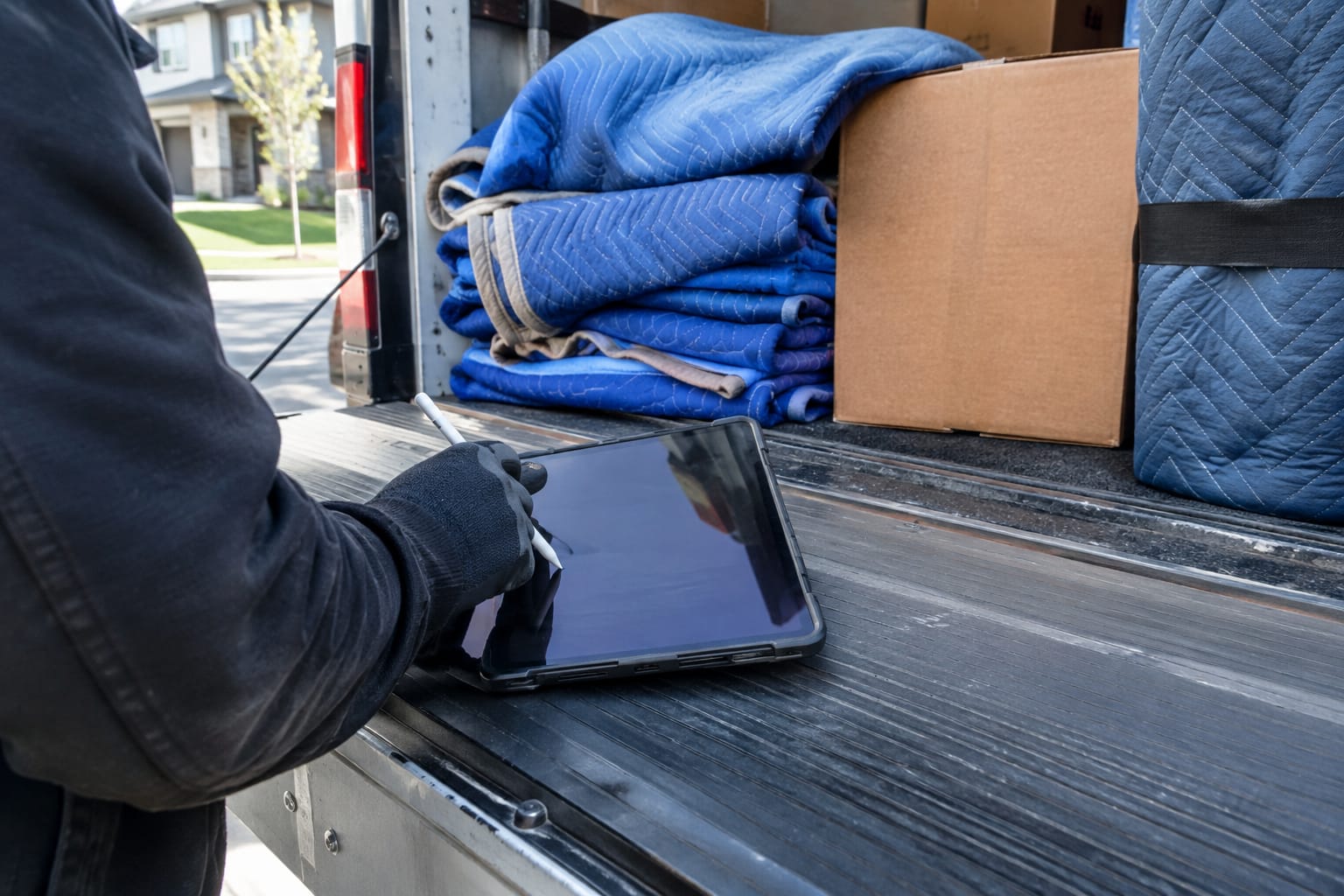
19. Is the Bill of Lading generated from the estimate inventory?
- Strong answer: An electronic Bill of Lading with eSign that pulls the inventory from the estimate with no re-entry, completed on-site by the foreman.
20. How are signatures captured and recorded?
- Strong answer: Multi-party signatures on any screen, each with a timestamp and geolocation, stored with the job.
21. Whose merchant account do deposits land in?
- Strong answer: Yours. Look for a choice of processors, online card payments plus cash and check recording, and a vendor that never holds your funds or stores card numbers. Compare against deposits and payments on your own merchant accounts.
22. What does the customer see between booking and delivery?
- Strong answer: A branded customer portal with a move timeline, an inventory the customer can flag as wrong before move day, online signing and payment, and chat.
23. When a damage claim comes in, what evidence is already on file?
- Strong answer: Before and after photos tied to the job, the signed Bill of Lading, and the inventory, in a record that shows who changed what and when.
More about the service: Moving & Storage Billing Software
Pricing and Contract Questions: Per-Seat vs Per-Company, Usage Caps, and Exit Terms
Get the total monthly cost in writing, for your company at its current size and at the size you plan to reach. Many vendors in this category quote prices only after a demo, so this part of the call matters.
24. Is pricing per user or per company?
- Strong answer: A clear model you can project forward. Per-user (per-seat) pricing grows every time you add a salesperson, dispatcher, or crew login. Per-company pricing does not.
25. What is capped?
- Strong answer: A full list: video estimates, text messages, users, storage, branches. Any claim of unlimited usage should come with the fine print attached.
26. What is the contract term, and how do we exit?
- Strong answer: Month-to-month, or an annual term with the renewal date and cancellation notice period stated plainly.
27. What sits on top of the subscription?
- Strong answer: Written answers on setup fees, onboarding, payment processing markup, SMS charges, and paid add-ons.
28. Is there a free trial, and what happens when it ends?
- Strong answer: A defined trial on the plan you would actually buy, no charge if you cancel during it, and a clear statement of what happens to your data afterward.
Q: Is moving software priced per user or per company?
A: Both models exist, so ask every vendor directly. Virtual Estimate, for example, publishes per-company monthly pricing of Basic at $399, Standard at $599, and Pro at $799 per month rather than per-seat charges.
The same Basic, Standard, and Pro plan details show how usage caps should be disclosed. Basic covers the full moving CRM, unlimited requests and jobs, estimates, contracts and payments, the dispatch board and crew payroll, and the customer portal, but no AI video survey. Standard adds the AI video survey with 40 video requests per month, and Pro raises that to 80 and adds priority support.
Every plan starts with 14 days free, can be switched or cancelled during the trial with no charge, and runs month-to-month with no contracts. Hold every vendor on your shortlist to the same level of written detail.
Data, Security, and Migration Questions
Your customer list and job history are business assets. Settle how they get in, how they are protected, and how they get out before you sign.
29. How do you migrate our customers, open jobs, and history?
- Strong answer: A defined import process for your current system's export, with the vendor doing the heavy lifting and you checking a sample before go-live.
30. If we leave, how do we get our data back, in what format, and how fast?
- Strong answer: Exit terms written into the contract or data processing agreement, not a verbal promise.
31. Where is your security documentation?
- Strong answer: A public page or document covering data isolation, encryption, admin login protection, and card handling. Treat any certification claim as something to verify in writing.
32. Who on your side can access our data, and why?
- Strong answer: Named roles, a support-access policy, and an audit trail.
As a reference point, Virtual Estimate's published security practices state that card data is handled by certified payment processors and that card numbers are never stored. Its data processing agreement states that on termination, customer data is returned or deleted per the Terms, except where law requires retention. Ask every vendor on your shortlist for the equivalent documents.
Demo or Trial? How to Score Vendors on Your Own Jobs
Use the demo to qualify and the trial to decide. A demo shows what the software can do. A trial shows what your team will actually do with it during a normal week.
Shortlist two or three vendors that pass the questions above. Run each trial on the same jobs, with the same people, and score each workflow area from 1 to 5.
| Workflow area | Test on your own jobs | A passing result |
|---|---|---|
| Estimating | Quote your local and long-distance jobs from a customer video | Inventory and price land close to what the job actually needed |
| Sales pipeline | Submit test leads and leave one unanswered | Instant reply and follow-up fire without anyone touching them |
| Dispatch | Make a day-of truck swap | Conflicts flagged; crew, customer, and calendar update together |
| Crew app | Complete a job in airplane mode | Bill of Lading, photos, and signatures sync when signal returns |
| Paperwork and payments | Take a deposit and sign a Bill of Lading | Money lands in your merchant account; signed record stays with the job |
| Reporting | Pull estimated vs actual for the test jobs | Numbers match payroll without manual math |
| Exit | Request a full data export | Delivered in a usable format on the timeline promised |
Write down the reason behind each score. The vendor with the best demo is not always the one your dispatcher can run at 6 a.m. on a peak-season Saturday.
Whichever vendor wins, the hard part starts after signing. Draft a rollout plan for your office and crews before the trial ends, so the people who tested the software are the people who launch it.
Virtual Estimate publishes its own answers to much of this checklist on its pricing and security pages, which gives a useful benchmark for what written answers from any vendor should look like.
Written by Virtual Estimate Team
Related Articles
- Faster Quote Turnaround: How Moving Companies Book More Jobs — How shortening the gap between inquiry and quote affects how many jobs you book.
- Automated Moving Surveys: Collecting Client Information Up Front — How automated surveys gather move details before an estimate is built.
- CRM for Moving Companies: Streamlining Operations — How one system connects leads, jobs, crews, and payments.
- Customer Experience Excellence in Moving Services — Where communication and transparency shape reviews and referrals.
- Lead Generation for Moving Companies — Channels for filling the pipeline your new software will manage.
Useful Links
- Plans and pricing
- Moving company software solutions: CRM, AI estimates, dispatch
- Implementing moving software: team rollout plan
- Security and data protection
- Moving CRM overview
Need help with this? Moving & Storage Billing Software · Get started · Call (888) 611-7483
Ready to see it in action?
Book a free 20-minute demo and explore how Virtual Estimate can help your business.