A moving software implementation succeeds or fails long before your crews ever log in. Buying the platform is the easy part. The hard part is the rollout — migrating records, configuring pricing, and getting skeptical estimators and dispatchers to actually use the system. This step-by-step plan walks through the exact sequence proven movers follow to go from contract signed to fully productive in weeks, not months.

| Point | Details |
|---|---|
| Adoption beats features | Most software projects fail on adoption, not product. A platform 80% of your team uses correctly outperforms one nobody opens. |
| Realistic timeline | A focused rollout runs three to six weeks. One operator completed full CRM setup in three weeks, including data migration and training. |
| Payback window | Mid-size movers typically reach ROI within 60–120 days of full adoption. |
| Measurable wins | Structured lead tracking lifted one company's booking rate from 28% to 41%. |
| Owner accountability | Every phase needs one named owner — not a committee — to keep the project moving. |
Why Implementation Makes or Breaks Your Software Investment
Moving software implementation is the structured process of migrating data, configuring workflows, training staff, and validating a new platform before it runs your daily operations. The software you pick matters less than how you roll it out.
Most failed software projects are not product failures. They are adoption failures. Crews revert to paper, estimators keep their private spreadsheets, and the subscription quietly becomes shelfware.
The moving and storage sector employs hundreds of thousands of workers across thousands of small and mid-size operators, and most still run on fragmented tools. A clean rollout is your edge.
Q: How long does a moving software implementation take?
A: A focused rollout runs three to six weeks — one documented case completed CRM configuration, data migration, and training in three weeks.
Pro Tip: Treat go-live as a milestone, not a calendar date. Set it on adoption thresholds — for example, "all estimates created in-system for five business days straight" — rather than a fixed Monday that arrives whether the team is ready or not.
Build Your Rollout Timeline and Assign Clear Owners

Your first operational move is a written timeline with named owners. A moving software rollout without accountability drifts, and drifting projects quietly die.
Break the work into phases. Assign one owner per phase. Committees diffuse responsibility; individuals deliver.
| Phase | Timeline | Owner | Key activities |
|---|---|---|---|
| Plan | Days 1–3 | Operations lead | Define goals, KPIs, and the go-live threshold |
| Migrate | Days 4–10 | Admin / office manager | Clean and import customer and job data |
| Configure | Days 8–14 | Estimating lead | Set pricing rules, pipeline stages, templates |
| Train | Days 12–18 | Department leads | Role-based sessions for sales and ops |
| Pilot | Days 18–25 | Operations lead | Run live jobs through a small crew |
| Go live | Days 25–30 | Owner / GM | Full cutover and daily review |
Keep the plan visible. A shared board where each owner checks off milestones removes ambiguity about who is blocking what.
Pro Tip: Schedule your rollout during your slowest season. Implementing moving software in peak summer means competing with your busiest weeks for attention — and attention is the scarcest resource in any setup.
Migrating Customer and Job Data Without Losing Records

Data migration is where rollouts go sideways. The data migration moving software process is straightforward only if you clean first and import second.
Dirty data imported into a clean system is still dirty data. Garbage in, garbage out — now with a monthly subscription attached.
Follow this sequence:
- Export your existing contacts, jobs, and invoices to CSV.
- Deduplicate records and standardize phone, email, and address formats.
- Map each old field to its new home before importing anything.
- Test-import a small batch of 20–30 records and verify it landed correctly.
- Full import, then spot-check totals against your source counts.
Accurate records also support FMCSA registration and compliance requirements — another reason to standardize fields during migration rather than after.
Q: What is the biggest risk during data migration for moving software?
A: Importing unclean, duplicated records. Deduplicating and standardizing fields before import prevents the most common rollout failure, where a new system inherits years of inconsistent data.
Configure Workflows, Pricing, and Estimate Templates

With data in place, the moving company software setup turns to configuration. This is where the platform starts to reflect how you actually run jobs.
Start with pricing. Configure hourly rates, flat fees, distance-based pricing, and surcharges so every estimate calculates consistently — no more mental math at the kitchen table.
Then build the backbone:
- Pipeline stages that mirror your real sales process, lead to booked.
- Estimate templates branded and ready, so quotes leave the office in minutes.
- Follow-up automation with triggers and timing, so no lead goes cold.
- Dispatch rules for crew assignments and route planning.
Connect your accounting too. A platform that links with QuickBooks and Stripe keeps invoicing and reporting in one place instead of three.
Virtual Estimate can help: Purpose-built for movers, the platform handles pricing rules, estimate templates, and dispatch in one system so your setup reflects real-world jobs from day one. Learn more →
Train Your Sales and Ops Teams for Adoption

Technology nobody understands is technology nobody uses. Effective moving software training is role-based, not one giant all-hands session where half the room tunes out.
Split your moving software onboarding by job function. Estimators learn quoting and templates. Dispatchers learn scheduling and crew assignment. Office staff learn invoicing and the client portal.
Keep sessions short and hands-on. People learn by doing a real task, not by watching a 90-minute slideshow.
- Run live exercises using actual upcoming jobs.
- Record short screen-capture videos for reference and new hires.
- Name a power user in each department to answer day-to-day questions.
One operator dedicated a focused week to training as the final stretch of a three-week implementation — proof that thorough does not mean slow.
Try Virtual Estimate's real human support: Stuck mid-rollout? Reach actual people, not a chatbot, backed by 99.9% uptime and live support. Get started →
Pilot, Measure, Then Go Live

Never flip the switch company-wide overnight. Run a pilot with one crew or one estimator for a week, fix what breaks, then expand.
Measure from day one. Track lead response time, estimate turnaround, and booking rate so you can prove the rollout worked.
The numbers move fast when the system is used correctly. One company cut average lead response from 6 hours to 22 minutes through task automation, and structured tracking pushed its booking rate from 28% to 41% on the same lead volume.
Pro Tip: Set a hard cutover date for legacy tools once the pilot succeeds. As long as the old spreadsheet still exists, a portion of your team will keep using it. Retire it visibly.
Common Pitfalls That Derail a Software Launch
Most stalled rollouts share the same handful of mistakes. Knowing them in advance is the cheapest insurance you can buy.
| Pitfall | Why it hurts | Fix |
|---|---|---|
| No named owners | Tasks fall through cracks | One owner per phase |
| Dirty data imported | Errors carry into new system | Clean and dedupe before import |
| Big-bang go-live | Everything breaks at once | Pilot first, then expand |
| Generic training | Staff don't see their workflow | Role-based, hands-on sessions |
| No success metrics | Can't prove ROI | Track response time and booking rate |
The thread connecting all five is the same: a rollout treated as an IT task instead of an operational change. Software changes how people work, and people need a plan, not just a login.
Turning a Smooth Rollout Into Lasting ROI
A clean launch is the start, not the finish. Implementing moving CRM software pays back only when the team keeps using it after the novelty wears off.
Review your KPIs monthly. CRM data revealed to one operator that long-distance commercial jobs earned more per crew day than short-notice residential work, and shifting the job mix lifted revenue per crew day by 18% within a year.
The cost case is just as clear. One mid-size mover documented roughly $1,181 in monthly operational savings — comfortably above a typical subscription on cost reduction alone.
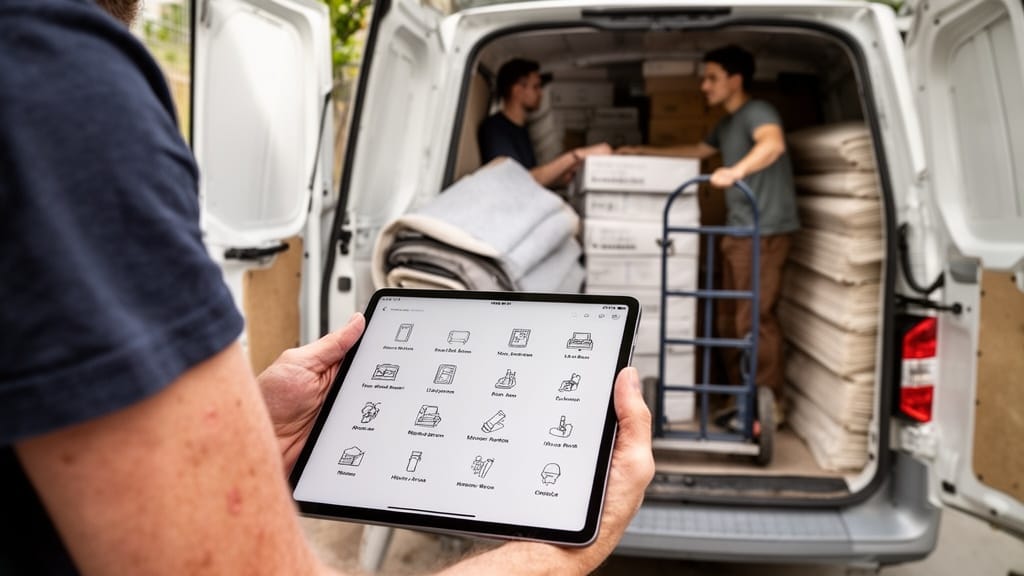
Virtual Estimate was built by moving-industry insiders to make this entire rollout simpler. Pricing rules, estimate templates, dispatch, the client portal, and QuickBooks and Stripe integrations live in one platform, and a 14-day free trial with full feature access lets you test the setup before committing. Explore the best moving company software options, then see how the pieces fit in the moving company CRM operations guide.
Related Articles
- Moving Company Software Market: A Buyer's Research Guide — how to evaluate and shortlist platforms before you buy.
- Best Moving CRM Software: An In-Depth Comparison Guide — a side-by-side look at leading CRM options for movers.
- Moving Company Automation Software: The Complete Buyer's Guide — which workflows to automate first for the fastest payback.
- Moving Company Software with QuickBooks Integration: Top Picks — keep invoicing and accounting in sync after your rollout.
- AI Quoting for Moving Companies: A Practical Guide — speed up estimates once your templates are configured.
Recommended Reading
Ready to see it in action?
Book a free 20-minute demo and explore how Virtual Estimate can help your business.