The best moving company software brings lead capture, virtual estimating, crew scheduling, and invoicing into one platform — replacing spreadsheets and disconnected apps with a single system built for movers. The right pick depends on your fleet size, monthly lead volume, and whether you run local, long-distance, or both.
Most movers lose revenue not because demand is low, but because leads slip through the cracks between phone, email, and paper estimates. This guide breaks down what to look for, compares the main categories of tools, and shows how to match a platform to your operation.

Key Takeaways
| Point | Details |
|---|---|
| Purpose-built beats generic | Dedicated platforms cover the full mover workflow — lead, estimate, dispatch, invoice — in one place, unlike general CRMs. |
| Response speed drives revenue | One operator cut average lead response from 6 hours to 22 minutes, the single highest-leverage change in their CRM analytics case study. |
| Follow-up automation pays | Automated sequences lifted booking rate from ~28% to ~38%, adding $9,600 in monthly revenue per the software ROI case study. |
| Match the tool to your size | Solo and small fleets need simplicity; multi-truck operators need dispatch, reporting, and crew dashboards. |
| Implementation is fast | A full platform with data migration and training went live in three weeks in one documented rollout. |
Why Moving Companies Need Dedicated Software
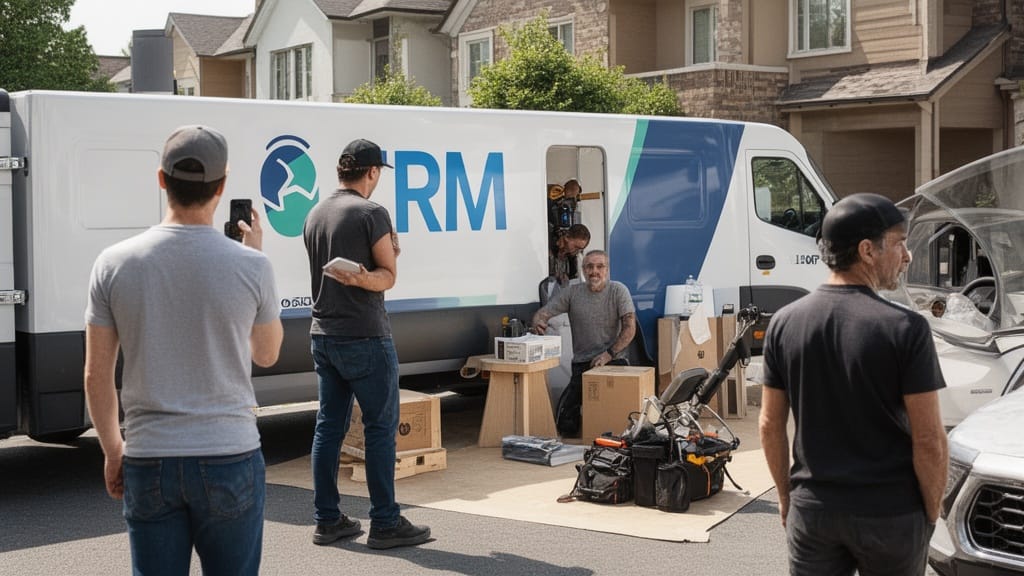
Generic spreadsheets and off-the-shelf CRMs were never built for the moving workflow. Movers juggle inventories, weight tickets, crew schedules, deposits, and regulated paperwork — all on tight timelines. A tool designed for another industry forces constant workarounds.
The moving market is crowded and regulated. Interstate movers must register and display a USDOT number, and consumers are pointed to vet carriers through the federal Protect Your Move resource from the FMCSA. Software that captures compliance details up front prevents costly errors later.
Speed is the real differentiator. CRM task assignments and mobile notifications cut one operator's average lead response time from 6 hours to 22 minutes — described as the highest-leverage operational change in their moving company CRM analytics breakdown. When you answer first, you book first.
Q: Why can't movers just use a general CRM like the free version of a sales tool?
A: Generic CRMs lack moving-specific fields — inventory, cubic feet, weight, deposits, and crew scheduling — so teams end up duplicating data across spreadsheets, which is exactly where leads get lost.
What to Look for in Moving Company Software

Before comparing brands, define the jobs the software must do. The strongest moving business management software consolidates these into one pipeline instead of five disconnected apps. Look for end-to-end coverage from first lead to final invoice.
Prioritize these capabilities when evaluating the best software for moving companies:
- Lead pipeline management — client info, moving details, inventory, follow-ups, notes, and invoices in organized tabs.
- Estimating — fast, accurate quotes, ideally with virtual or AI-assisted surveys.
- Scheduling and dispatch — crew and truck assignment with mobile access.
- Automated follow-up — text and email sequences that fire without manual effort.
- Reporting — booking rate, response time, and crew utilization dashboards.
- Invoicing and payments — deposits and final billing inside the same system.
Mobility matters as much as features. Field crews need moving company apps on phones and tablets to update job status, capture signatures, and log inventory on site. A platform that's desktop-only leaves your crews blind.
Pro Tip: Score each tool against your actual workflow, not a feature checklist. List your last 10 lost leads, identify where each fell apart, and rank software by how directly it fixes those specific failure points.
The Best Moving Company Software Options Compared

Moving software falls into distinct categories. Some operators stitch together point solutions; others adopt a single platform. The table below compares the main types of moving company tools by best use case, core strength, and typical pricing model.
| Category | Best for | Core strength | Pricing model |
|---|---|---|---|
| All-in-one mover CRM | Operators wanting one system | Lead-to-invoice coverage | Monthly subscription |
| Estimating-only tools | Quote-heavy sales teams | Fast, detailed estimates | Per-user or per-quote |
| Dispatch & scheduling | Multi-truck fleets | Crew and route control | Tiered by fleet size |
| Lead management add-ons | High lead volume | Speed-to-lead automation | Per-seat subscription |
| Accounting integrations | Finance-focused owners | Invoicing and payments | Flat or transaction fee |
All-in-one platforms remove the integration tax. A purpose-built, AI-powered CRM that handles everything from the first lead to the final invoice keeps data in one place, which is why many growing movers consolidate rather than bolt tools together. For a deeper category breakdown, see this guide to the best CRM for moving companies.
Standalone estimating apps still earn a place for sales-heavy teams. If quoting is your bottleneck, dedicated moving company estimating software can speed quote turnaround before you commit to a full platform.
Pro Tip: Don't pay for a fleet-management tier you won't use. A two-truck operation rarely needs the same dispatch engine as a 20-truck carrier — buy for your next 12 months of growth, not a hypothetical scale you may never reach.
Key Features That Save Movers Time and Money

The features that move the needle are the ones that recover lost revenue. Automated follow-up is the clearest example. Sequences that contact qualified leads without manual effort lifted one company's booking rate from roughly 28% to 38% — eight extra bookings a month worth $9,600 at a $1,200 average job value, per the moving company software ROI case study.
Q: How much can software realistically add to monthly revenue?
A: In one documented case, a 10-point booking-rate lift produced $9,600 in additional monthly revenue from the same 80 inquiries — purely by responding faster and following up automatically.
Reporting turns idle capacity into bookings. A crew utilization dashboard that flags open windows when utilization drops below 80% lets the sales team push same-week outreach. Without that visibility, empty trucks simply stay empty.
Virtual estimating is now a core advantage, not a novelty. Remote video and AI-assisted surveys let you quote without a site visit, shortening the sales cycle. Pair it with a connected moving company technology stack and the time savings compound across every job.
Virtual Estimate can help: Our AI-powered CRM unifies lead capture, virtual estimating, follow-up, and invoicing in one platform built specifically for movers. Learn more →
How to Choose the Right Software for Your Moving Business

Start with your biggest constraint. If leads go cold, prioritize speed-to-lead automation. If quotes drag, prioritize estimating. If crews sit idle, prioritize scheduling and utilization reporting. The right software for movers fixes your specific leak first.
Weigh implementation effort honestly. Migration and training are real costs, but they're shorter than owners expect — one operator went live in three weeks total: two weeks for pipeline configuration and data migration, one week for team training. Ask any vendor for a concrete timeline before signing.
Use this quick decision matrix to narrow the field:
| Your situation | Prioritize | Skip for now |
|---|---|---|
| Solo or 1–2 trucks | Simple all-in-one CRM | Heavy dispatch modules |
| Growing, 3–10 trucks | CRM + automation + reporting | Custom enterprise tiers |
| Sales-led, high quote volume | Estimating + follow-up | Standalone accounting |
| Multi-location fleet | Dispatch + crew dashboards | Single-user tools |
Pro Tip: Run a 30-day trial during your busy season, not your slow one. Software that holds up under peak lead volume and tight scheduling tells you far more than a quiet-week demo ever will.
Final Thoughts on Picking the Best Tool for Your Movers

The best moving company software isn't the one with the longest feature list — it's the one that closes your biggest revenue leak fastest. For most growing operators, that means consolidating lead capture, estimating, follow-up, and invoicing into a single purpose-built platform.
Start by mapping where leads, quotes, and crews break down today. Then choose moving company tools that fix those points directly, confirm a realistic rollout timeline, and trial under real conditions. If you'd like to discuss your specific workflow, Virtual Estimate offers a free consultation to walk through the fit.
Related Articles
- CRM for Moving Companies: Streamline Operations — How a dedicated CRM connects leads, estimates, and dispatch in one workflow.
- Pricing Strategies for Moving Companies — Tactics to set rates that protect margin while staying competitive.
- Employee Retention Strategies for Moving Companies — Keep skilled crews and reduce the cost of constant rehiring.
- Sustainable Moving Practices to Grow Your Business — Green operations that cut waste and win eco-conscious customers.
Recommended Reading
- Estimating Software for Movers — Compare dedicated quoting tools and what they automate.
- Best CRM for Moving Companies — A category breakdown of mover-focused CRMs.
- Moving Company Technology Stack Guide — Build a connected toolset across your operation.
- Moving Company CRM: Complete Operations Guide — End-to-end workflow from lead to invoice.
- Virtual Estimate CRM — See the full pipeline and feature set in one platform.
Ready to see it in action?
Book a free 20-minute demo and explore how Virtual Estimate can help your business.