

A moving company CRM is software that centralizes lead capture, estimates, scheduling, dispatch, billing, and customer communication for relocation businesses inside a single platform. It replaces the patchwork of spreadsheets, inboxes, and sticky notes most movers still rely on. The payoff is faster quotes, fewer missed jobs, and cleaner data across the whole operation.
Moving is an operationally dense trade. Every booking carries dates, crews, trucks, inventory, and payments that all shift in real time. This guide breaks down what a moving company CRM does, how it runs your lead pipeline, and which features separate generic tools from software actually built for movers.

Key Takeaways
| Point | Details |
|---|---|
| Definition | A moving company CRM unifies leads, estimates, crew scheduling, dispatch, and invoicing in one system instead of 5+ disconnected tools. |
| Speed matters | Firms that contact a lead within an hour are nearly 7x more likely to qualify it than those waiting longer. |
| Market scale | The global CRM market surpassed $70 billion in 2023, reflecting how central these systems have become. |
| Industry size | Hundreds of thousands of moving and material-handling workers are employed nationally, per the BLS Occupational Outlook Handbook. |
| Buyer tip | Choose a platform built for movers, not a generic sales CRM retrofitted to the trade. See the best CRM for moving companies. |
Why moving companies are outgrowing spreadsheets and generic tools
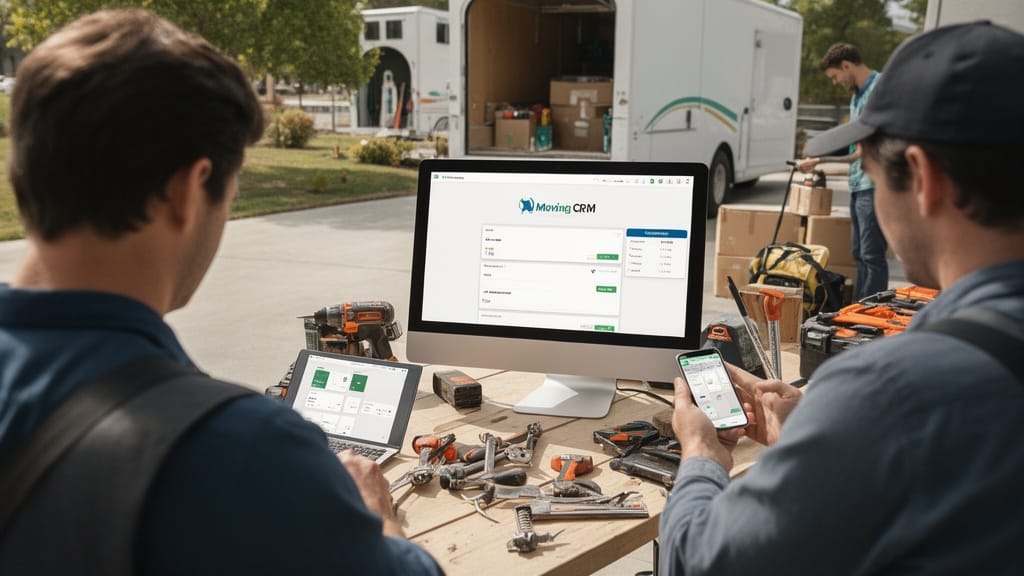
Spreadsheets work until volume arrives. Once a company books dozens of jobs a week, a single shared sheet becomes a liability rather than a system of record. Double-booked crews, lost quotes, and stale phone numbers are the predictable result.
Generic sales CRMs solve part of the problem but miss the operational core. They track deals and contacts, yet they know nothing about cubic feet, truck capacity, or a crew's drive time between two stops. Movers need a tool that speaks the language of the trade.
The stakes are higher than most operators assume. Firms that respond to an online inquiry within an hour are nearly seven times more likely to qualify the lead than those who wait even a few hours. A disorganized intake process bleeds revenue every single day.
Q: What is the difference between a generic CRM and a CRM for moving companies?
A: A generic CRM tracks contacts and deals, while a CRM for moving companies adds inventory estimating, crew scheduling, truck dispatch, and move-specific invoicing in one workflow.
That distinction is why so many operators eventually replace their general-purpose stack. A purpose-built system removes the manual translation between sales data and field operations.
What a moving company CRM actually does
At its core, a moving company CRM connects three things that normally live in separate apps: the customer, the move, and the money. It captures a lead, builds an estimate, schedules the job, dispatches a crew, and collects payment without forcing staff to re-enter the same data five times.
The practical benefit is fewer errors and faster turnaround. Manual surveys and quoting can consume hours per job, while automated inventory and cost generation can compress that to roughly ten minutes. Time saved on quoting goes straight back into selling.
Most platforms cover a consistent set of functions:
- Lead capture from web forms, phone, and lead vendors
- Estimating with inventory, weight, and cost calculations
- Scheduling across crews, trucks, and dates
- Dispatch with route and job-status visibility
- Invoicing and payments tied to each completed move
- Reporting on close rates, revenue, and crew utilization
Good moving company software ties these into one timeline per customer. Every call, quote revision, and payment lives on a single record. For a deeper operational view, the complete moving company CRM operations guide maps each function to a daily workflow.
Pro Tip: Audit how many times a single booking gets re-typed across your current tools. Most movers find the same address and inventory entered three to five times — every duplicate entry is a future error waiting to surface.
Managing the full lead pipeline: client info, moving details, follow-ups, and invoices
Strong lead pipeline management is the spine of a moving CRM. It tracks each prospect from first contact through booked job, flagging where deals stall. Nothing slips because every lead has a visible stage and a next action.
The pipeline holds four data layers at once. Client identity, move logistics, communication history, and financials all attach to one record. When a customer calls back three weeks later, any rep can open the file and continue the conversation.
| Pipeline stage | What the CRM tracks | Why it matters |
|---|---|---|
| New lead | Source, contact info, move date | Routes hot leads to fast response |
| Estimate sent | Inventory, price, valuation | Standardizes quoting accuracy |
| Follow-up | Calls, texts, emails logged | Prevents leads going cold |
| Booked | Deposit, crew, confirmed date | Locks operational details |
| Completed | Final invoice, payment status | Closes the financial loop |
Follow-up automation is where many movers gain the most. Automated reminders and templated texts keep prospects warm without manual chasing. The discipline of consistent follow-up often separates a a significant share close rate from a a significant share one.
Invoicing closes the loop. Because the estimate, the move details, and the final charges share one record, billing disputes drop and collections speed up. For the broader concept behind this, see what client relationship management is and why it matters.
Scheduling and dispatch: drag-and-drop calendars, crew assignments, and route planning

Scheduling is where a moving company CRM proves its value in the field. A drag-and-drop calendar shows every crew, truck, and job in one view, so a dispatcher can rebalance a day in seconds. Conflicts surface visually before they become a stranded customer.
Modern crew scheduling software factors in real constraints. It checks crew availability, truck capacity, and job duration before confirming a slot. That prevents the classic mistake of assigning a four-person job to a two-person crew.

Moving company dispatch turns that schedule into action on move day. Dispatchers push assignments to crews, track job status, and reroute when a job runs long. Drivers see addresses, inventory, and special instructions on a mobile device instead of a paper sheet.
Route planning adds the final efficiency layer. Optimizing the order of stops trims fuel and overtime, both of which hit margin directly. Diesel costs alone are significant for any fleet, and the U.S. Energy Information Administration tracks weekly on-highway diesel prices that fleets use to model expenses.
Pro Tip: Build a buffer of 30 to 45 minutes between back-to-back local jobs in your scheduling tool. Crews almost never finish exactly on the clock, and a tight calendar turns one delay into a cascade of late arrivals.
Connecting your stack: QuickBooks, Stripe, Google, and 10+ tools
A CRM is only as useful as the tools it talks to. Integrations let data flow automatically between systems instead of being copied by hand. The fewer manual handoffs, the fewer errors.
Most mover-focused platforms connect to a familiar set of services:
| Tool | Function | Benefit of integration |
|---|---|---|
| QuickBooks | Accounting | Syncs invoices and payments to the books |
| Stripe | Payments | Collects deposits and final balances online |
| Google Calendar | Scheduling | Mirrors crew jobs to personal calendars |
| Twilio / SMS | Messaging | Sends automated move reminders |
| Lead providers | Acquisition | Pushes purchased leads straight into the pipeline |
Payment integration matters more each year. Digital payments keep expanding, and the Federal Reserve's payments studies document the steady shift away from cash and checks. Offering card and ACH options at booking improves both close rates and cash flow.
Q: Can a moving company CRM integrate with QuickBooks?
A: Yes. Most mover-focused CRMs sync invoices, payments, and customer records to QuickBooks automatically, eliminating duplicate data entry between sales and accounting.
The goal is a connected stack, not a single app that does everything. For a full breakdown of how these pieces fit together, the moving company technology stack guide covers each category and how the tools overlap.
Giving clients a branded self-service portal
A self-service portal extends the CRM to the customer. Clients log in to view their estimate, sign documents, adjust inventory, and pay a deposit on their own schedule. That convenience increasingly defines who wins the booking.
Self-service has become a baseline expectation across services. Research consistently shows a large majority of consumers prefer to resolve simple tasks themselves before contacting a human. A portal meets that expectation while reducing inbound phone load.

Branding the portal matters for trust. A consistent logo, colors, and domain signal a professional operation rather than a borrowed generic tool. For a regulated industry where consumers are warned to vet carriers carefully by the FMCSA's Protect Your Move program, a polished, transparent portal is a genuine competitive edge.
The operational upside is real too. Every action a customer completes themselves is one fewer task for staff. Digital signatures and online deposits also shorten the gap between quote and confirmed booking.
Choosing a CRM built specifically for movers

Not all CRMs deserve a mover's money. A general sales CRM can store contacts, but it cannot estimate a four-bedroom move or balance three crews against two trucks. The right system is purpose-built for relocation workflows.
Weigh these criteria before committing:
- Mover-specific estimating with inventory and weight, not just deal amounts
- Integrated dispatch so scheduling and field execution share one system
- Open integrations to QuickBooks, payment processors, and lead sources
- Mobile crew access for job details and status updates in the field
- Transparent data ownership so exporting your records is always possible
Fit matters more than feature count. A platform with 200 features you ignore is worse than a focused tool that nails estimating, scheduling, and dispatch. Map the software to your actual daily workflow, then test it with a real week of jobs.
Pro Tip: During any evaluation, run five real past bookings through the system end to end — lead, estimate, schedule, dispatch, invoice. Demos hide friction; your own messy data exposes it within an hour.
The market is crowded, so comparison helps. A structured review of the best CRM for moving companies and the underlying operational efficiency playbook clarifies which trade-offs are worth making.

Related Articles
- CRM for Moving Companies: Streamline Operations — how a CRM tightens daily operations from intake to invoicing.
- Pricing Strategies for Moving Companies — methods to set rates that protect margin and win jobs.
- Customer Experience Excellence in Moving Services — practices that turn one-time movers into referrals.
- Employee Retention Strategies for Moving Companies — how to keep skilled crews in a high-turnover trade.
- Types of Moving Estimates: Choosing the Best Option — a breakdown of binding, non-binding, and not-to-exceed quotes.
Recommended Reading
Ready to see it in action?
Book a free 20-minute demo and explore how Virtual Estimate can help your business.