

Choosing the wrong platform costs moving companies thousands in wasted subscriptions and lost bookings. A clear moving company software comparison pricing crm dispatch breakdown removes the guesswork. This guide compares five named platforms — Virtual Estimate, SmartMoving, Supermove, MoverBase, and MoveitPro — across CRM, dispatch, pricing, and accounting integrations. You'll get real cost models, a capability matrix, and explicit "best for" picks by fleet size. By the end, you can decide without sitting through a single sales demo.

Key Takeaways
| Point | Details |
|---|---|
| Pricing is mostly quote-gated | Most named platforms hide pricing behind a demo. The industry benchmark sits near $200–$400 per month, per the Virtual Estimate ROI case study. |
| Payback is fast | Mid-size movers reach full ROI within 60–120 days of adoption, recovering 10–15 hours of weekly admin work. |
| CRM ≠ dispatch | A CRM manages leads and follow-up; dispatch software assigns crews, trucks, and routes. The best platforms do both in one flow. |
| Free trials are rare | Only some vendors offer a no-card trial. See Virtual Estimate pricing plans for a 14-day free trial with no credit card. |
| Fit beats features | The right pick depends on fleet size: 1–5 trucks, 6–20 trucks, or enterprise. |
Choosing Criteria: What to Evaluate Before You Buy
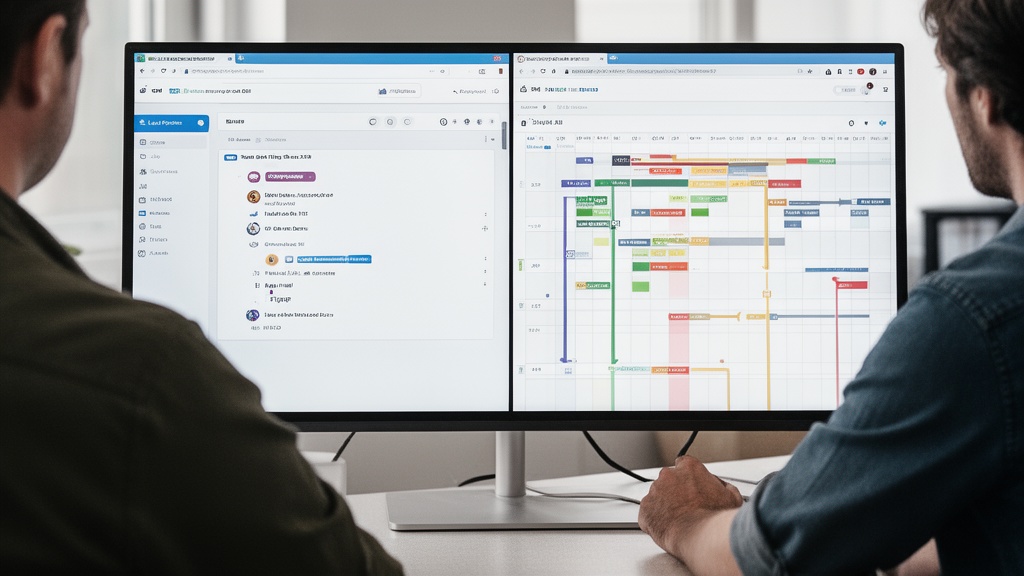
Start with outcomes, not feature checklists. The best moving software shortens lead response time, raises booking rates, and removes manual dispatch work. Everything else is secondary.
Think of this as your moving company software comparison pricing crm dispatch reference — every category lives in one place. Six criteria separate strong platforms from weak ones: CRM depth, dispatch and scheduling, pricing transparency, integrations, onboarding speed, and support quality.
Weight those criteria against your operation before you compare vendors. A two-truck mover values simple onboarding; a twenty-truck fleet values routing and crew logistics. Use the matrix below to score any platform on a 100-point scale.
| Criteria | Weight (out of 100) | Score (1–5) | Weighted total |
|---|---|---|---|
| CRM depth & lead pipeline | 25 | __ | __ |
| Dispatch & scheduling | 20 | __ | __ |
| Pricing transparency & fit | 20 | __ | __ |
| Integrations (QuickBooks, payments) | 15 | __ | __ |
| Onboarding speed | 10 | __ | __ |
| Support & training | 10 | __ | __ |
Pro Tip: Score your current software with this matrix first. If it lands below 60, the switching cost is almost always lower than the cost of staying — operational inefficiency is a primary driver of revenue plateaus among mid-size movers, tracked by FMCSA-regulated household goods carriers.
CRM Capabilities: Included Features vs. Paid Add-Ons
A moving company CRM does one job above all: it captures every lead and pushes it toward a booking. The difference between platforms is what's bundled versus what costs extra.
Virtual Estimate ships a full pipeline with client info, moving details, inventory, follow-ups, notes, logs, and invoice management in organized tabs — no upcharge. SmartMoving and Supermove offer comparable pipelines, though advanced automation and reporting often sit in higher tiers. MoverBase keeps things lightweight; MoveitPro bundles CRM into an all-in-one suite.
Q: What's the difference between a moving CRM and dispatch software for movers?
A: A moving CRM manages leads, quotes, and customer follow-up. Dispatch software for movers assigns crews, trucks, and routes. Strong platforms combine both — that's the heart of the moving software crm vs dispatch question.
Here's a baseline moving company software features list every serious platform should include:
- Lead capture from web forms, calls, and lead vendors
- Automated follow-up sequences (email and SMS)
- Room-by-room or inventory-based estimating
- Crew and truck scheduling
- Invoicing and payment collection
- QuickBooks integration
- Mobile crew app for on-site updates
Real proof matters more than feature counts. Automated follow-up sequences lifted one company's booking rate from approximately 28% to 38% of qualified leads — an 8–12 percentage point swing that converts directly to revenue.
Dispatch and Scheduling Features Compared
Dispatch is where margins are won or lost. The right system removes the whiteboard, the group texts, and the missed-job phone calls.
Strong dispatch software for movers assigns jobs by crew availability, sends structured job details to a mobile app, and updates status in real time. In the Virtual Estimate case study, the dispatch workflow went fully digital by day 45, with crews receiving job details directly on their phones. That single change recovered 13 hours per week of office time — more than half a full-time employee's output.
The moving software crm vs dispatch debate misses the point: you need both, ideally in one platform. Bouncing leads between a sales CRM and a separate dispatch tool reintroduces the data gaps that software was supposed to close.

When comparing dispatch modules across platforms, evaluate four things:
- Mobile crew app — do drivers get structured job details, not just an address?
- Real-time status — can the office see job progress without a phone call?
- Conflict detection — does the system flag double-booked crews or trucks?
- Route and logistics — are truck assignments tied to the schedule?
Pro Tip: Cutting lead response time is the highest-leverage change you can make. CRM task assignments and mobile notifications dropped one mover's average response from 6 hours to 22 minutes — producing faster returns than any new marketing channel.
Virtual Estimate can help: It combines a moving-specific CRM, automated follow-up, and built-in dispatch in one platform — so leads, crews, and invoices stop living in separate tools. Learn more →
Pricing Models Explained: Per-User, Per-Job, and Flat-Rate
Here's the honest finding most comparison articles bury: pricing for named moving platforms is largely quote-gated. SmartMoving and Supermove require a demo before quoting. That makes a true moving crm pricing comparison harder than it should be.
Three pricing structures dominate the category:
- Per-user pricing — you pay per seat. Predictable, but costs climb as you hire.
- Per-job pricing — you pay based on volume. Aligns cost with revenue; per-job pricing suits seasonal movers.
- Flat-rate / usage-based — a subscription or pay-as-you-use model. Virtual Estimate uses a usage-based model: "only pay for what you use."

Q: How much does moving company software cost per month?
A: Most platforms run several hundred dollars monthly. The industry benchmark sits near $200–$400 per month, though quote-based vendors vary widely by fleet size.
The deeper question isn't the sticker price — it's cost per job and ROI. Software adoption generated roughly $1,181 in monthly cost savings in the case study, which exceeds a typical subscription on cost reduction alone. For a full moving company software pricing breakdown with real subscription figures, see the Virtual Estimate pricing plans.
Pro Tip: When a vendor refuses to quote without a demo, ask directly for the per-job or per-user rate and the minimum monthly commitment. Quote-gated pricing often hides annual contracts that small movers can't easily exit.
QuickBooks and Accounting Integrations Worth Trusting
A QuickBooks integration sounds standard until you test it. The gap between "exports a CSV" and "two-way sync" is the difference between an hour of bookkeeping and ten.
All five compared platforms advertise QuickBooks integration, but depth varies. Look for automatic invoice sync, payment reconciliation, and customer record matching — not a manual export button. Ask each vendor whether the sync is one-way or two-way, and whether it covers QuickBooks Online, Desktop, or both.
For movers running heavy payment volume, native invoicing inside the CRM matters as much as the accounting hand-off. Virtual Estimate keeps invoices in the same pipeline as the lead, so billing data never leaves the system. That continuity is why the Virtual Estimate CRM and dispatch platform treats invoicing as a core tab, not an add-on.
Try Virtual Estimate's AI-powered estimating: Cut quote turnaround from 24 hours to under 2 hours and respond to leads before competitors even call back. Get started →
Cloud-Based vs. On-Premise Architecture
Cloud-based moving software won this debate years ago, and for good reason. Cloud platforms update automatically, work on any device, and keep crews connected from the truck.
On-premise systems still exist for large carriers with strict data-control requirements, but they carry hidden costs: servers, IT staff, manual updates, and no native mobile access. For 1–20 truck operations, cloud-based moving software is the default choice.
The practical advantage is field access. Cloud dispatch means a driver updates job status from a phone and the office sees it instantly — the workflow that recovered double-digit weekly hours in the case study. Tens of millions of Americans relocate annually, tracked by the U.S. Census Bureau, and that demand spikes seasonally. Cloud software scales up and down without new hardware.

Moving Software Comparison Table: Features at a Glance

This is the best moving company software comparison view — pricing model, trial availability, and best-fit use case for each named platform. Use it alongside the capability matrix that follows.

| Platform | Pricing Model | Free Trial / Guarantee | Best For |
|---|---|---|---|
| Virtual Estimate | Usage-based (pay-as-you-use) | 14-day free trial, no credit card | 1–20 trucks wanting AI estimates + CRM + dispatch in one |
| SmartMoving | Custom quote (demo required) | Demo only, no public free tier | Sales-driven mid-size movers |
| Supermove | Custom quote (demo required) | Demo only, no public free tier | Operations-heavy and enterprise fleets |
| MoverBase | Subscription (quote-based) | Low-cost entry tier | Small movers with simple needs |
| MoveitPro | Subscription (quote-based) | Free trial available | All-in-one for growing fleets |
Next, the capability matrix. This is the smartmoving vs supermove comparison layer buyers actually need — feature presence rather than marketing claims.
| Capability | Virtual Estimate | SmartMoving | Supermove | MoverBase | MoveitPro |
|---|---|---|---|---|---|
| Moving-specific CRM pipeline | ✅ | ✅ | ✅ | ✅ | ✅ |
| AI / virtual estimates | ✅ | Partial | Partial | ❌ | Partial |
| Built-in dispatch & scheduling | ✅ | ✅ | ✅ | ✅ | ✅ |
| Automated lead follow-up | ✅ | ✅ | ✅ | Partial | ✅ |
| QuickBooks integration | ✅ | ✅ | ✅ | ✅ | ✅ |
| Transparent self-serve pricing | ✅ | ❌ | ❌ | Partial | Partial |
| Free trial (no demo gate) | ✅ | ❌ | ❌ | Partial | ✅ |
Feature sets evolve quarterly — confirm current capabilities with each vendor before signing. For broader market context, the best moving company software complete buyer's guide walks through each platform in depth. User sentiment across these tools is consistently strong, as you can verify on the G2 moving software category and Capterra.
How Virtual Estimate Stacks Up Against Other Platforms
The virtual estimate vs competitors question comes down to three differentiators: it was built by movers, it bundles CRM and dispatch without tier games, and its pricing is transparent.
Virtual Estimate was "born out of frustration with outdated software that doesn't understand the moving industry," built by founders who ran moving companies. That shows in the workflow — room-by-room estimates, crew scheduling, truck logistics, and customer communication in one flow, not a generic CRM bolted onto moving terms.
The proof is operational, not promotional. In the documented case study, full adoption followed a predictable three-phase arc: time savings in days 1–60, conversion lift in months 2–3, and compounding cost reductions after month three. Post-job paperwork dropped from 25 minutes to under 8 minutes per job, while automated follow-up added $9,600 in monthly revenue for a company with 80 monthly inquiries.
Where competitors gate pricing behind demos, Virtual Estimate offers a 14-day free trial with no credit card. That alone makes it the lowest-risk option for movers who want to test before committing.
Pro Tip: Run your real leads through any platform during its trial — not sample data. The conversion lift only shows up when automated follow-up touches actual prospects, which is why the case study's results appeared in month three, not week one.
Which Platform Fits Your Company Size and Budget
Drop the "it depends" conclusion. Here are direct picks by fleet size.
1–5 trucks: Choose transparent, usage-based software with fast onboarding and a free trial. You need a moving company CRM, dispatch, and estimating without enterprise complexity. Virtual Estimate and MoveitPro fit; MoverBase works for the simplest operations.
6–20 trucks: You need automation depth — follow-up sequences, reporting, and tight dispatch. Virtual Estimate, SmartMoving, and Supermove all qualify. Weigh pricing transparency heavily, since per-user costs scale with hiring.
Enterprise fleets: Operations-heavy carriers should evaluate Supermove and SmartMoving for advanced logistics, alongside Virtual Estimate for AI estimating and CRM. Demand a written moving company software pricing breakdown before signing.
This decision framework is what current moving management software reviews 2026 should deliver — see the SmartMoving software review and the Supermove features and pricing breakdown for platform-specific detail. Positive ROI is achievable for any company processing 40 or more jobs per month.
How Virtual Estimate Solves the Comparison Problem
Every issue in this guide — quote-gated pricing, split CRM and dispatch tools, slow lead response — traces back to software not built for movers. Virtual Estimate addresses each directly.
It's a purpose-built, AI-powered CRM that handles everything from the first lead to the final invoice: pipeline management, automated follow-up, virtual estimates, dispatch, mobile crew apps, and invoicing in one platform. Pricing is usage-based and transparent, and the trial requires no credit card.

The team behind it includes a former senior Salesforce engineer (Sarah Kim) and a designer with eight years building field-service tools (James Ortega) — applied to a product built by movers, for movers.
Start your free trial today: explore the Virtual Estimate CRM and dispatch platform or compare Virtual Estimate pricing plans. Start your 14-day free trial →
Related Articles
- Moving Company Software Market: A Buyer's Research Guide — learn how to research and shortlist platforms before you buy.
- Moving Company Software with QuickBooks Integration: Top Picks — see which platforms deliver true two-way accounting sync.
- Best Cloud-Based Moving Company Software for Storage and Inventory Tracking — compare cloud tools for inventory and storage management.
- Moving Software Pricing: What Moving Companies Actually Pay — real-world pricing data beyond the quote-gated marketing.
- AI Quoting for Moving Companies: How It Works and Why It Wins Jobs — understand how AI estimates speed up quotes and lift conversion.
Ready to see it in action?
Book a free 20-minute demo and explore how Virtual Estimate can help your business.