Moving company software is an all-in-one platform that automates dispatch, scheduling, and payroll for a moving business. It replaces whiteboards, spreadsheets, and paper timesheets with one system that assigns crews and trucks, prevents double-bookings, and converts logged hours into accurate paychecks.
Most owners lose money in the same three places every single week: the dispatch board, the calendar, and the payroll spreadsheet. These are operational tasks, not growth work, yet they eat hours and invite costly errors. This guide breaks down what the software actually does, what manual processes really cost, and how to evaluate a platform before you buy.
Key Takeaways
| Point | Details |
|---|---|
| Three pain points, one system | Dispatch, scheduling, and payroll are where mid-size movers lose the most time and margin daily. |
| Time recovered is measurable | One documented rollout reclaimed 13 hours per week of office labor after moving to automated dispatch. |
| Payback is fast | Software payback typically lands within 60–120 days of full adoption for companies running 40+ jobs monthly. |
| Payroll ties to real hours | GPS time tracking and crew clock-ins cut reconciliation work and reduce overtime leakage. |
| Buy for your workflow | The best moving company software matches how your crews already work, not a generic feature grid. |
What Moving Company Software Actually Does

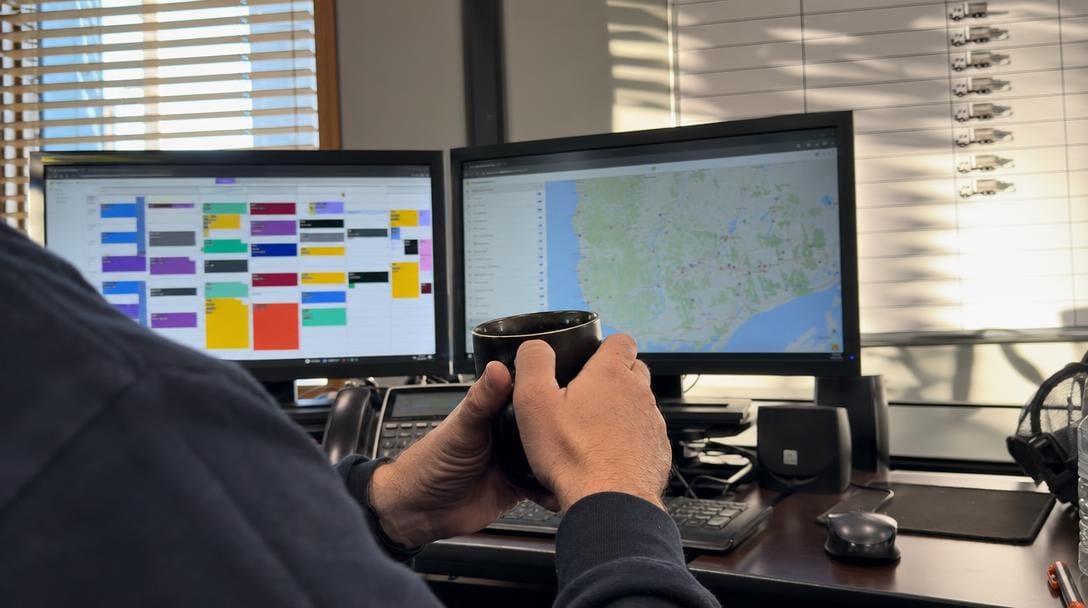
Moving company software centralizes lead intake, estimates, dispatch, crew scheduling, time tracking, and invoicing into a single database. Instead of stitching together a CRM, a shared calendar, a texting app, and a payroll spreadsheet, everything runs from one record per job.
Think of it as the operating system for your business. A lead enters the pipeline, becomes a booked job with an inventory and a quote, gets assigned a crew and truck, and closes with a paid invoice and reconciled crew hours. Good moving company management software carries that job through every stage without rekeying data.
Q: What does moving company software do?
A: It automates the full job lifecycle—lead capture, estimates, dispatch, crew scheduling for movers, time tracking, and invoicing—inside one platform so data is entered once and reused everywhere.
The category spans several overlapping tools. Moving company operations software handles the back office. Moving dispatch software assigns crews and trucks. A moving company CRM manages leads and follow-ups. The strongest platforms combine all of it, which is why buyers increasingly search for all-in-one moving software rather than point solutions.
The Real Cost of Manual Dispatch, Scheduling & Payroll
Manual operations don't just feel slow—they carry a quantifiable price. In one documented rollout, automating dispatch and crew apps recovered 13 hours per week of office time, more than half a full-time employee's weekly output, with no added payroll.
The hidden costs stack up fast. Double-booked crews, no-show customers, mis-keyed hours, and estimate errors each drain margin. The American Moving and Storage Association has long identified operational inefficiency as a primary driver of revenue plateaus among mid-size movers.
Here is where manual processes bleed money most:
- Dispatch churn — reshuffling the whiteboard when a truck breaks down or a job runs long.
- Scheduling gaps — idle crews on light days, overbooked crews on heavy ones.
- Payroll drift — reconstructing hours from memory and paper, inviting overtime leakage.
- Paper overhead — one rollout cut printing costs from $80 to $15 per month.
Labor is the largest line item in most moving operations, and the U.S. Bureau of Labor Statistics tracks the wages of hand laborers and material movers that make every idle or misreported hour expensive. Software attacks all four categories at once.
| Task | Manual process | With software |
|---|---|---|
| Dispatch a crew | Whiteboard + phone calls | Drag-and-drop dispatch board, instant mobile alert |
| Confirm a booking | Manual callbacks | Automated SMS/email confirmations |
| Track crew hours | Paper timesheets | GPS clock-in/clock-out on a crew app |
| Run payroll | Spreadsheet reconciliation | Hours flow straight into payroll |
| Post-job paperwork | 25 minutes/job | Under 8 minutes/job |
Those paperwork figures come from the same operational case study, where post-job admin dropped from 25 minutes to under 8 minutes per job.
Dispatch: Assigning Crews and Trucks Without the Whiteboard
A digital dispatch board replaces the wall whiteboard with a live, drag-and-drop schedule that every dispatcher and crew sees in real time. When a truck breaks down or a job overruns, you reassign in seconds and the affected crew gets an instant notification.
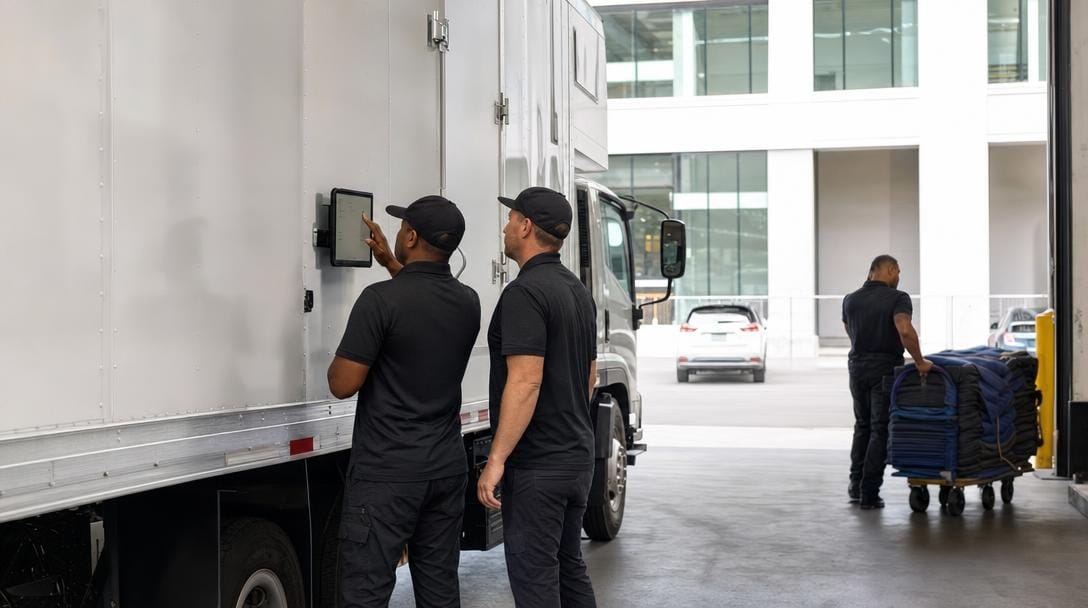
Modern moving dispatch software adds route optimization, so trucks are sequenced by geography rather than guesswork. Crews check in from the field, and the office sees status change from "en route" to "on site" to "complete" without a single phone call.
Q: How do moving companies assign crews and trucks efficiently?
A: They use a digital dispatch board that shows crew and truck availability in real time, supports drag-and-drop reassignment, and pushes job details to a crew app instantly—no callbacks required.
Proper dispatch and scheduling for moving companies also protects data quality. Because the job record already holds the client info, inventory, and quote, dispatchers assign work without rekeying anything. If you want the crews themselves connected, you can give your crews a mobile app in the field that carries the full job timeline.
Pro Tip: Color-code your dispatch board by crew certification, not just availability. Assigning a piano or specialty-item move to an untrained crew is the fastest way to turn a profitable job into a damage claim.
Scheduling: Preventing Double-Bookings and Idle Crews
Moving company scheduling software balances demand against capacity so you never sell a slot you can't staff. The system knows how many crews and trucks are available on any date and blocks overbooking automatically.

Double-bookings and idle crews are two sides of the same problem: poor visibility. When bookings live in one calendar and crew availability in another, gaps are inevitable. Unified crew scheduling for movers puts both in one view.
Strong scheduling tools give you:
- Capacity-aware booking — the calendar refuses jobs beyond available crews.
- Buffer management — travel and load time built between stops.
- Availability tracking — PTO, sick days, and truck maintenance visible before you book.
- Automated confirmations — reminders that cut no-shows to a handful per month.
In one documented rollout, tightening the schedule helped drop no-show events to just 2–3 per month, part of the roughly $1,181 in monthly cost savings the operation recorded. Fewer gaps mean every truck that rolls out is earning.
Virtual Estimate can help: Our platform unifies dispatch and scheduling for moving companies so bookings, crews, and trucks live in one capacity-aware view—no more double-booked Saturdays. Learn more →
Pro Tip: Set a hard cutoff for same-day schedule changes and enforce it in the software. Every last-minute swap ripples through payroll and route order, and the teams that protect the schedule 24 hours out run the tightest margins.
Payroll: Turning Time Tracking Into Accurate Paychecks
Moving payroll software converts crew clock-ins into accurate paychecks without manual reconciliation. When a mover taps clock-in on the crew app, GPS time tracking timestamps the hour, and those hours flow straight into payroll—no spreadsheet math, no memory-based estimates.

This is where manual operations leak the most cash. Reconstructing hours from paper timesheets invites both underpayment disputes and overtime overpayment. Automated capture closes that gap.

Q: Can software calculate mover payroll from crew clock-ins?
A: Yes. GPS time tracking on a crew app records clock-in and clock-out times per job, then feeds verified hours directly into payroll, eliminating manual timesheet reconciliation and reducing overtime leakage.
Payroll integration also ties labor cost back to each job, so you finally see true profit per move. Owners who want this handled end-to-end can route verified hours into payroll for moving crews and stop rebuilding timesheets by hand every Friday night.
Pro Tip: Require a geofenced clock-in at the job site, not the yard. Movers who clock in during their commute quietly inflate labor cost on every job, and site-based GPS capture ends the argument without micromanaging anyone.
Must-Have Features to Look For in an All-in-One Platform
The best software to manage a moving business connects lead-to-delivery in one record. Evaluate any platform against the operational spine—dispatch, scheduling, payroll—plus the CRM layer that feeds them.
Prioritize these capabilities:
- Digital dispatch board with drag-and-drop and route optimization.
- Capacity-aware scheduling that blocks double-bookings.
- Crew app with GPS clock-in and job timelines.
- Payroll integration driven by verified hours.
- Full lead pipeline with inventory, follow-ups, notes, and invoices in organized tabs.
| Feature | Point solution | All-in-one moving software | Why it matters |
|---|---|---|---|
| Dispatch board | Sometimes | Yes | Reassign crews without callbacks |
| Crew mobile app | Add-on | Built in | Field check-in and job details |
| GPS time tracking | Rare | Yes | Accurate, disputable-proof hours |
| Payroll integration | No | Yes | Hours flow to paychecks |
| Single job record | No | Yes | Enter data once, reuse everywhere |
Named platforms in this category include SmartMoving, Supermove, and Virtual Estimate, each combining CRM with operations to varying degrees. Virtual Estimate, for instance, was built by moving-industry insiders and runs a full lead pipeline alongside dispatch, scheduling, and estimates. For the CRM foundation, a CRM platform built for movers keeps client info, moving details, and invoices in one place.
How to Evaluate and Roll Out New Software Without Downtime
Roll out in phases, not all at once. A documented three-phase adoption arc had dispatch fully digital by day 45 and estimates online by day 90, with quote turnaround cut from 24 hours to 2 hours.
Use this evaluation and rollout sequence:
- Map your current workflow — document how a job moves today.
- Shortlist 2–3 platforms — score each against your must-have features.
- Run a live pilot — test on real jobs, not a demo dataset.
- Digitize dispatch first — the highest-friction, highest-payoff step.
- Layer in scheduling and payroll — once crews trust the app.
Before committing, verify the vendor understands compliance basics. The FMCSA sets rules that protect moving customers, and your software should support the documentation those rules require. Also confirm data export—you should own your records if you ever leave.
Crew adoption is the real variable. Train foremen first, because a foreman who trusts the crew app pulls the whole team along faster than any top-down mandate.
Pricing and ROI: What to Budget and How to Measure Returns
Moving company management software typically runs on a monthly subscription tied to crew size or job volume. Real-world subscriptions commonly land in the $200–$400 per month range for mid-size operations, with tiers scaling on users and features.
Q: How much does moving company software cost?
A: Most platforms price monthly by users or jobs; mid-size movers commonly pay a few hundred dollars per month, and a documented rollout reached positive ROI on cost savings alone once adoption was complete.
| Tier | Typical monthly range | Best for |
|---|---|---|
| Starter | Lower two figures per user | Solo operators, 1 truck |
| Growth | Few hundred per month | Mid-size, 40+ jobs/month |
| Full operations | Higher monthly + add-ons | Multi-truck fleets |
These ranges are illustrative of the market; check each vendor's published pricing, such as Virtual Estimate's pricing page, for exact figures. To measure ROI, track four things: office hours recovered, no-show reduction, estimate-error reduction, and payroll accuracy.
The math is favorable when volume is there. One operation logged roughly $1,181 in monthly savings against a few-hundred-dollar subscription—positive ROI from cost reduction alone, with booking-rate gains on top. Payback consistently landed inside 60–120 days for companies processing 40 or more jobs per month.
Related Articles
- Moving Company Leads: Best Sources and How to Convert Them — where to find qualified leads and turn them into booked jobs.
- Marketing for Moving Companies: Strategies That Fill Your Pipeline — proven tactics to keep your calendar full.
- CRM for Moving Companies: Streamline Operations — how a purpose-built CRM organizes lead-to-delivery.
- Employee Retention Strategies for Moving Companies — keep crews long enough for software adoption to pay off.
- Moving Company Web Design: Convert Visitors Into Booked Jobs — turn site traffic into pipeline.
Ready to see it in action?
Book a free 20-minute demo and explore how Virtual Estimate can help your business.