

Running a moving company without dedicated moving software is like navigating without GPS — possible, but slow and costly. Generic tools force operators to rebuild workflows from scratch for every job. Purpose-built moving software unifies lead management, estimating, dispatch, and crew communication into a single platform designed for moving industry workflows. This guide covers the full decision process: which features matter most, how to compare platforms by company size and budget, and what ROI to realistically expect after implementation.

Key Takeaways
| Point | Details |
|---|---|
| Faster estimates close more jobs | Reducing quote turnaround from 24 hours to 2 hours directly lifts booking rates — case study data documents a 10-point booking rate improvement from automated follow-up alone |
| Dispatch automation recovers significant admin time | Mid-size operations reclaimed 13 hours per week after switching to automated dispatch — equivalent to more than half a full-time employee's weekly output |
| Software pays back faster than most operators expect | Companies processing 40+ jobs per month consistently reach full ROI within 60–120 days of complete adoption |
| Cost savings alone cover the subscription | Monthly savings averaging ~$1,181 — from admin reallocation, fewer no-shows, and reduced errors — exceed a typical $200–$400/month platform fee |
| Purpose-built beats general-purpose | Generic CRMs require heavy customization; moving-specific platforms handle room-by-room estimates, crew scheduling, and truck logistics out of the box — see Virtual Estimate AI solutions for movers |
What Is Moving Software and Why Do Modern Movers Need It?

Moving software is a purpose-built SaaS (software as a service) platform that manages the complete lifecycle of a moving job — from first inquiry through final delivery. Unlike adapted general-purpose tools, moving industry software is designed around workflows specific to movers: room-by-room inventory, binding and non-binding estimates, crew scheduling, truck assignment, and post-move billing.
The operational inefficiency problem is well-documented. The American Moving and Storage Association identifies operational inefficiency as a primary driver of revenue plateaus among mid-size movers. With tens of millions of Americans relocating each year, per U.S. Census Bureau geographic mobility data, the coordination complexity exceeds what manual systems handle efficiently at scale.
Q: What does moving software do?
A: Moving software manages the full job lifecycle — from lead capture and estimating through dispatch, crew communication, and invoicing. Purpose-built platforms reduce quote turnaround from 24+ hours to under 2 hours and automate follow-up sequences that lift booking rates by up to 10 percentage points, based on documented mid-size operator data.
Three operator profiles benefit most from adopting moving business software: growing local operations (3–10 trucks) that need systematized workflows, mid-size regional carriers (10–30 trucks) that need coordination tools across crews and vehicles, and multi-location businesses that need centralized visibility. Each group prioritizes different features — but all share the same fundamental need: fewer manual touchpoints per job.
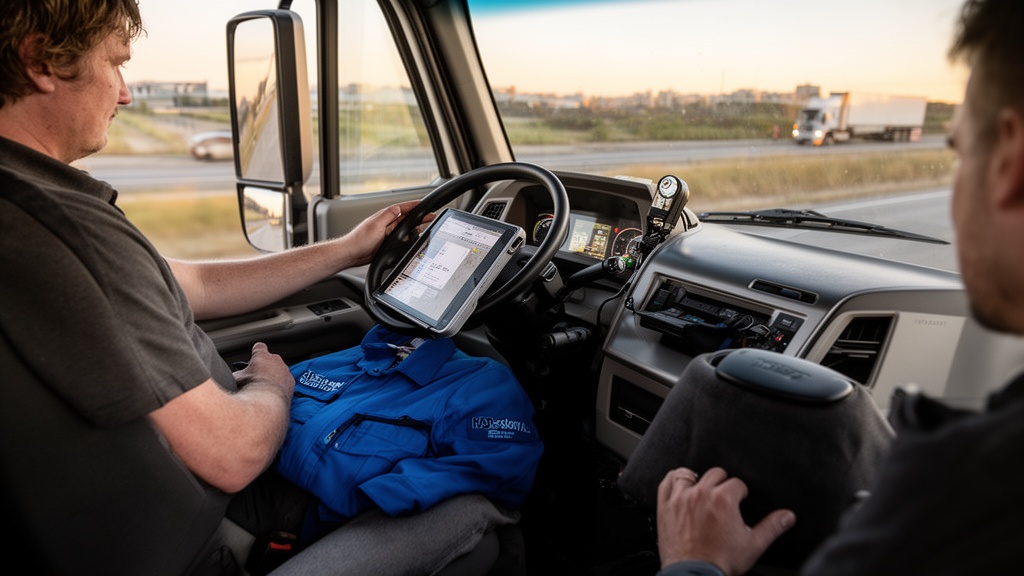
Core Features Every Moving Company Software Must Have
Not all platforms are equal. The best moving software delivers across six non-negotiable feature categories that cover the full job lifecycle. Evaluating any platform starts with these criteria.
Here is what every platform should offer:
- Lead capture and pipeline management — Inbound inquiries should flow directly into a CRM pipeline with automated follow-up sequences. Manual lead entry creates gaps and delays that cost bookings.
- Digital estimating — Moving estimate software should support room-by-room inventory, virtual surveys, and both binding and non-binding estimate formats. AI-assisted estimates reduce quote turnaround from hours to minutes.
- Dispatch and scheduling — Moving company dispatch software should allow drag-and-drop job assignment, mobile push notifications to crews, and conflict detection for trucks and staff.
- Mobile crew app — Crews need structured job details, electronic signatures, and real-time status updates — not phone calls.
- Customer communication tools — Automated SMS and email confirmations, reminders, and post-job surveys reduce manual effort without reducing customer touchpoints.
- Billing and invoicing — Estimates should convert to invoices in one click, with direct integration to accounting platforms like QuickBooks.
Pro Tip: Before demoing any platform, map your top three operational bottlenecks — slow quoting, missed follow-ups, crew no-shows — and ask vendors to demonstrate exactly how their software addresses each one. Generic demos obscure workflow fit; specific walkthroughs reveal it.
Compliance requirements from the Federal Motor Carrier Safety Administration — including Bill of Lading documentation and weight ticket management — are increasingly handled within moving company management software, reducing manual documentation burden for interstate carriers.
| Feature Category | Entry-Level Tier | Professional Tier | Enterprise Tier |
|---|---|---|---|
| Lead pipeline | Manual entry, basic stages | Automated capture, multi-stage | API integrations, custom fields |
| Estimating | Standard templates | Room-by-room, virtual surveys | AI-assisted, video integration |
| Dispatch | Calendar view | Mobile app, crew assignments | Multi-location, GPS tracking |
| CRM automation | Email follow-up | SMS + email sequences | Full lifecycle automation |
| Reporting | Basic job reports | Revenue and conversion dashboards | Custom KPI reporting |
For a detailed breakdown of how CRM and dispatch integrate in practice, the moving company CRM platform walks through specific workflow configurations relevant to each company size.
Top Moving Software Platforms: Side-by-Side Comparison
The moving software market includes purpose-built platforms and adapted general-purpose CRMs. Purpose-built options consistently outperform adapted tools on workflow fit and adoption speed. Finding the best moving software for your operation requires comparing platforms on criteria that match your operational context — not just feature counts.

Here is how leading platforms stack up across key decision criteria:
| Criteria | Virtual Estimate | Supermove | SmartMoving | Generic CRM (Adapted) |
|---|---|---|---|---|
| Purpose-built for moving | Yes | Yes | Yes | No |
| AI-assisted estimating | Yes | Partial | No | No |
| Virtual survey integration | Yes | Yes | No | No |
| Mobile crew app | Yes | Yes | Yes | Limited |
| Automated lead follow-up | Yes | Partial | Yes | Requires custom setup |
| Moving-specific dispatch | Yes | Yes | Yes | No |
| Moving leads software integration | Yes | Partial | Partial | No |
| Industry insider founding team | Yes | No | No | No |
Pro Tip: Request a live screen recording or live demo of the estimating workflow — not just a slide deck. Watching how many clicks it takes to produce a quote from a new inquiry reveals more about daily usability than any feature list. Video demonstrations of moving software in action are the fastest way to evaluate real workflow fit before committing.
The movers software platform category has consolidated around a small number of purpose-built leaders for mid-size operations. These platforms now offer the depth that only enterprise tools provided five years ago, at a fraction of the price point.
For platform-specific analysis, see the Supermove features and pricing breakdown and the SmartMoving software review for operator-level detail on each platform's strengths and gaps.
How to Choose Moving Software for Your Company Size and Budget
Company size is the single most important filter in the software selection process. A 3-truck local mover has different operational priorities than a 20-truck regional carrier — and overpaying for enterprise features at small scale wastes budget and implementation time.
For small operations (1–5 trucks): Prioritize estimating speed and lead follow-up automation. Moving company management software at this stage should be simple enough for non-technical staff to adopt within a week.
For mid-size operations (6–20 trucks): Add dispatch coordination and mobile crew apps to the required list. Moving company operations software that integrates dispatch, estimates, and CRM in one platform eliminates the tool-switching overhead that erodes productivity at this scale.
For regional and multi-location operations (20+ trucks): Multi-location visibility, advanced reporting, and API integrations become critical. Moving job management software at this level needs to scale without degrading performance or requiring manual data consolidation across locations.
Virtual Estimate can help: Virtual Estimate is a purpose-built moving company CRM that unifies lead capture, AI-assisted estimating, dispatch, and customer communication for growing operations of all sizes. Learn more →
Budget context: industry case study data shows that subscriptions in the $200–$400/month range generate positive ROI from cost reduction alone once fully adopted — before accounting for revenue gains from improved booking rates. To match a plan tier to your operation, see Virtual Estimate AI pricing and plans.
| Company Size | Top Priority Feature | Secondary Feature | Tier Guidance |
|---|---|---|---|
| 1–5 trucks | Fast digital estimates | Automated follow-up | Entry-level SaaS |
| 6–15 trucks | Dispatch + mobile crew | CRM pipeline | Mid-tier SaaS |
| 16–30 trucks | Multi-crew dispatch | Revenue reporting | Professional tier |
| 30+ trucks | Multi-location visibility | API integrations | Enterprise plan |
Moving Estimate Software: How AI Is Changing the Quoting Process

The estimating step is where most moving companies lose revenue. Long turnaround times allow competitors to close leads first. Manual estimates introduce errors. Paper-based processes are unsearchable and untraceable.
AI-powered moving estimate software eliminates all three failure points. Virtual surveys — where customers walk through their home on a video call while the system logs items — replace in-person pre-move assessments. AI-assisted room-by-room inventory tools pre-populate item weights and calculate cubic footage automatically, cutting quote preparation from hours to minutes.
Q: How much faster is AI-powered moving estimate software compared to manual quoting?
A: Based on documented implementation data, digital estimating systems cut quote turnaround from 18–24 hours to under 2 hours, with automated follow-up sequences launching immediately after the quote is sent — no manual intervention required.
Video demonstrations of estimating workflows are among the most-searched content in this category, reflecting user intent to see the product before committing. The video carousel presence in search results for moving software confirms this demand pattern. The complete guide to AI-powered moving estimates walks through the full estimating workflow — including virtual survey integration and automated quote delivery — in step-by-step detail.
Accuracy is a measurable ROI driver separate from speed. Before software adoption, estimate errors in composite case study data averaged 3–4 per month. After implementation, errors dropped to fewer than 1 per month — directly reducing dispute costs and protecting average job value.
CRM and Dispatch Features: What to Prioritize in Your Software Stack
Moving company CRM software and dispatch tools are the operational core of any platform. Get these two right, and every additional feature compounds the benefit.
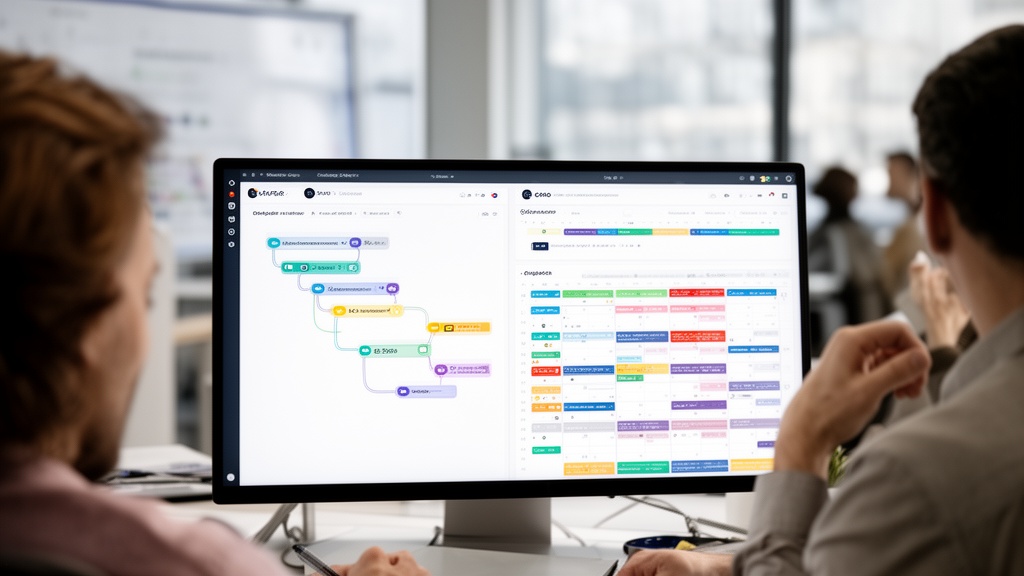
CRM priorities for moving companies:
- Lead source tracking — which channels produce bookable jobs, not just inquiries
- Automated follow-up sequences via SMS and email, timed from inquiry submission
- Pipeline stages aligned to moving sales cycles (Inquiry → Quoted → Booked → Completed)
- Booking rate reporting by lead source and time period
Moving leads software integration matters significantly here. If lead sources — Angi, HireAHelper, direct web forms — do not feed directly into the CRM pipeline, manual data entry creates gaps and response delays. The best CRM for moving companies covers pipeline configuration in depth for each operator size.
Dispatch priorities for moving companies:
- Drag-and-drop job board with crew and truck assignment
- Conflict detection for scheduling overlaps and equipment availability
- Mobile push notifications to crew apps with structured job details
- Real-time job status updates from field crews
Moving company dispatch software that pushes structured job details to crew mobile apps eliminates the phone-tag pattern that creates per-job administrative overhead. After dispatch automation, post-job paperwork falls from an average of 25 minutes to under 8 minutes per job — a measurable productivity gain at every job completed.
For a comprehensive configuration guide, the moving company CRM complete operations guide covers both CRM pipeline setup and dispatch board configuration with specific workflow examples.
Pro Tip: Configure CRM follow-up sequences to send the first touchpoint within 5 minutes of inquiry submission. Response speed is the strongest predictor of booking rate in competitive moving markets — more impactful than price, brand recognition, or promotional incentives.
Integrations That Make Moving Software More Powerful
Standalone software creates data silos. The right integrations connect moving software to the tools handling finance, marketing, and lead acquisition — turning a single platform into a full operational hub.
Essential integrations for growing moving operations:
- QuickBooks / Xero — Invoice generation and payment reconciliation without double data entry
- Google Ads and Meta Ads — Lead attribution that ties marketing spend directly to booked revenue
- Moving lead marketplaces — Direct feeds from Angi, HireAHelper, and other providers into the CRM pipeline
- Google Calendar / iCal — Job schedule synchronization for crews using personal devices
- Zapier / API access — Custom workflow automation for non-standard operational processes
- Payment processors (Stripe, Square) — In-app payment collection and deposit automation
The moving company technology stack guide maps which integrations deliver the most value at each company size. Not every integration is worth configuring immediately — small operations benefit most from accounting and lead marketplace connections; larger operators gain more from API flexibility.
Moving business software with robust API access enables custom reporting dashboards that pull data from multiple sources — valuable for operators needing visibility across markets or service types. For those who want to close the loop between software adoption and sustained lead volume, it pays to pair your software with a strong moving company marketing strategy that feeds consistent, trackable leads into the CRM pipeline.
Measuring Moving Software ROI: A Three-Phase Timeline
ROI from moving software follows a predictable three-phase arc documented consistently across mid-size operations. Understanding this timeline sets realistic expectations and prevents premature abandonment of platforms that are actually working.
Phase 1 (Days 1–60): Time savings materialize. Scheduling and dispatch automation deliver the first ROI layer. Office staff recovered 13 hours per week after transitioning to automated dispatch — equivalent to more than half a full-time employee's weekly output, recovered without adding payroll headcount.
Phase 2 (Months 2–3): Conversion rates improve. Automated follow-up sequences mature and leads stop falling through the cracks. In documented data, booking rate rose from approximately 28% to 38% of qualified leads — a 10-point lift that generated $9,600 in additional monthly revenue for a company with 80 monthly inquiries at a $1,200 average job value.
Phase 3 (Month 3 and beyond): Cost reductions compound. Error rates drop, no-shows decline, and per-job administrative costs fall. The composite case study documented approximately $1,181 in monthly cost savings across admin labor reallocation, no-show reduction, estimate error reduction, and paper costs — exceeding a $200–$400/month subscription on savings alone.
| ROI Phase | Timeline | Primary Driver | Documented Outcome |
|---|---|---|---|
| Phase 1 — Time savings | Days 1–60 | Dispatch automation | 13 hours/week recovered |
| Phase 2 — Conversion lift | Months 2–3 | Lead follow-up automation | +10 point booking rate improvement |
| Phase 3 — Cost reduction | Month 3+ | Error and no-show decline | ~$1,181/month in documented savings |
Mid-size movers processing 40 or more jobs per month consistently reach full payback within 60–120 days of complete adoption. Software for moving company operations reaches positive ROI faster when adoption is clean and complete — parallel operation months drag the timeline but protect data integrity during transition.
Implementing Moving Software: Your 90-Day Adoption Roadmap

Software that sits underused delivers no ROI. Adoption — not purchase — is the real milestone. The 90-day roadmap below reflects documented adoption patterns from mid-size operations that reached full ROI within the first quarter.
Days 1–30: Parallel operation and baseline setup. Run old and new workflows simultaneously. Enter all active leads into the new platform. Train office staff on CRM and dispatch tools first — these deliver the fastest visible wins. Expect slower-than-normal throughput during this phase. Resistance is normal; consistency is the requirement.
Days 31–60: Go fully digital on dispatch. Retire the manual dispatch process. Require all crew job details to flow through the mobile app. By day 45, the dispatch workflow is typically fully digital with structured job details pushed to crews via mobile app. Track no-show rates and crew communication time as leading indicators of adoption progress.
Days 61–90: Migrate estimating and activate follow-up automation. Move the estimating process entirely online. Configure and activate automated follow-up sequences. By day 90, quotes leave the office within 2 hours of inquiry rather than 18–24 hours. First measurable revenue results appear at the end of this phase.
Moving business software adoption follows this arc regardless of platform — the key variable is how quickly the team commits to abandoning the old workflow. The best moving company software buyer's guide covers evaluation criteria and adoption preparation from an operator's perspective.
Designate one internal champion — ideally a dispatcher or operations lead — who owns software adoption and troubleshoots resistance. External software support solves technical issues; internal champions solve cultural ones.
Adoption Mistakes to Avoid When Implementing Moving Software
The most common software failure is organizational, not technical. Here is what consistently stalls moving company software implementations — and how to avoid each pattern:
- Migrating all workflows at once — Parallel operation in month one is non-negotiable. Teams that switch cold turkey experience high error rates and often abandon the platform within 60 days.
- Skipping crew mobile app training — Dispatch automation delivers ROI only when crews actually use the app. Schedule dedicated training before go-live, not after the first missed job.
- Choosing by feature count alone — A platform with 50 features your team will not use is less valuable than one with 10 that perfectly fit your workflow. Software for moving company operations should match your actual process — not force adaptation to its defaults.
- Ignoring CRM pipeline configuration — Out-of-the-box pipeline stages rarely match moving sales cycles. Customize lead stages before go-live, not after three months of bad data requiring manual correction.
- Underinvesting in follow-up automation setup — Moving leads software with automated follow-up is only as powerful as the templates and timing you configure. Budget time to write real SMS and email copy before activating sequences.
- Measuring ROI too early — The three-phase ROI arc means month one looks like a wash. Measure at 90 days, not 30, to get a representative performance picture.
The estimating software for movers guide covers the most common configuration mistakes in the quoting workflow specifically, with corrective steps for each scenario.
Related Articles
- Moving Company Marketing: A Complete Step-by-Step Guide — Learn how to build a full acquisition strategy that feeds consistent leads into your moving software pipeline.
- Moving Lead Providers: Evaluate, Buy, and Convert More Jobs — Compare the top lead marketplaces and identify which providers deliver the highest-quality bookable inquiries.
- CRM for Moving Companies: Streamline Operations — A detailed guide to configuring CRM workflows that reduce manual data entry and improve follow-up rates.
- Digital Marketing Strategies for Moving Companies — Channel-by-channel tactics for operators ready to scale lead volume and track ROI by source.
Recommended Reading
Ready to see it in action?
Book a free 20-minute demo and explore how Virtual Estimate can help your business.