

Choosing the right crm client management platform ranks among the highest-leverage decisions any service business makes. Most buyers compare three to five platforms before purchasing — yet generic comparison articles rarely address the operational nuances that drive real-world ROI. The difference between a platform that fits and one that frustrates is not just features. It is workflow alignment, vertical depth, and time-to-productivity. This guide compares the leading CRM client management software options by feature depth, pricing transparency, and fit by business type — with a dedicated section for moving companies, where industry-specific tooling separates average operators from top performers.

Key Takeaways
| Point | Details |
|---|---|
| Lead Response Time | CRM automation cut average lead response time from 6 hours to 22 minutes in a documented moving company case study — identified as the single highest-leverage operational change. |
| Booking Rate Lift | Structured CRM pipeline tracking raised one operator's booking rate from 28% to 41% — a 13-point gain from the same lead volume with no new acquisition sources. |
| ROI Timeline | Moving companies processing 40+ jobs/month reach positive ROI within 60–120 days of full CRM adoption, before accounting for revenue gains from conversion rate improvements. |
| Monthly Cost Savings | CRM adoption generated approximately $1,181 in estimated monthly savings from admin labor reallocation, reduced no-shows, fewer estimate errors, and lower paper costs. |
| Implementation Speed | An industry-specific CRM deploys in 1–3 weeks vs. several weeks to months for general platforms, with vertical-specific workflows pre-configured at launch. See Virtual Estimate AI pricing. |
What Is CRM Client Management?

CRM client management — short for Customer Relationship Management — is the systematic practice of tracking, nurturing, and converting leads into long-term clients using dedicated software. A client management software platform centralizes contact records, communication history, deal pipelines, and follow-up tasks into one operational layer.
The core objective is straightforward: eliminate revenue losses caused by slow response times, missed follow-ups, and disorganized pipelines. A client relationship management overview covers the full strategic framework — from first contact to client retention — in depth.
The distinction between crm client relationship management as a strategy and the software that enables it matters. CRM as a strategy defines how you treat clients. CRM software is the infrastructure that makes that strategy scalable across dozens or hundreds of active relationships simultaneously.
| CRM Component | What It Does |
|---|---|
| Contact Management | Stores lead and client records with full interaction history |
| Pipeline Tracking | Visualizes deal stages from first inquiry to booked job |
| Task Automation | Triggers follow-ups and reminders based on lead behavior |
| Reporting & Analytics | Measures conversion rates, revenue by source, and team performance |
| Integrations | Connects with email, calendar, billing, VoIP, and vertical tools |
Key Features to Compare in CRM Client Management Software
Not every CRM features list covers the same capabilities. The gap between basic and advanced tiers is significant — and the wrong choice wastes months of reconfiguration time. Before evaluating any platform, identify which features are non-negotiable based on your actual sales workflow.
Must-have features for service businesses:
- Lead capture from multiple sources — web forms, phone calls, paid ads, referrals
- Pipeline stages configurable to your specific sales process
- Automated follow-up sequences via email and SMS
- Mobile app with real-time notifications for field teams
- Conversion rate and source attribution reporting
Advanced features worth the premium tier:
- Revenue-per-job or per-crew-day analytics
- Crew scheduling and dispatch integration
- Digital estimate creation with e-signature capability
- Lead source attribution by conversion rate, not just volume
- Crew utilization dashboards with availability alerts
Pro Tip: Before signing up for any platform, request a demo using your actual pipeline stages and a real lead from last week. Generic demos hide workflow gaps that only surface when mapped to real operations. If the vendor cannot demo your workflow on the spot, they cannot support it in production.
The difference between client relationship management tools at basic and professional tiers reduces to one factor: automation depth. Basic tools store contacts. Advanced tools actively work the pipeline between human touchpoints — sending follow-ups, flagging stalled deals, and surfacing the next required action.
Build a specific CRM features list before your first vendor demo. This prevents scope creep and ensures you evaluate platforms against your real requirements, not a curated showcase.
General CRM Platforms vs. Industry-Specific CRM Solutions
The CRM software comparison between horizontal and vertical platforms comes down to one core trade-off: flexibility versus time-to-productivity.
General platforms — HubSpot, Salesforce, Zoho — are designed to serve any business type. They provide maximum flexibility but require extensive custom configuration to match service-industry workflows. An industry-specific CRM ships with pipeline stages, job types, and reporting logic pre-configured for your vertical.

| Factor | General CRM | Industry-Specific CRM |
|---|---|---|
| Initial setup time | Weeks to months | 1–3 weeks |
| Relevant field defaults | Requires customization | Pre-configured for vertical |
| Vertical-specific reporting | Must build from scratch | Available at launch |
| Integration ecosystem | Broad but generic | Focused on vertical tools |
| Pricing model | Per-seat | Often per-job or flat |
| Support expertise | General SaaS support | Vertical domain knowledge |
| Training curve | Longer (generic terminology) | Shorter (familiar workflows) |
CRM for service businesses like moving companies faces a particular configuration challenge on general platforms. Matching moving-specific workflows — virtual survey scheduling, estimate generation, crew dispatch — typically requires months of setup time and ongoing maintenance overhead that an industry-specific CRM eliminates at the product level.
The key question to ask any CRM vendor: what does a moving company's pipeline look like out of the box? If the answer involves consultants and a multi-week scoping call, you are evaluating a general-purpose tool being retrofitted for your vertical.
Top CRM Platforms for Client Management: Pros and Cons
This CRM platform comparison 2026 covers the four platforms most relevant to service business operators — with verified pricing references and direct trade-off analysis.
HubSpot CRM
HubSpot's CRM platform offers a free tier with solid contact management and pipeline tracking. Paid plans start at approximately $15 per seat/month (Starter) and scale to $90 per seat/month (Professional), per HubSpot's published pricing page.
Pros: Generous free tier, strong email marketing integration, excellent reporting dashboard for inbound-focused teams.
Cons: Meaningful automation and custom objects require the Professional tier; costs scale quickly with team size; not designed for dispatch or field-service operations.
Best for: Service businesses with a dedicated marketing team and an inbound content strategy.
Salesforce CRM
Salesforce is the enterprise standard, with Starter editions beginning around $25/user/month and Enterprise tiers at approximately a noticeable amount/user/month, per Salesforce's published pricing. It is the most powerful general CRM available.
Pros: Unmatched ecosystem and integration library, highly customizable to any workflow, enterprise-grade security and compliance features.
Cons: Implementation complexity demands a dedicated admin or external consultant; total cost of ownership is high; poor fit for growing operations that lack dedicated IT resources.
Best for: Enterprise organizations with dedicated IT staff and complex, multi-department sales workflows.
Zoho CRM
Zoho CRM offers a free plan for up to three users, with paid plans starting at approximately a noticeable amount/user/month (Standard) and a noticeable amount/user/month (Professional), per Zoho's published pricing.
Pros: Best price-per-feature ratio in the general CRM category, capable automation at mid-tier pricing, solid mobile app for field teams.
Cons: Interface density can slow onboarding; advanced analytics require the Enterprise plan; support quality varies by region.
Best for: Cost-sensitive small teams that need capable automation without enterprise pricing complexity.
Virtual Estimate AI
The Virtual Estimate AI CRM platform is purpose-built for moving operations. It ships with moving-specific pipeline stages, virtual estimate workflows, crew scheduling, and source attribution analytics pre-configured — no custom development required.
Pro Tip: Virtual Estimate AI's documented onboarding timeline is three weeks — two weeks of pipeline configuration and data migration, followed by one week of team training. That is significantly faster than the multi-week to multi-month deployment cycle typical of general CRM platforms, and the moving-specific workflows arrive ready to use on day one.

A documented case study shows the platform raised one operator's booking rate from 28% to 41% — a 13-point gain generated from the same monthly lead volume, with no new acquisition sources required.
Pros: Purpose-built for moving operations, unified CRM and dispatch and estimating and analytics in one platform, fast implementation timeline, vertical-specific support team.
Cons: Designed specifically for the moving industry — businesses outside this vertical benefit more from a general platform.
Best for: Moving companies at any scale, from solo operators to multi-location fleets.
Virtual Estimate can help: Virtual Estimate AI is purpose-built for moving company operations — not adapted from a generic SaaS CRM platform. It combines CRM, dispatch, estimating, and revenue analytics in one place with no custom integration layer required. Learn more →
CRM Client Management for Moving Companies: Unique Needs

Moving companies have operational requirements that no general CRM addresses without significant custom development. Effective CRM for moving companies must handle five capabilities that generic platforms treat as edge cases.
1. Lead response speed. Moving leads decay faster than in most industries. The documented benchmark from the Virtual Estimate AI case study is a response time of 22 minutes — reduced from 6 hours via CRM task automation. This single change was identified as the highest-leverage operational improvement in the entire engagement.
2. Virtual survey integration. Modern movers conduct video walkthroughs before quoting. The CRM must integrate scheduling, video tools, and estimate generation within one pipeline stage — not across three disconnected systems.
3. Multi-crew dispatch. Job assignments must sync with crew availability, truck capacity, geographic proximity, and move complexity. A calendar slot alone is not sufficient; dispatch logic must reflect real operational constraints.
4. Revenue-per-crew-day analytics. The relevant metric for a moving company is margin per hour of crew deployment — not total revenue. An effective moving company CRM surfaces this at the job-type level, enabling informed scheduling decisions that shift work toward higher-margin jobs.
5. Source attribution by conversion rate. Volume metrics mislead. An operator in the documented case study discovered that referrals converted at nearly twice the rate of paid search leads — a finding that justified a full budget reallocation within 90 days and increased referral lead share by 19 percentage points over 12 months.
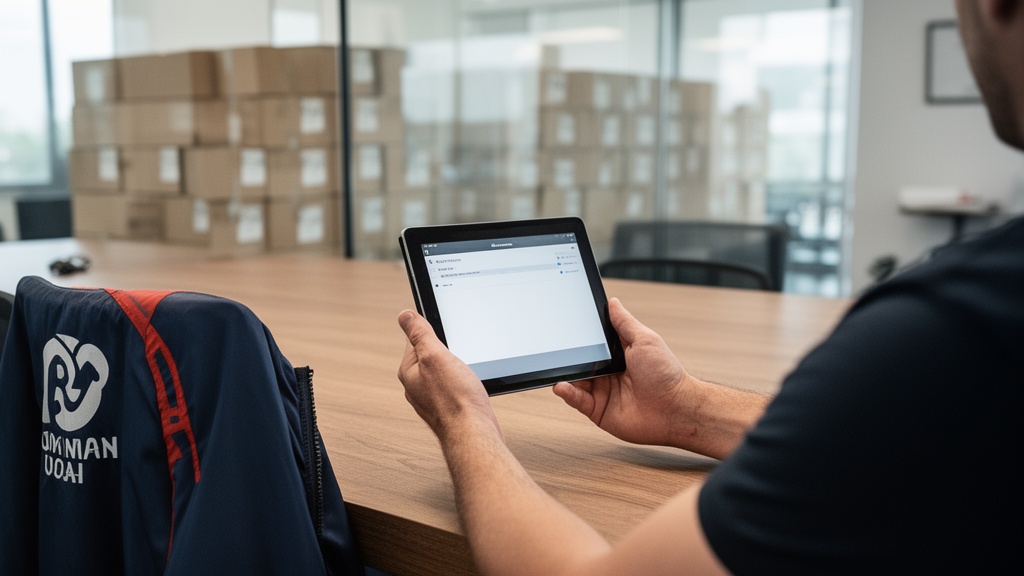
The revenue impact of moving-specific CRM analytics is documented: shifting the job mix toward higher-margin work increased revenue per crew day by 18% within 12 months, without crews working additional hours. See how Virtual Estimate AI manages client relationships end to end — from first inquiry through dispatch, job completion, and post-job review capture.
Try Virtual Estimate's source attribution analytics: Pinpoint which lead channels convert at the highest rate, then reallocate budget accordingly. One documented operator increased referral lead share by 19 percentage points in 12 months from a modest per-referral incentive program launched within 90 days of identifying the pattern. Get started →
Pricing Comparison: What CRM Client Management Costs
Understanding CRM pricing requires looking beyond the per-seat headline rate. Total cost of ownership includes implementation time, integration costs, training, and the ongoing maintenance burden of configuring a general platform versus operating a purpose-built tool from day one.
| Platform | Free Tier | Entry Paid | Professional | Source |
|---|---|---|---|---|
| HubSpot | Yes (limited) | ~$15/seat/mo | ~$90/seat/mo | HubSpot Pricing |
| Salesforce | No | ~$25/user/mo | ~a noticeable amount/user/mo | Salesforce Pricing |
| Zoho CRM | Yes (3 users) | ~a noticeable amount/user/mo | ~a noticeable amount/user/mo | Zoho Pricing |
| Virtual Estimate AI | No | See pricing page | Fleet pricing available | Virtual Estimate AI pricing |
Prices reflect published rates and are subject to change. Verify current rates at each vendor's official pricing page.
For moving companies, the ROI calculation extends well beyond the subscription line item. The Virtual Estimate AI case study documents approximately $1,181 in estimated monthly savings across reallocated admin labor, reduced no-shows, fewer estimate errors, and lower paper costs. At a typical subscription of $200–$400 per month — per the moving company software ROI case study — cost reduction alone covers the investment before factoring in revenue gains from improved conversion rates.
Companies processing 40 or more jobs per month consistently reach positive ROI within 60–120 days of full adoption.
Pro Tip: When calculating CRM ROI, include the revenue cost of leads lost to slow response time. Per documented case data, with an average job value of $1,200 and a 10-percentage-point booking rate improvement across 80 monthly inquiries, the additional monthly revenue reaches $9,600 — a figure that dwarfs most subscription costs and typically justifies premium-tier CRM investment within the first quarter.
How to Choose the Right CRM for Your Business Size
The best CRM for small business is not the same as the best CRM software 2026 for a multi-location fleet. Business size, job volume, and operational complexity should drive the decision — not marketing claims or feature volume.
Solo Operator or 1–2 Crews
At this stage, the priority is lead tracking and follow-up automation. HubSpot's free tier or Zoho Standard are viable entry points for non-moving service businesses. For moving companies, an industry-specific CRM pays for itself faster even at small scale — because the pipeline and reporting arrive pre-configured for moving workflows, eliminating weeks of setup.
Growing Fleet (3–10 Crews)
This is where general CRMs show their structural limitations. Integration between CRM, dispatch, and estimating becomes operationally critical. An industry-specific CRM eliminates the integration overhead that adds cost and creates ongoing maintenance risk across disconnected general platforms.
Enterprise Mover (10+ Crews or Multi-Location)
Enterprise operations need deep reporting, role-based access controls, and multi-location pipeline visibility. Salesforce is viable here with dedicated IT resources. An industry-specific CRM with enterprise features is the stronger choice when team size does not justify the cost of maintaining a dedicated Salesforce administrator.
| Business Stage | Recommended Platform | Primary Reason |
|---|---|---|
| Solo operator | Zoho Free / HubSpot Free | Low cost, basic pipeline tracking |
| 1–3 crews | Virtual Estimate AI (entry) | Moving-specific workflows pre-built |
| 3–10 crews | Virtual Estimate AI (professional) | Dispatch, CRM, and analytics unified |
| 10+ crews | Virtual Estimate AI (fleet) | Crew utilization and multi-location reporting |
For a detailed breakdown of the best CRM for moving companies at each growth stage, the full comparison covers platform-specific performance data across key operational metrics.
Implementation and Onboarding: What to Expect
Implementation timelines determine how quickly a CRM investment generates returns. General platforms require extensive custom configuration; industry-specific tools ship with vertical defaults that compress setup time significantly.
Implementation timeline by platform type:
- General CRM (HubSpot / Salesforce / Zoho): Expect several weeks to three months for a production-ready deployment including data migration, custom field mapping, workflow automation setup, and team training. Enterprise Salesforce deployments regularly extend to six months or longer.
- Industry-specific CRM (Virtual Estimate AI): The documented timeline is three weeks — two weeks of pipeline configuration and data migration, one week of team training. Full operational deployment by day 21.
The three-phase ROI arc for moving software follows a consistent pattern. Per the moving company software ROI case study: dispatch automates by day 45; estimate turnaround drops from 24 hours to under 2 hours by day 90; first measurable revenue results appear in month three. The office team in the documented case reclaimed 13 hours per week after switching to automated dispatch — equivalent to more than half a full-time employee's productive output, without adding payroll headcount.
When evaluating any SaaS CRM platform, ask three implementation questions before signing:
- What is the documented time-to-productivity for companies similar to mine?
- Who provides implementation support — a dedicated project manager or self-service documentation?
- Does the support team have domain expertise in my specific industry?
These answers separate platforms built for serious operational deployment from those optimized for self-serve sign-up funnels.
Verdict by Buyer Type: Which CRM Fits Your Operation

Here is the practical summary of this CRM software comparison. Each platform earns its recommendation for a specific buyer profile — no single tool wins across all buyer types.
HubSpot: Best for service businesses with a strong inbound content strategy and a dedicated marketing function. Weak for operations requiring dispatch, crew management, or real-time field coordination.
Salesforce: Best for enterprise organizations with dedicated IT resources and complex, multi-department workflows. The highest configurability ceiling in the general CRM market, at the highest implementation cost.
Zoho CRM: Best for cost-conscious small teams needing capable automation without enterprise pricing. The strongest value-per-dollar general CRM, with limitations in field-service integrations and vertical-specific reporting.
Virtual Estimate AI: Best for moving companies at any scale. The only platform in this comparison where crm client relationship management and moving operations share a unified data layer — estimates, crew schedules, source attribution, and job profitability tracked in one system.
| Buyer Type | Best Platform | Key Reason |
|---|---|---|
| Inbound-focused service business | HubSpot | Strong marketing and email automation |
| Enterprise with dedicated IT resources | Salesforce | Maximum configurability |
| Cost-sensitive small team | Zoho CRM | Best price-to-feature ratio |
| Moving company (any size) | Virtual Estimate AI | Purpose-built, fastest ROI |
CCM vs. CRM: Understanding the Difference
A common question when evaluating client management software is the distinction between CCM (Customer Communications Management) and CRM (Customer Relationship Management). The two systems serve fundamentally different operational functions.
CRM manages the client relationship and pipeline. It tracks leads, deals, contact history, and revenue attribution from first inquiry to closed job. It is the operational backbone of client acquisition and retention.
CCM manages communication output. It generates invoices, contracts, confirmation letters, and templated outreach at scale. It is a document and messaging layer that operates downstream of the CRM system.
For the moving company CRM use case, CRM is the primary operational tool needed first. CCM becomes relevant when document volume and regulatory complexity demand automation at scale — typically at enterprise size or in heavily regulated industries like healthcare or financial services.
Most growing moving companies need CRM first. CCM capabilities either integrate within the CRM at a paid tier or are added later as a separate layer. Selecting CCM tools before establishing a functioning CRM pipeline adds cost without addressing the core operational gaps that limit revenue growth.
Virtual Estimate AI: Purpose-Built CRM for Moving Operations
Virtual Estimate AI is the only platform in this best CRM software 2026 comparison designed exclusively for the moving industry. It combines crm client management, dispatch, virtual estimates, and revenue analytics in a single platform — with no custom integration layer required.
Key capabilities:
- Five-stage lead pipeline with moving-specific stages pre-configured
- Automated follow-up sequences via email and SMS
- Virtual survey scheduling with integrated video capability
- Crew utilization dashboard with automated alerts when deployment drops below 80% capacity
- Source attribution reporting across all lead channels
- Revenue-per-crew-day analytics by job type and distance category
The platform's documented implementation timeline is three weeks from contract to full deployment. The Virtual Estimate AI pricing structure is built around operational value, with payback periods consistently documented at 60–120 days for companies processing 40 or more jobs per month.
See how Virtual Estimate AI manages client relationships end to end — including CRM, virtual estimating, and crew dispatch in a unified workflow designed specifically for moving operations.
Related Articles
- CRM for Moving Companies: Streamline Operations — Learn how purpose-built CRM software transforms moving company operations from dispatch to deal closing.
- Best CRM for Moving Companies — In-depth comparison of the top CRM platforms evaluated specifically for moving company workflows and ROI.
- Client Relationship Management: What It Is and Why It Matters — Understand the strategic foundations of client relationship management and how software enables it at scale.
- Digital Marketing Strategies for Moving Companies — A complete guide to attracting and converting moving leads through digital channels.
- Customer Experience Excellence in Moving Services — How leading moving companies build repeat business and referrals through systematic client experience management.
Recommended Resources
Ready to see it in action?
Book a free 20-minute demo and explore how Virtual Estimate can help your business.