

Moving companies that manage CRM leads in one tool and crew dispatch in another are leaving revenue on the table every day. The delay between winning an estimate and getting a crew assigned is where customers book competitors — not because a competitor was cheaper, but because they confirmed faster. CRM dispatch software closes that gap by connecting lead capture, quoting, scheduling, and real-time crew communication in a single workflow with no manual handoff.
Choosing the right crm software for moving company operations requires evaluating platforms against moving-specific criteria, not generic field service benchmarks. This guide compares the leading platforms — SmartMoving, Supermove, Jobber, and Virtual Estimate AI — across dispatch depth, pipeline automation, mobile crew access, and implementation speed, with verified performance data from documented moving company case studies.

Key Takeaways
| Point | Details |
|---|---|
| Booking rate impact | Structured CRM tracking raised booking rates from 28% to 41% — a 13-point gain from the same lead volume, no new acquisition needed |
| Response time | CRM task automation cut lead response time from 6 hours to 22 minutes — the single highest-leverage operational change in a documented case study |
| ROI timeline | Moving companies processing 40+ jobs/month reach full software ROI within 60–120 days of adoption |
| Monthly savings | Software adoption generated approximately $1,181/month in direct cost savings before any revenue improvement was counted |
| Implementation speed | Native CRM-plus-dispatch integration reduces setup time — Virtual Estimate deployed in 3 weeks vs 6–12 weeks for platforms that bolt on dispatch as an afterthought |
What Is CRM Dispatch Software and Why Do Moving Companies Need It?

CRM dispatch software is a unified platform that manages the complete customer and crew lifecycle — from initial lead inquiry through job completion — without switching between disconnected systems. For a moving company, this means lead capture, estimate delivery, booking confirmation, crew assignment, and real-time job tracking all operate from a single shared data layer.
Most moving businesses start with separate tools: a CRM for leads and a calendar or spreadsheet for dispatch. That setup creates friction at scale. When a sales rep closes an estimate in one system and dispatch lives in another, someone transfers job details manually. That transfer step is where errors, delays, and no-shows originate.
The moving industry, represented by organizations like the American Moving and Storage Association, encompasses tens of thousands of carrier companies — from owner-operators to large fleets — all facing the same operational challenge: matching crew capacity to unpredictable demand while maintaining customer communication at every step. CRM dispatch software designed specifically for movers addresses this by embedding dispatch logic directly into the lead-to-job workflow.
Moving company dispatch software built for the industry goes beyond generic CRM tools by including move-specific job types, crew role assignments, load management fields, and customer communication tied directly to dispatch status events. When a job moves from "booked" to "assigned," the customer receives an automatic confirmation — without a dispatcher manually sending a message.
The crm for moving companies that earns long-term adoption is the one crews and office staff actually use. That means a crew-facing mobile app with offline capability, an office dispatcher view that surfaces scheduling conflicts in real time, and a reporting layer that connects lead source data to job revenue — all in one place.

Why moving-specific architecture matters:
- Pipeline stages match the actual move sales process (inquiry → estimate → booked → dispatched → complete)
- Job fields include move-specific data: origin/destination, inventory, elevator access, parking requirements
- Crew roles (driver, helper, foreman) map to actual moving job structures
- Dispatch notifications are triggered by move-specific status events, not generic appointment confirmations
The Cost of Running CRM and Dispatch as Separate Systems
Separate systems create a measurable tax on every job your company processes. When CRM and dispatch don't share data, the tax accumulates through re-keying time, communication errors, and delayed customer responses — costs that are invisible until you quantify them.
Consider the standard workflow: a customer submits an inquiry, a sales rep follows up, wins the estimate, and marks it "booked" in the CRM. Then dispatch needs that same information — move date, addresses, crew size, special items — to assign a crew. If that handoff is manual, it adds hours. A documented case study at virtualestimate.ai/blog/moving-company-crm-analytics recorded an average lead response time of 6 hours before CRM automation. After implementing CRM task assignments and mobile notifications, that dropped to 22 minutes — identified as the single highest-leverage change in the entire study.
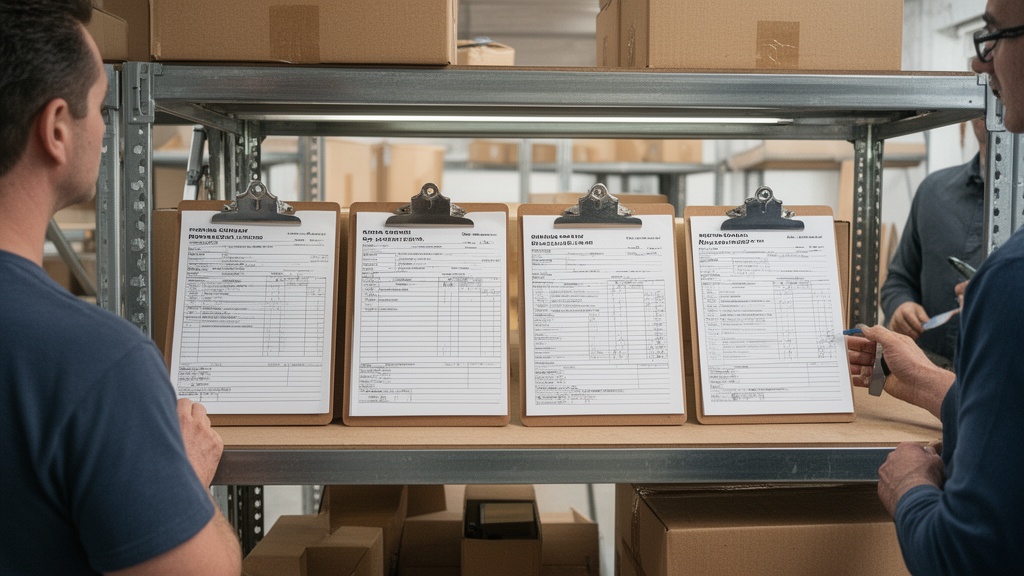
That response gap has direct revenue consequences. Customers comparing two or three moving companies respond to the first confirmation they receive. A 6-hour delay hands competitors a clear advantage on every estimate where they respond faster.
The admin burden compounds across the job lifecycle. Before automation, the case study company's office team spent 25 minutes per job on post-move paperwork. After digital dispatch with mobile crew apps, that dropped to under 8 minutes per job. Across hundreds of monthly moves, the recovered time exceeds what most businesses pay for half a full-time admin employee's productive weekly output.
Running parallel systems also means paying for parallel subscriptions — a CRM tool, a separate dispatch or scheduling platform, and potentially a standalone estimating application. A moving crm with dispatch in a single platform eliminates redundant seat costs, the integration overhead required to keep two systems synchronized, and the IT dependency that comes with maintaining API connections between separate vendors.
Core Features to Look for in a Moving CRM Dispatch Platform
Not all platforms marketed as crm dispatch software deliver equal functionality for moving operations. Evaluate each against a specific feature checklist before signing a contract.
Lead and pipeline management: A configurable lead pipeline with automated follow-up sequences is the foundation of any serious platform. Look for moving-specific stage definitions (inquiry → estimate sent → booked → dispatched → complete), automated stage progression based on customer actions, and source attribution that identifies which channels produce the highest-converting leads. Source attribution alone justified a major budget reallocation in the documented case — when data showed referrals converted at nearly twice the rate of Google Ads leads, the operator launched a structured referral program within 90 days.
Dispatch and scheduling engine: Every mover crm platform needs a scheduling layer that handles crew assignment by role — driver, helper, foreman — not just by name. The engine should display crew availability across multiple vehicles and job types simultaneously, flag conflicts in real time, and push complete job details to crew mobile apps when a job is assigned.
Mobile crew access: Crews need job details on their phones without calling the office. A purpose-built crm for movers delivers this through a dedicated crew app with push notifications, offline capability, and status reporting that flows back to the dispatch dashboard automatically.
Automation and follow-up: Automated follow-up sequences should run after estimates are sent, after jobs are completed, and for re-engagement of past customers. Automated sequences raised the booking rate from approximately 28% to 38% of qualified leads in one documented case — a 10-point lift that translated to measurable additional monthly revenue.
Reporting and analytics: Moving job management software should surface booking rate by lead source, revenue per crew day, average job value by move type, and crew utilization — the metrics that drive real scheduling and marketing decisions, not vanity dashboards.
Pro Tip: Before signing any software contract, ask specifically whether dispatch notifications push to crew devices automatically when job details change mid-assignment. Many platforms send the initial notification but require manual resends for updates — a critical failure point on busy move days.
Virtual Estimate can help: Virtual Estimate's native CRM and dispatch integration gives moving companies a single workflow from lead capture to crew completion — no middleware, no manual data transfers, no separate subscriptions. Explore moving company software solutions →
Top CRM Dispatch Software Platforms for Moving Companies Compared
The moving industry has a handful of purpose-built platforms and several general-purpose tools that operators sometimes adapt. Here's how the leading options compare on the criteria that matter most for moving operations.
| Feature / Criteria | Virtual Estimate AI | SmartMoving | Supermove | Jobber |
|---|---|---|---|---|
| CRM + dispatch integration | Native — shared data layer | Partial — CRM-first, dispatch added | Partial — dispatch-first, CRM added | Not moving-specific |
| Lead pipeline management | Full, move-specific stages | Full | Limited | Basic |
| Real-time crew dispatch | Native mobile app | Yes | Yes | Yes |
| Automated email follow-up | Built-in sequences | Limited | Limited | Available add-on |
| Move-specific job fields | Yes | Yes | Yes | No |
| Crew utilization analytics | Built-in KPI dashboard | Basic reporting | Basic reporting | Generic reports |
| Pricing transparency | Published at virtualestimate.ai/pricing | Quote-based | Quote-based | Published tiers |
| Implementation time | ~3 weeks | 4–8 weeks | 6–12 weeks | 2–4 weeks |
| Moving industry focus | Purpose-built | Purpose-built | Purpose-built | Generic field service |
No single platform dominates every dimension. Moving job management software purpose-built for movers will outperform a generic field service platform on move-specific workflows regardless of feature count. The right choice depends on where your operation currently has the most friction.
For an expanded feature analysis, the SmartMoving software review covers SmartMoving's capabilities in detail with current pricing context.

SmartMoving CRM: Dispatch Capabilities, Pricing, and Limitations

SmartMoving CRM is one of the most recognized platforms in the moving industry. It was built as a CRM first, with dispatch and scheduling features added across subsequent product cycles. That architecture shapes both its strengths and its operational gaps.
On the CRM side, SmartMoving delivers solid lead management, estimate creation, and customer communication. The pipeline view is clear, and follow-up tools are functional for standard residential move workflows.
The smartmoving dispatch module handles crew assignment within a calendar-style interface and pushes job details to a mobile crew app. Where limitations surface is in real-time dispatch automation: crew status updates don't always trigger automated customer notifications without additional configuration, and the analytics layer is thinner than platforms built with reporting as a core feature. Smartmoving crm pricing is largely quote-based for most feature tiers, which makes direct cost comparisons difficult without going through a full sales conversation.
For operators evaluating SmartMoving specifically, the SmartMoving software review provides a tier-by-tier feature breakdown and real-operator feedback.
SmartMoving limitations to evaluate:
- CRM-first architecture means dispatch logic was retrofitted, not natively designed
- Analytics depth is limited compared to platforms built around operational reporting
- Pricing requires a sales conversation for most plan tiers, complicating budget planning
- Dispatch management software movers need — like automated crew status-to-customer notifications — often requires additional configuration
Virtual Estimate AI: CRM and Dispatch Built for Movers
The Virtual Estimate CRM platform was built with CRM and dispatch sharing the same data layer from the start. This architecture eliminates the handoff problem that affects platforms where CRM and dispatch were developed separately or merged through acquisition.
A documented implementation at a four-crew, 18-staff moving company processing approximately 300 inbound leads per month produced measurable results across every tracked metric. Booking rate climbed from 28% to 41% after implementing a structured five-stage pipeline with automated follow-ups — a 13-point gain with no new lead acquisition. Lead response time dropped from 6 hours to 22 minutes through CRM task assignments and mobile notifications.
The crew utilization dashboard flags available scheduling windows when utilization drops below a defined threshold, prompting the sales team to prioritize same-week outreach and convert idle capacity into booked revenue. That scheduling intelligence shifted the job mix toward higher-margin commercial and long-distance moves, producing an 18% increase in revenue per crew day within 12 months — without crews working more hours.
Implementation completed in three weeks: two weeks of pipeline configuration and data migration, one week of team training. The CRM operations setup guide for movers provides a step-by-step configuration walkthrough for operators starting from scratch.
Pro Tip: When evaluating any moving crm with dispatch, request a live demonstration using your actual job volume and move type mix from last month — not a vendor-curated demo dataset. A platform tested against your real operation will reveal limitations that scripted demos conceal.
How to Evaluate CRM Dispatch Software: A Decision Framework
Choosing between platforms requires a structured evaluation process, not just a feature checklist comparison. Here's a five-step framework built around the criteria that drive ROI for moving operations.
Step 1 — Audit your current workflow friction: Map every point where information moves between people or systems manually — from inquiry receipt through crew dispatch through post-job paperwork. The platform that eliminates the most friction at your highest-volume touchpoints delivers the fastest return.
Step 2 — Define your non-negotiables: For most moving companies, non-negotiables include a native mobile crew app, automated customer confirmations, lead source attribution, and crew utilization reporting. Moving operations software that lacks any of these will require workarounds within 90 days of adoption that erode the efficiency gains the software was supposed to deliver.
Step 3 — Evaluate integration architecture: Every integration between a separate CRM and dispatch tool is a synchronization risk. When data doesn't sync in real time, crews receive outdated job details and customers receive incorrect confirmations. Native integration — a single shared database — eliminates this failure category entirely.
Step 4 — Calculate your break-even timeline: Software payback period consistently falls within 60–120 days of full adoption for companies processing 40 or more jobs per month. Estimate your current cost of admin labor, no-shows, and estimate errors. Compare against the platform's monthly subscription to establish your break-even point before signing.
Step 5 — Run a parallel pilot: Most platforms offer trial periods. Run both old and new workflows simultaneously for the first 30 days so you can compare outcomes without operational disruption. Measurement during the pilot, not vendor claims, should drive the final decision.
For upstream context on feeding your CRM pipeline with qualified leads, the guide on moving company marketing tactics that drive inbound leads covers the acquisition strategies that make your dispatch CRM most productive.
Implementation Timeline: Getting Your Dispatch CRM Live in Under 30 Days
A structured CRM dispatch software implementation follows a predictable three-phase arc. Most mid-size moving companies complete the full transition in 21–30 days when following this timeline.
Days 1–14: Configuration and data migration
Pipeline stages, job types, crew roles, and lead source categories need configuration before the system delivers value. Data migration — importing existing customer records, open estimates, and scheduled jobs — should happen in this window. Confirm that migration support is included in the implementation fee before signing.
Days 15–21: Training and parallel running
Office staff and crew leads need hands-on training on their respective interfaces. Running the new platform alongside existing workflows during this phase prevents disruption if onboarding encounters delays. The Virtual Estimate CRM platform completed full onboarding — including data migration — within three weeks in the documented case study.
Days 22–30: Full cutover
By day 30, the previous workflow should be retired. Dispatch automation means crews receive complete job details and updates without dispatcher phone calls. Customer confirmation sequences run automatically from booking through post-move follow-up.
Days 31–90: First results window
The first measurable revenue improvements in the documented case arrived in month three. By day 45, dispatch was fully digital with crews receiving structured job details via app. By day 90, estimate turnaround had dropped from 24 hours to under 2 hours, and automated follow-up sequences ran without manual intervention.
For detailed guidance on what full automation looks like post-implementation, the resource on dispatch automation tools that save time covers the specific workflow triggers that drive efficiency gains after go-live.
| Implementation Phase | Timeline | Key Milestone |
|---|---|---|
| Configuration & data migration | Days 1–14 | Pipeline stages, crew roles, job types configured |
| Training & parallel running | Days 15–21 | Team proficient on new platform |
| Full cutover | Days 22–30 | Previous workflow retired |
| Efficiency gains | Days 31–45 | Dispatch fully digital, admin hours drop |
| Revenue improvement | Days 60–90 | Booking rate and estimate turnaround measurably improved |
Email CRM for Moving Companies: Automating Follow-Up at Scale
Most moving companies underinvest in post-estimate follow-up. A customer who receives a quote and no second touchpoint within 24 hours often books a competitor — not because the competitor was cheaper, but because they communicated faster and more consistently.
An email crm for moving company workflows changes this pattern through trigger-based automation. When an estimate is sent, a follow-up email queues automatically at hour 24, then again at day 3 if there is no response. Booking confirmation triggers a pre-move preparation email at day minus-7 and a move-day reminder. Job completion triggers a review request and referral invitation within 48 hours — while the experience is still fresh in the customer's memory.
This sequence requires no daily sales staff attention. Once configured, it runs continuously across every lead in the pipeline. The booking rate improvement from automated sequences — from approximately 28% to 38% of qualified leads in the documented case — represents a measurable revenue gain from the same incoming lead volume without additional acquisition spend.
The referral component deserves particular attention. Source attribution data showed referrals converted at nearly twice the rate of Google Ads leads, prompting a structured referral incentive program that produced a strong positive return within 60 days of launch. Referral share of leads grew by 19 percentage points over 12 months — driven by a systematic post-job trigger in the CRM, not a manual outreach effort.
Seasonal re-engagement is a second high-value automation layer. Pre-peak-season campaigns to past customers produce re-bookings at margins higher than new lead acquisition. Configure campaigns based on the anniversary of each customer's last move, and let the CRM trigger them automatically.
Pro Tip: Build a 90-day win-back sequence for every estimate that did not convert. Moving needs do not disappear — a prospect who did not book in spring often moves in summer or fall. A single re-engagement email at day 60 costs nothing to send and recaptures a meaningful share of otherwise-lost estimates.
Moving Company Scheduling Software: Matching Crew to Job Demand
Scheduling is the intersection where CRM pipeline data meets dispatch operations. A confirmed booking in the CRM must translate immediately into a crew assignment in the dispatch calendar — with the right crew size, role mix, and vehicle for the move type.
Moving company scheduling software purpose-built for movers handles this translation natively. Crew capacity displays alongside the booking calendar, so dispatchers see which crews are available, which vehicles are scheduled, and which windows can absorb additional bookings. The crew utilization dashboard in the documented case flagged windows where utilization dropped below 80%, giving the sales team specific dates to target for same-week fill-in bookings and convert idle crew capacity into revenue.
This shifts scheduling from reactive — filling crews as jobs arrive — to proactive. The 18% increase in revenue per crew day documented in the case study came from analyzing which job types produced the best margin and systematically scheduling more of them during high-capacity windows. Crews did not work more hours; the operation worked smarter.
Companies still relying on spreadsheets or shared calendar apps for dispatch management software movers need will recognize the upgrade immediately: no more double-bookings, no more crew-size mismatches, and visibility into utilization data that informs hiring decisions. Understanding the best CRM for moving companies in the context of scheduling depth is essential before committing to any platform.
Moving companies operating as interstate carriers must also maintain documentation standards under FMCSA carrier regulations. Digital scheduling systems that auto-generate job records, crew time logs, and delivery confirmations reduce compliance documentation overhead compared to paper-based workflows.
Field Dispatch CRM: What Real-Time Crew Communication Looks Like
A field dispatch crm is only as valuable as its crew-facing interface. Office-side automation delivers nothing if crew leads are still receiving job details by phone call or text message.
Real-time crew communication in purpose-built moving operations software works through a mobile job card. When a dispatcher confirms an assignment, the crew lead's app receives a push notification with complete job details — customer name, pickup and delivery addresses, start time, access instructions, inventory summary, and special handling notes. When job details change after initial assignment, updates push automatically. No dispatcher phone calls required.
Status updates flow in the reverse direction. When the crew marks "loading complete" or "en route to destination" in the app, the dispatch dashboard updates and an automated customer notification fires. The customer sees their crew is on the way without anyone in the office placing a call. Moving operations software that connects crew status events to customer-facing communication eliminates an entire category of inbound customer service calls.
Post-job documentation happens within the same mobile interface. Crew leads complete digital job summaries, capture customer signatures, and upload condition photos directly from their phones. Completed records sync to the customer's CRM file automatically. Post-job paperwork time dropped from an average of 25 minutes to under 8 minutes per job in the documented case study — a major reduction in per-job administrative burden across a high-volume operation.
This is the practical difference between a moving crm with dispatch built natively and a generic field service platform retrofitted for movers: every touchpoint in the crew workflow is designed for the realities of a moving job, not adapted from an HVAC or landscaping workflow.
Moving Operations Software: Measuring ROI Before You Buy
The ROI calculation for moving operations software is more straightforward than most operators expect. The inputs are already in your operation — they just need to be quantified before evaluating platforms.
Quantify your current admin cost: How many hours per week does your office team spend on dispatch coordination, estimate follow-up, and post-job paperwork? The Bureau of Labor Statistics tracks office and administrative support occupations as a significant payroll line for service businesses. The documented case recovered 13 hours per week in office staff time — equivalent to more than half a full-time employee's productive weekly output — without adding payroll headcount.
Estimate your no-show and error cost: Count your monthly no-show events and estimate errors. Each no-show incurs crew deployment costs without revenue. Software adoption in the case study reduced no-shows from 5–6 per month to 2–3, and estimate errors from 3–4 per month to under one.
Project your conversion rate improvement: If your current booking rate is below a significant share, a structured CRM pipeline with automated follow-up will close that gap. The math is direct: every percentage point improvement on 80 monthly inquiries adds nearly one additional booking. At a typical average job value, the revenue impact is immediate and measurable.
Compare against subscription cost: CRM dispatch software pricing for purpose-built moving platforms is published at virtualestimate.ai/pricing. The approximately $1,181 in documented monthly savings exceeded a typical platform subscription cost — meaning cost reduction alone, without counting any revenue improvement, generated a positive ROI.
For a complete configuration walkthrough and ROI calculation template built for moving operations, the CRM operations setup guide for movers provides step-by-step guidance. And for the full picture on how these platforms connect to your lead acquisition strategy, the best CRM for moving companies comparison covers platforms across the full acquisition-to-dispatch workflow.
| ROI Component | Before Software | After Software | Monthly Impact |
|---|---|---|---|
| Admin labor hours | 22 hrs/month | 9 hrs/month | 13 hours recovered |
| No-show events | 5–6 per month | 2–3 per month | Revenue and cost recovered |
| Estimate errors | 3–4 per month | <1 per month | Error costs eliminated |
| Paper/printing costs | ~$80/month | ~$15/month | ~a noticeable amount saved |
| Booking rate | ~28% | ~38–41% | Significant additional monthly revenue |
Sources: Moving Company Software ROI Case Study, CRM Analytics Case Study
Related Articles
- Moving Company Marketing: A Complete Step-by-Step Guide — Learn the full acquisition funnel from SEO and paid ads to referral programs that feed your CRM pipeline with qualified leads.
- CRM for Moving Companies: Streamline Operations — A deep dive into how CRM automation transforms day-to-day moving company operations from inquiry to job completion.
- Moving Company Automation: Tools That Save Time and Cut Costs — Specific automation tools and workflow triggers that reduce admin overhead and improve job completion rates.
- Best Moving Company Software — A broader comparison of the software stack moving companies use across estimating, dispatch, and customer management.
- Digital Marketing Strategies for Moving Companies — Channel-by-channel strategy for building the inbound lead volume your CRM dispatch software can convert.
Ready to see it in action?
Book a free 20-minute demo and explore how Virtual Estimate can help your business.