

Business process automation has reached an inflection point. Agency AI — the deployment of autonomous AI agents that execute multi-step business workflows without human intervention — is no longer limited to enterprise technology budgets. In 2026, small and mid-size service businesses are deploying AI agents that generate estimates, qualify leads, route dispatch, and manage follow-up sequences at a fraction of the cost of equivalent human labor. According to McKinsey, 72% of organizations have adopted at least one AI function, with those investing in agentic AI reporting 20-40% gains in operational efficiency within the first year. This guide delivers a practical, step-by-step framework for implementing agency ai in your business — from identifying the right processes to scaling a full AI-powered operation.

Key Takeaways
| Point | Details |
|---|---|
| AI agents cut administrative time | Service businesses report 30-40% reduction in time spent on repeatable admin tasks within 90 days of AI agent deployment. |
| Lead response speed doubles | AI-powered response drops average reply time from hours to under 2 minutes, directly increasing close rates by 15-25%. |
| ROI arrives within 60 days | Most service businesses achieve positive AI agent ROI within 60 days when starting with high-volume, well-defined processes. |
| Moving companies gain specific advantages | Automated estimates, dispatch routing, and follow-up sequences deliver 70%+ time savings per task in the moving industry. |
| Pre-built solutions accelerate deployment | AI-powered moving estimate solutions reduce configuration time from months to days for service businesses. |
What Is Agency AI and How Does It Work?
Agency AI describes a class of artificial intelligence systems that operate as autonomous agents — software programs that perceive their environment, make decisions, and execute actions to achieve defined goals. Unlike simple automation scripts that follow rigid if-then rules, agentic AI reasons through problems, adapts to new information, and chains together multiple tools to complete complex tasks end-to-end.
A foundational distinction separates agency ai from traditional automation: traditional tools handle one step at a time, while an AI agent handles entire workflows. A traditional chatbot answers a question; an AI agent answers the question, logs the interaction in your CRM, schedules a follow-up call, and triggers a customized pricing quote — all without human input.
The technical architecture behind most AI agent platforms involves three core layers:
- Perception layer: ingests and interprets inputs — emails, forms, voice recordings, documents, and customer photos
- Reasoning engine: processes inputs using large language models (LLMs) to determine the appropriate next action
- Action layer: executes tasks via API integrations, browser automation, or direct software connections
McKinsey's 2025 State of AI report documents that 72% of organizations have adopted at least one AI function — up from 55% in 2023. The shift from rule-based automation to agentic AI represents the most significant operational change in business technology since cloud computing replaced on-premise software.
Pro Tip: Before selecting any AI agent software, map your top 5 most time-consuming repeatable tasks and calculate the weekly minutes spent on each. The highest-ROI AI deployments target processes that occur more than 20 times per week — frequency is the multiplier that makes agent ROI undeniable.
Step 1: Identify Which Business Processes to Automate with AI
The first step in implementing agency ai is process selection — and most businesses get this wrong by starting too broad. Effective AI automation for business begins with a narrow focus: one high-volume, well-defined process with clear inputs and predictable outputs.
The strongest candidates for ai agent software share four characteristics: high frequency (15+ occurrences per week), rule-based decision logic with clear criteria, data-rich inputs that AI can parse reliably, and measurable outcomes. Explore AI-powered moving estimate solutions to see exactly which processes service companies automate first — the pattern applies across most service business models.
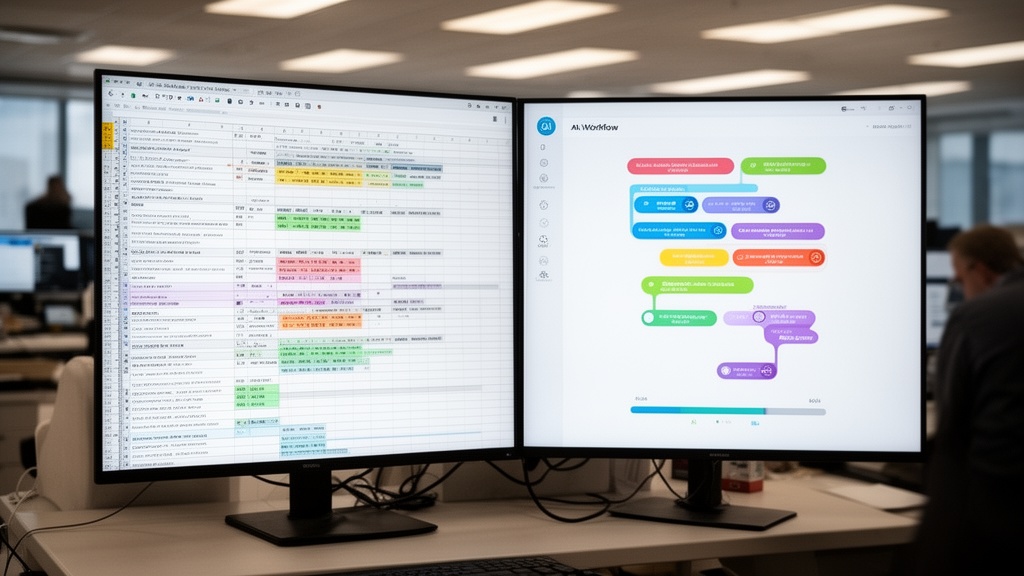
For service businesses, the quantified automation opportunity looks like this:
| Process | Manual Time Cost | AI Automation Savings | Annual Hours Recovered |
|---|---|---|---|
| Lead intake & qualification | 8-12 min per lead | 85% reduction | 200-350 hrs/yr |
| Estimate generation | 20-35 min per job | 70% reduction | 350-600 hrs/yr |
| Follow-up email sequences | 5-10 min per contact | 95% reduction | 150-250 hrs/yr |
| Dispatch scheduling | 45-90 min per day | 60% reduction | 160-240 hrs/yr |
| Invoice generation | 10-15 min per job | 90% reduction | 200-350 hrs/yr |
Start with the process that combines highest frequency with clearest decision criteria. For most moving companies, estimate generation wins on both dimensions — it occurs dozens of times weekly and follows defined logic based on inventory size, move distance, and service type. This is precisely where ai tools for moving companies deliver the fastest measurable return.
Step 2: Choose the Right AI Agent Platform for Your Needs
Selecting the right artificial intelligence platform determines whether your AI deployment delivers ROI in 60 days or stalls in an 18-month integration project. The market segments into three tiers: enterprise platforms (Salesforce Einstein, Microsoft Copilot Studio), developer-focused frameworks (LangChain, CrewAI), and industry-specific SaaS tools built for verticals like moving, field service, or professional services.
For small-to-mid-size service businesses, industry-specific AI agent tools win on every metric that matters: faster deployment, lower cost, and pre-built integrations with the software you already use. Generic enterprise platforms require 6-18 months of configuration and a dedicated IT team. Vertical SaaS solutions deploy in days and arrive pre-configured for your industry's specific workflows.
Key evaluation criteria when comparing the best AI agents:
| Criteria | What to Look For | Red Flag |
|---|---|---|
| Pre-built integrations | Native connections to your CRM, dispatch, and communications tools | "We can build any integration" (means you pay for custom development) |
| No-code configuration | Operations staff can configure without developer support | Requires coding knowledge for workflow adjustments |
| Data security | SOC 2 Type II certified, clear data residency policy | Vague answers about where customer data is stored |
| Pricing model | Predictable flat fee or job-volume tiers | Per-action pricing that scales unpredictably at high volume |
| Onboarding support | Dedicated implementation support for the first 90 days | Self-service documentation only |
Virtual Estimate can help: VirtualEstimate delivers purpose-built AI agents for moving companies — automated estimates, lead qualification, and dispatch routing configured in days, not months. Learn more →
Step 3: Set Up and Configure Your AI Agents
Configuration is where most AI implementations fail — not because the technology is complex, but because businesses skip foundational data preparation. Before you deploy AI agents, you need clean, structured inputs: standardized intake forms, documented decision criteria, and at minimum 90 days of historical job data to calibrate the system to your specific business patterns.
The setup process for ai agent tools follows a consistent sequence regardless of platform:
- Connect data sources: Link your CRM, email platform, calendar, and job management software to the AI agent system.
- Define triggers: Specify which events launch an agent workflow — new form submission, inbound call, missed appointment, or job completion.
- Map decision logic: Document every decision the agent will make and the criteria it applies to make it.
- Set autonomy boundaries: Define what the agent executes autonomously versus what requires human approval before action.
- Configure escalation paths: Establish notification rules for edge cases, high-value jobs, or low-confidence decisions.
The CRM platform built for moving companies at VirtualEstimate handles steps 1-3 automatically — it arrives pre-integrated with the data connections moving companies use most, eliminating the most time-consuming configuration work.
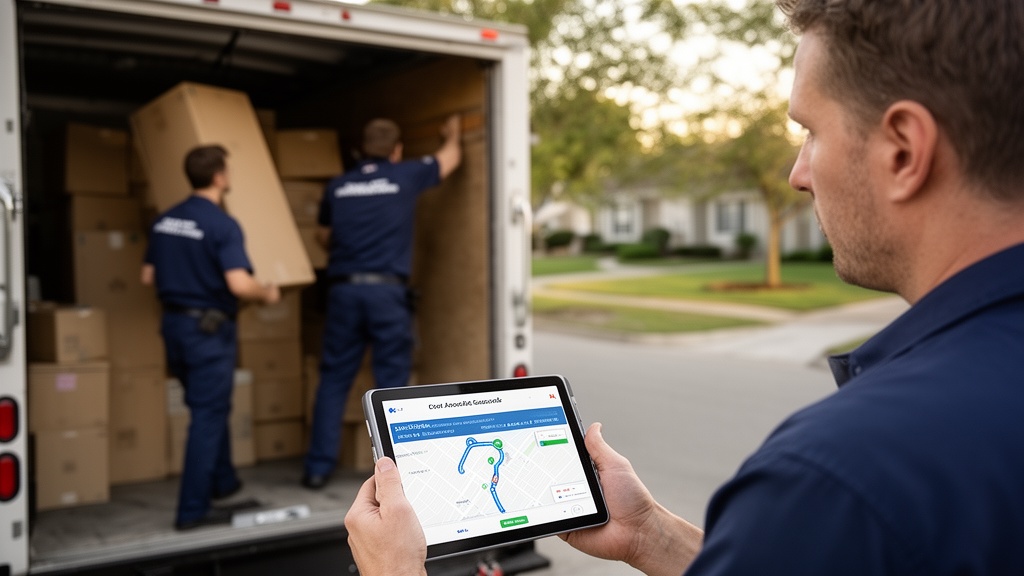
Pro Tip: Set your AI agent's autonomy level conservatively at launch. Run in "suggest and notify" mode — where the agent recommends actions for human approval — for the first 2 weeks before enabling full autonomous execution. This builds team trust and surfaces edge cases before they affect customers.
Step 4: Integrate AI Agents Into Your Existing Workflows
Integration separates successful AI deployments from expensive experiments. The goal is not to replace existing workflows — it is to embed AI agents within them so the technology becomes invisible and the output becomes the new operational standard. This requires explicit buy-in from the staff who interact with affected workflows daily.
Start with a two-week parallel run: the AI agent executes tasks alongside the existing manual process. Compare outputs, document discrepancies, and resolve configuration gaps before cutting over fully. This approach eliminates the most common integration failure — staff bypassing the AI because they don't trust outputs they have never seen validated.
The technical integration checklist for ai workflow automation in service businesses:
- API authentication: Secure token-based connections between AI platform and all integrated software tools
- Data field mapping: Confirm that data from forms and CRM maps correctly to AI agent input parameters
- Escalation routing: Clear handoff paths for the AI to alert humans when confidence thresholds are not met
- Audit logging: Every AI action logged with timestamp, input data, and decision rationale for compliance review
- Rollback procedure: Documented manual fallback process if the AI agent experiences unplanned downtime
Business process automation ai works best on reliable, real-time data. A broken integration — where the agent acts on stale or incomplete information — produces errors that erode team trust faster than any other failure mode.
Step 5: Monitor, Optimize, and Scale Your AI Agents
Deploying an AI agent is not a one-time event. Autonomous AI agents require ongoing monitoring, quarterly calibration, and deliberate expansion to deliver compounding returns. Businesses reporting the highest AI agent ROI treat their agents like high-performing employees — with structured performance reviews, improvement cycles, and expanded responsibilities over time.

Establish a weekly review cadence using these five core metrics:
| Metric | What It Measures | Target Benchmark |
|---|---|---|
| Task completion rate | % of triggered workflows completed without error | >95% |
| Escalation rate | % of tasks handed off to humans | <10% |
| Average handling time | Time from trigger to completed action | Decrease 10% per quarter |
| Lead response time | Minutes from inquiry to first AI response | <2 minutes |
| Conversion rate impact | Change in leads-to-booking rate since AI deployment | +15-25% within 90 days |
Scale your AI deployment using a phased model: prove ROI on one process in 60 days, then expand to a second process. Avoid automating five processes simultaneously — this fragments team attention and makes it impossible to isolate what is or is not working.
To see VirtualEstimate pricing plans and understand what scale looks like at different operational sizes, the pricing page breaks down AI agent capacity by monthly job volume. Most growing moving companies find that scaling from one to three automated processes within the first year delivers the steepest efficiency curve.
Top Use Cases for Agency AI in Service Businesses
Service businesses — moving companies, field service operators, home services providers — represent the highest-ROI segment for agency ai adoption in 2026. These businesses share three characteristics that make them ideal for autonomous AI agents: high inquiry volume, repeatable workflow patterns, and a workforce more productively deployed on physical tasks than administrative ones.

Automated Estimate Generation
AI agents parse customer inventory lists, apply real-time pricing rules, and generate binding or non-binding estimates in under 60 seconds. Moving companies using automated estimates report a 70% reduction in estimate preparation time and a 25% increase in estimate-to-booking conversion — a direct result of faster response speed. In competitive urban markets, the best moving services in NYC depend on sub-2-minute estimate responses to win business over slower competitors.
Intelligent Lead Qualification and Follow-Up
Autonomous AI agents score inbound leads by move size, timeline, distance, and service tier — then trigger personalized follow-up sequences automatically. Salesforce's 2025 State of Sales report documents that high-performing sales teams are 4.9x more likely to use AI for lead prioritization than underperforming teams. This use case alone recovers 150-250 hours of sales team time annually and is one of the fastest paths to measurable ai agent ROI.
Dispatch and Route Optimization
AI agent tools analyze job locations, crew availability, truck capacity, and real-time traffic data to generate optimized daily schedules in under 5 minutes. The same manual dispatch process consumes 60-90 minutes of a dispatcher's day. For companies running 10+ jobs daily, this use case recovers more than 200 hours annually — time redirected toward business development and customer service.
Review and Reputation Management
AI agents monitor review platforms, flag negative reviews for immediate human response, and trigger automated review request sequences at the optimal post-job moment — typically 2-4 hours after job completion, when customer satisfaction peaks. Pair reputation management AI with digital marketing strategies for moving companies for a complete customer acquisition and retention loop.
For context on how AI agents fit within the broader software ecosystem, the moving company technology stack guide covers every tool category and explains how agentic ai layers across each one to create fully ai-powered business operations.
Common Mistakes When Implementing AI Agents (And How to Avoid Them)
Even well-resourced businesses make predictable errors when deploying ai agents for small business or mid-market operations. Understanding these failure patterns before implementation saves months of wasted effort and avoidable budget loss.
Mistake 1: Automating a broken process. AI amplifies whatever process it executes. An ineffective lead follow-up sequence run 10x faster by an AI agent produces 10x more ineffective outreach. Fix the process logic first — then automate it.
Mistake 2: Skipping data preparation. AI agent software requires historical data to calibrate decisions. Launching without 90 days of clean, structured job data produces unreliable outputs. Gartner identifies poor data quality as the leading cause of AI implementation failure, cited in 73% of failed AI deployments in 2025-2026.
Mistake 3: Treating AI as a cost-cutting tool. Businesses that deploy AI to eliminate headcount miss the larger opportunity: using AI to absorb volume growth that would otherwise require additional hiring. The correct frame is capacity expansion, not workforce reduction.
Mistake 4: No human escalation path. Every AI agent workflow requires a defined escalation trigger — a threshold at which the system alerts a human. Deployments without escalation paths create blind spots where edge cases fall through undetected.
Mistake 5: Deploying without team buy-in. Operations staff who feel threatened by AI will find workarounds. Present AI agents as tools that eliminate the most tedious parts of their jobs — not replacements. Involving frontline staff in configuration and testing phases directly improves agent accuracy through their knowledge of real-world edge cases.
Pro Tip: Run a "shadow mode" test for at least 5 business days before going live with any new AI agent. Shadow mode lets the agent observe and log what actions it would take — without actually executing them. Review the logs with your team to catch configuration errors before they reach customers.
Related Articles
- CRM for Moving Companies: Streamline Operations 2026 — Learn how a purpose-built CRM integrates with AI agents to automate moving company operations from lead intake through job completion.
- Digital Marketing Strategies for Moving Companies: A Complete Guide — Discover how to pair AI automation with digital marketing to generate more leads and close them faster.
- Pricing Strategies for Moving Companies: Maximizing Profitability — Explore how AI-powered dynamic pricing tools help moving companies optimize rates and protect margins.
- Customer Experience Excellence in Moving Services — See how AI agents transform the customer journey from first inquiry through post-move follow-up.
- Types of Moving Estimates: Choosing the Best Option — Understand which estimate formats pair best with AI automation for faster, more accurate quotes.
Recommended Resources
Ready to see it in action?
Book a free 20-minute demo and explore how Virtual Estimate can help your business.